17
Set-up and Installation
The Nº38S incorporates both RCA-type and XLR-type connectors for
audio signal input and output.
The Madrigal-designed RCA-type connectors used for single-ended
audio interconnection are a great improvement over ordinary RCA-
type connectors, offering superior contact integrity and mechanical
locking when used in conjunction with the Madrigal cable-mounted
RCAs. The gold-plated XLR-type connectors used for balanced
connections are of Swiss design, and are made to professional
application standards.
When connecting the Nº38S to source equipment and power
amplifiers, we recommend Madrigal Audio Laboratories HPC
Interconnect Cable. HPC is available in various lengths, terminated
with RCA, XLR, or Camac connectors. See your Mark Levinson dealer
for more information.
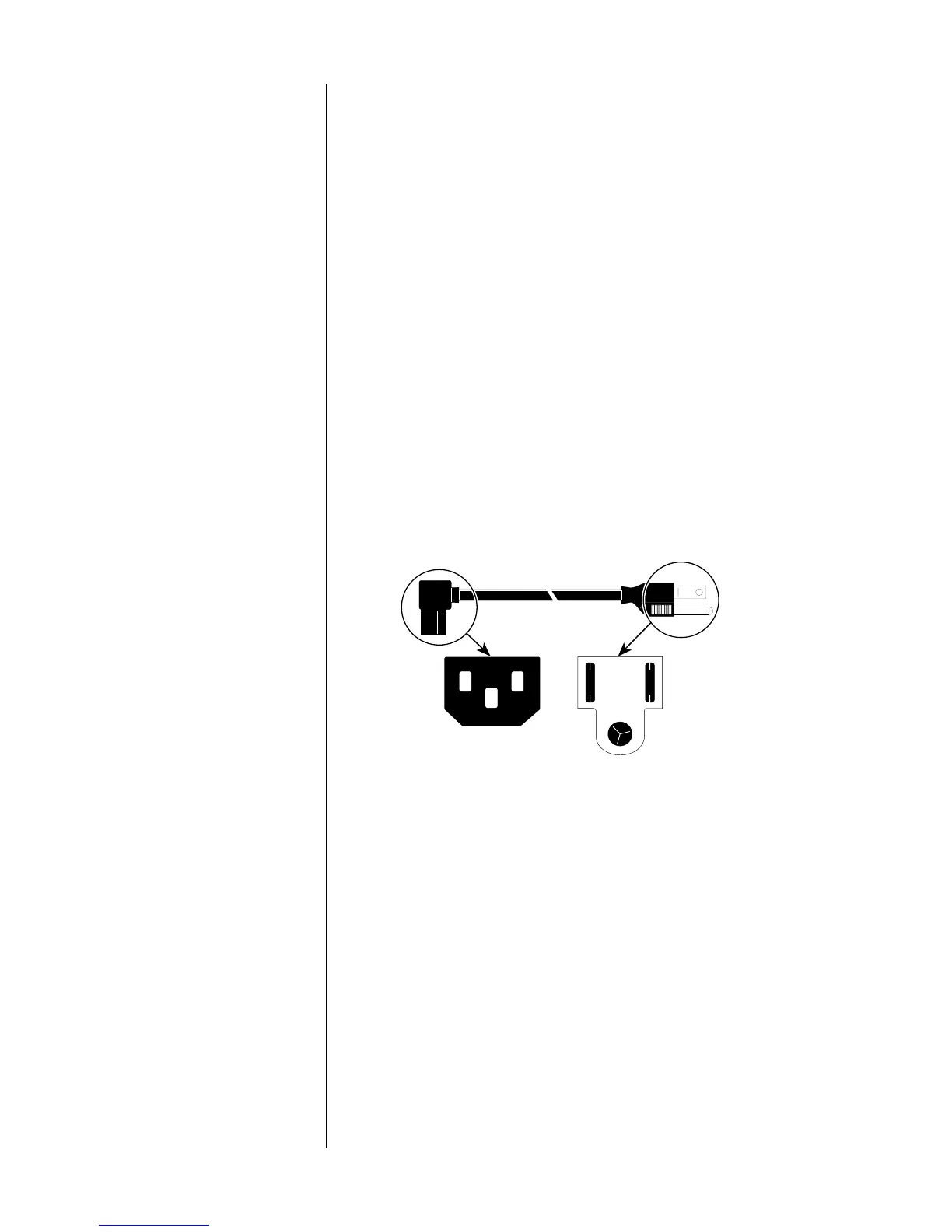
Connect the AC cord to the male IEC connector on the center of the
bottom panel of the Nº38S, then connect the AC cord to the AC
mains.
To Nº38 To AC mains
1
3
2
1
2
3
1 = Line (hot)
2 = Neutral
3 = Earth ground
When power is first applied to the Nº38S, it will run through an
automatic initialization sequence which (among other things) provides
a “role-call” of the current input aliases (see “Aliases” on the next
page), selects the first alias
other than
NOT USED or ssp, and sets the
volume to OFF.
For optimal sonic performance and longevity, the Nº38S is designed to
remain powered at all times (the Standby switch merely mutes the
preamplifier’s outputs and turns off the display). There is an initial
break-in period of 300 hours before the Nº38S achieves optimum
performance.
Note: If AC mains power to the Nº38S is interrupted, the main
output will be muted. When power is restored, the initialization
sequence described above will restore the preamplifier to
normal operation, with the main output muted and the Display
indicating OFF. We recommend you allow the circuitry within
your various system components to stabilize for 1 to 2 minutes
before use after such a power outage.
AC power cord polarity
Power connection and
system activation
Connections and cables











 To Next Page