EasyManua.ls Logo

Mark BASETHERM 06 29 190 - User Manual

Mark BASETHERM 06 29 190
72 pages
Print Icon
To Next Page IconTo Next Page
Loading...
Technical manual
Technisches Handbuch
Livret technique
Technisch boek
Instrukcja techniczna
Manual tehnic
Technická dokumentácia
Technická dokumentace
EN
DE
FR
NL
PL
RO
SK
CS
MARK BASETHERM
06 60 010
06 29 190
BaseTherm
MODE
FAN
HEAT
AUTO
°C
06 29 190

Table of Contents

Question and Answer IconNeed help?

Do you have a question about the Mark BASETHERM 06 29 190 and is the answer not in the manual?

Summary

General Information

All Rights Reserved

Legal disclaimer regarding product improvements and contract basis.

General Warnings

Requirement for professional installation and compliance with regulations.

Product Application

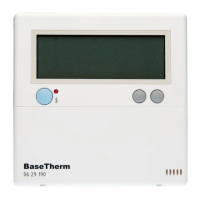
Describes the BaseTherm as a thermostat for controlling air heaters.

Technical Specifications

BaseTherm Factory Settings

Details the default room temperature setting for the BaseTherm unit.

Installation and Commissioning

General Installation Steps

Instructions for unpacking and inspecting the BaseTherm for damage.

Thermostat Positioning

Guidance on selecting an optimal location for mounting the thermostat.

Wiring Recommendations

Recommendations for using shielded cable and earthing the shielding.

Mounting and Connection

Key points to consider when connecting the BaseTherm to air heaters.

Operating Manual

Controls and Display Overview

Overview of the thermostat's buttons, LED indicators, and display segments.

Heating Mode Operation

Steps to activate and deactivate the heating function using the HEAT button.

Ventilation Mode Operation

Steps to activate and deactivate the ventilation function using the FAN button.

Adjusting Set-Point Value

Instructions for adjusting the desired temperature value using up/down buttons.

Resetting After a Fault

Procedure to reset the system using the RESET button after a fault occurs.

Messages and Faults

Initial Screen Display

Description of the '-- --' display during the initialisation phase.

Software Version Display

How to view the current software version of the thermostat.

Display Message: OFF

Explanation of the 'OFF' message indicating appliance lockout and potential causes.

Troubleshooting Fault Codes

Details of error codes, their meanings, and possible causes for appliance malfunctions.

Disposal of the BaseTherm

Quickstart Guide

Summary

General Information

All Rights Reserved

Legal disclaimer regarding product improvements and contract basis.

General Warnings

Requirement for professional installation and compliance with regulations.

Product Application

Describes the BaseTherm as a thermostat for controlling air heaters.

Technical Specifications

BaseTherm Factory Settings

Details the default room temperature setting for the BaseTherm unit.

Installation and Commissioning

General Installation Steps

Instructions for unpacking and inspecting the BaseTherm for damage.

Thermostat Positioning

Guidance on selecting an optimal location for mounting the thermostat.

Wiring Recommendations

Recommendations for using shielded cable and earthing the shielding.

Mounting and Connection

Key points to consider when connecting the BaseTherm to air heaters.

Operating Manual

Controls and Display Overview

Overview of the thermostat's buttons, LED indicators, and display segments.

Heating Mode Operation

Steps to activate and deactivate the heating function using the HEAT button.

Ventilation Mode Operation

Steps to activate and deactivate the ventilation function using the FAN button.

Adjusting Set-Point Value

Instructions for adjusting the desired temperature value using up/down buttons.

Resetting After a Fault

Procedure to reset the system using the RESET button after a fault occurs.

Messages and Faults

Initial Screen Display

Description of the '-- --' display during the initialisation phase.

Software Version Display

How to view the current software version of the thermostat.

Display Message: OFF

Explanation of the 'OFF' message indicating appliance lockout and potential causes.

Troubleshooting Fault Codes

Details of error codes, their meanings, and possible causes for appliance malfunctions.

Disposal of the BaseTherm

Quickstart Guide

Mark BASETHERM 06 29 190 Specifications

General IconGeneral
Switching Current16 A
Accuracy± 0.5 °C
Protection ClassIP20
Power Supply230 V
Weight0.1 kg
CategoryThermostat

Related product manuals