Encode
Input Format
Select ON to display video on the monitor that is
connected to the composite or HD/SD-SDI or HDMI video port.
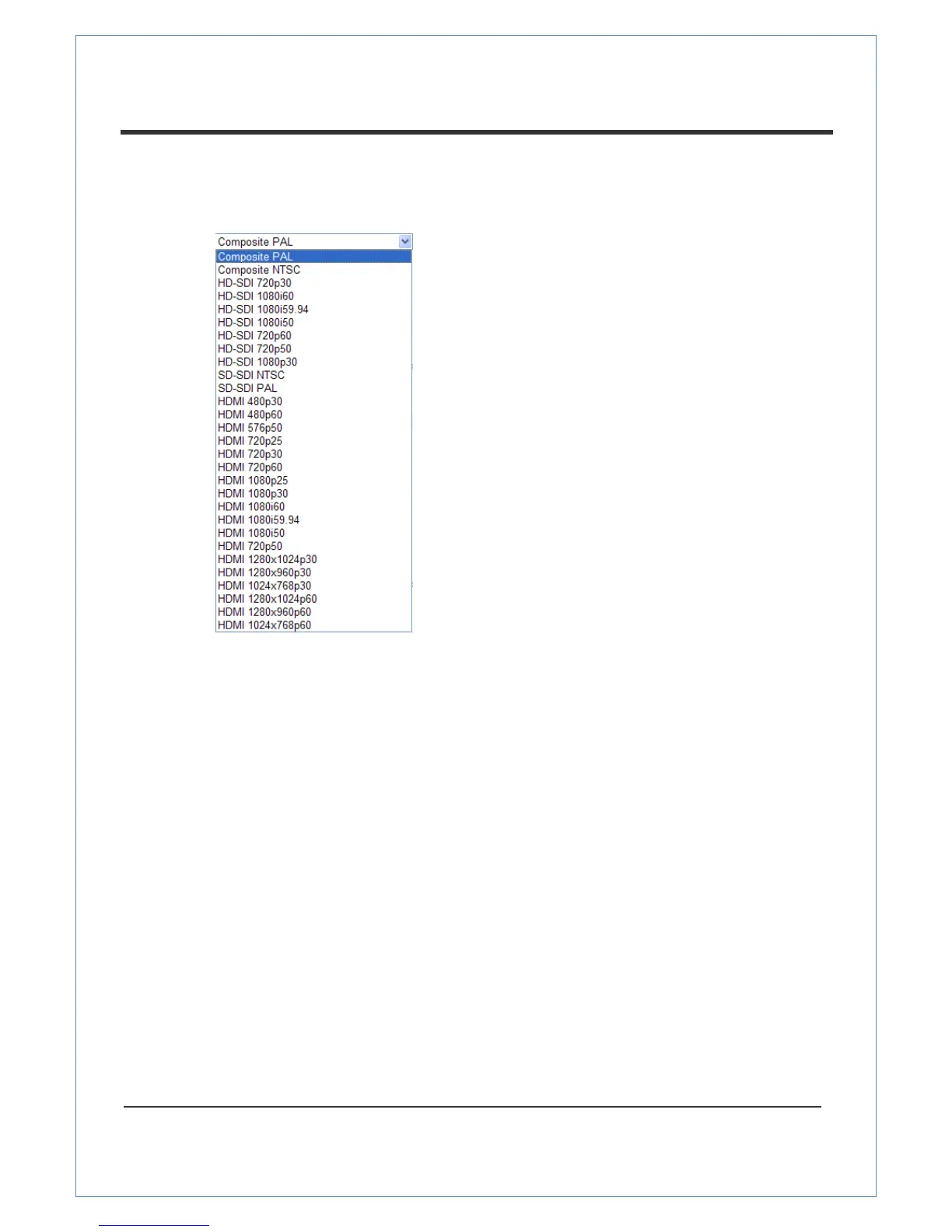
Select an Input Format. There are 4 types of input ports:
Composite, HD-SDI (Option), SD-SDI(Option), HDMI.
Select an input format according to the input port type.
Resolution
This features lets you select video compression resolution. Compression resolutions are different
depending on input formats. The scaling option is used when compression resolution is
different from input compression. Without the scaling option, the input video image will be
cut according to compression resolution. On the other hand, if scaling is selected, the input video
size will be adjusted to the compression resolution.
Frame rate
This feature determines the maximum number of frames of video images to compress.
The frame rate of actually transmitted video can be affected by the network bandwidth limitation.
Preference
Preference in video compression and transmission: With „Bit rate‟ selected, the video
compression will be effected by the „Bit rate‟ value entered. With „Quality‟ selected, the video
compression will be effected by the quality of image selected. Therefore, „Bit rate‟ and „Quality‟
corresponds to CBR (Constant Bit rate) and VBR (Variable Bit rate) respectively.


 To Next Page