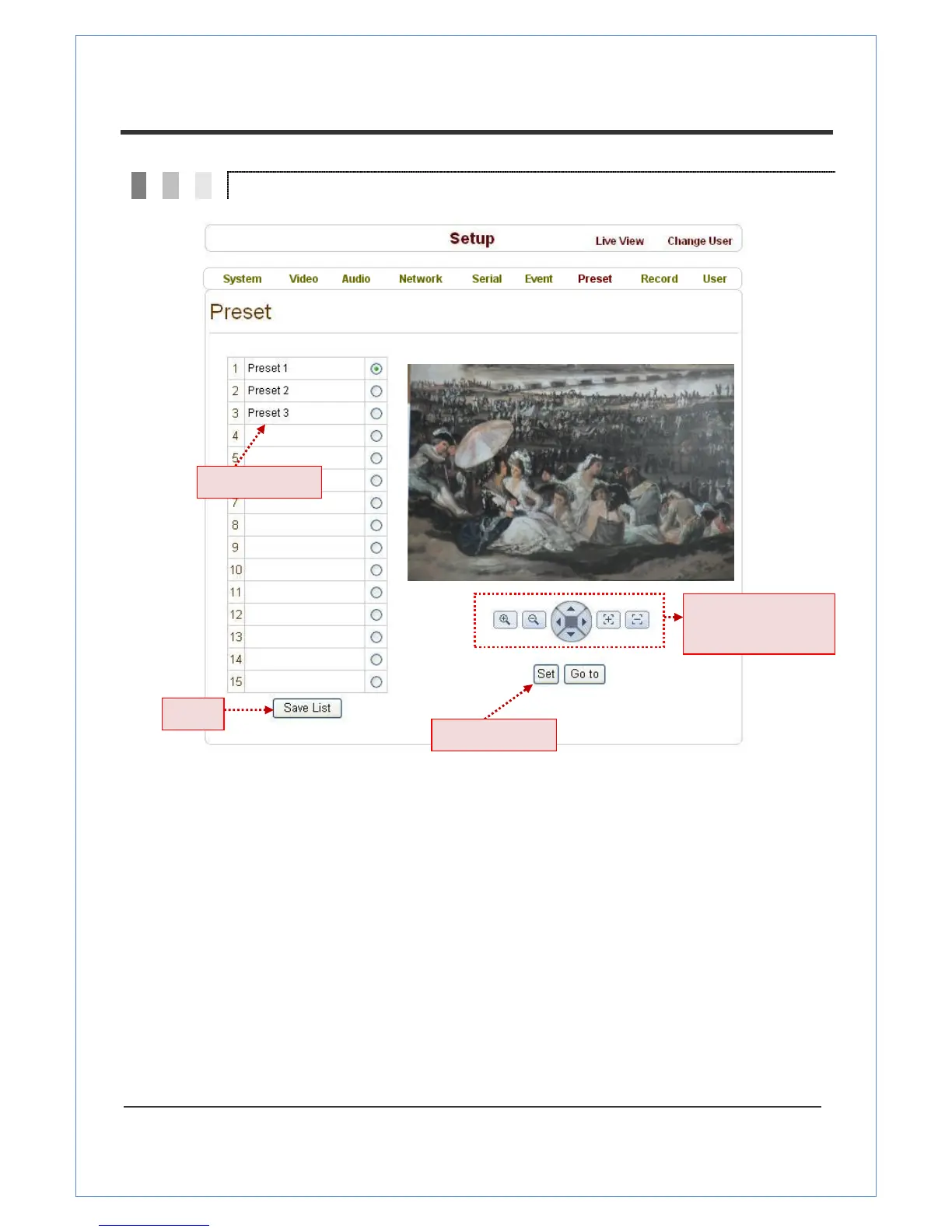
You can configure up to 15 preset positions. The Preset function is not available on some PTZ receivers.
Make sure to check to see if a PTZ receiver supports Preset.
Preset Configuration
Set the PTZ Presets by following these steps:
Move cameras to desired view using PTZ control buttons.
Enter the Preset name.
Press the Set button.
Once all the presets are set, press the Save List button.
Move to Preset Position
Select a preset from the Preset options and press the Go To button. The camera will then move
to the selected preset position.


 To Next Page