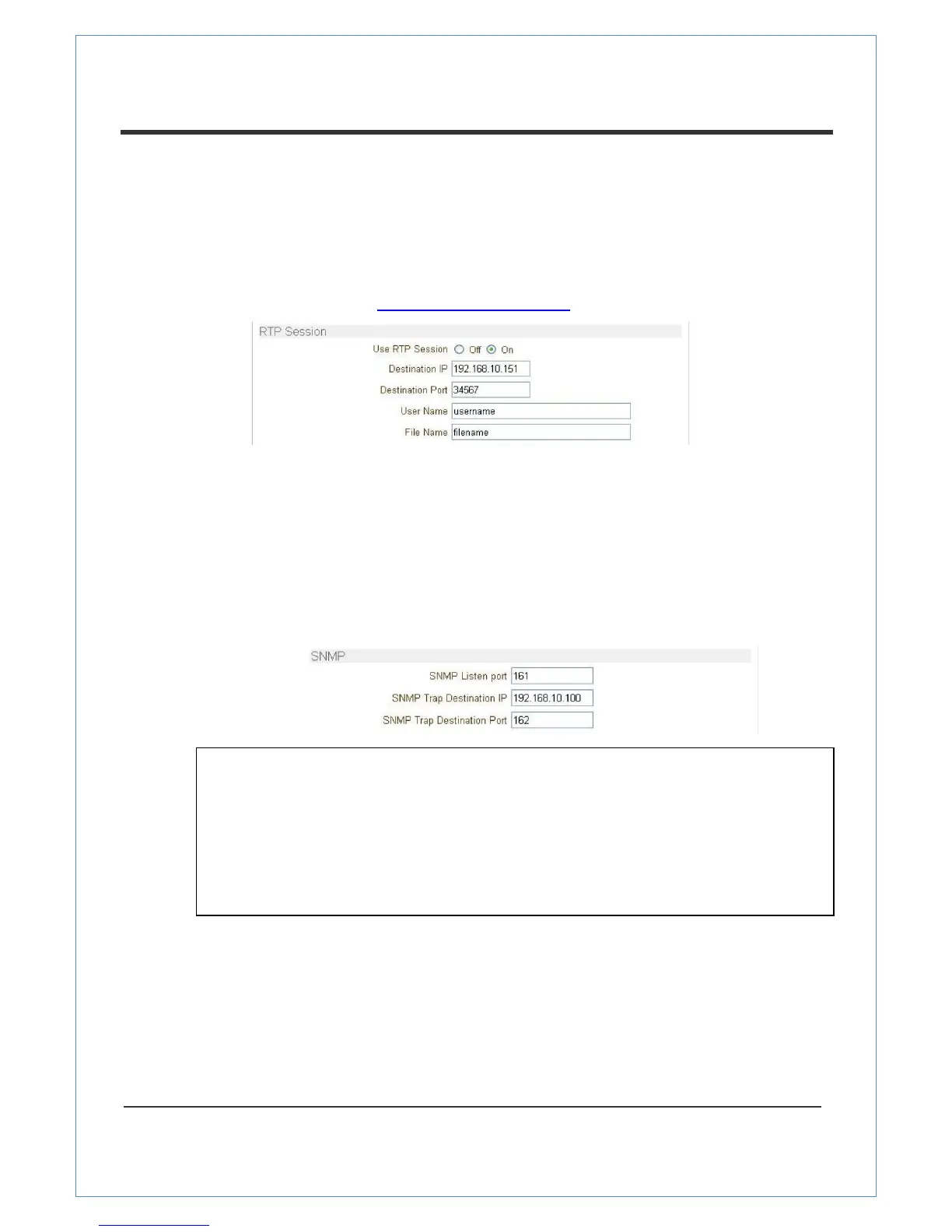
Related settings are as follows:
- Destination IP: Sets the IP Address for your destination system which will receive an RTP
stream.
- Destination Port: Sets the port for your destination system which will receive an RTP stream.
- User Name: Enter the User name that will be used as the session name in the SDP file.
- File Name: Enter the file name that will be used as the name of the SDP file. Then it can
be accessed through http://ServerAddress/filename
SNMP
VS-102-HDSDI can be used as an SNMP agent. It is compatible to both SNMPv1 and SNMPvec.
Settings for using SNMP (Simple Network Management Protocol) are as follows:
- SNMP Listen Port: The port is for connecting external devices when the system operates as
an SNMP client. SNMP is not used by setting 0 value.
- SNMP Trap Destination IP: Sets the SNMP Trap Destination IP.
- SNMP Trap Destination Port: Sets the SNMP Trap Destination Port.
SNMP is not used by setting 0 value.
Multicast
Multicast IP
The multicast IP address selection range is between 224.0.1.0 and 238.255.255.255. The
selection can be used only when the media protocol is set to Multicast. The Multicast menu is used
for the Multicast connection request from a Decoder or CMS / NVR software to transmit
a Multicast stream to the Decoder or CMS / NVR software. The Multicast address must be the
same for the system to be connected using Multicast protocol.
Simple Network Management Protocol (SNMP) is used by network management systems to
communicate with network elements. SNMP lets TCP/IP-based network management clients
use a TCP/IP-based internetwork to exchange information about the configuration and status
of nodes. SNMP can also generate trap messages used to report significant TCP/IP events
asynchronously to interested clients. For example, a router could send a message if one of its


 To Next Page