Recorded File
Recorded video and audio data can be saved as AVI format in the disk.
In general, one AVI file is created for an event when using event-based recording. However, it is
possible that recorded data by a series of events happening continuously can be merged to a
single AVI file depending on pre/post event time setting. The size of file is limited to 10 ~ 200MB or
10 minutes.
For continuous recording, AVI files are created in a series and the size of each is limited to 10
~ 200MB, or 10 minutes.
Search
A file currently being recorded doesn‟t appear until it is completed. For continuous
recording, a file will be shown after 10 minutes from the start of the recording. A file is generated
every 10 minutes.
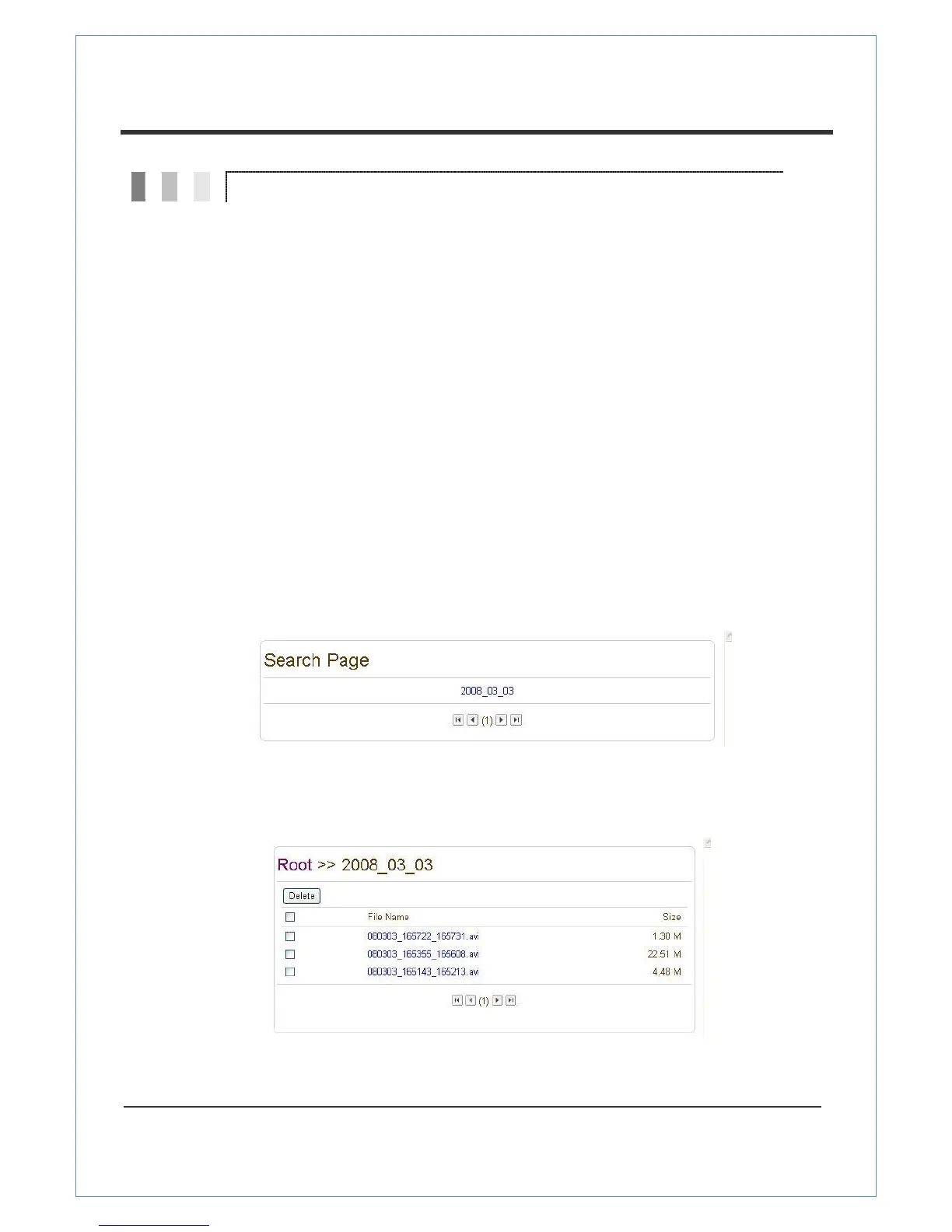
Press the Search Page button on the Record setup page. Dates with recording data will be shown as
follows:
First, choose the date for your search and the list of AVI files will be shown.
The file name shows the date and time: “Date Begin Time End Time.avi”.
Press Root to move back to the page with the date list.


 To Next Page