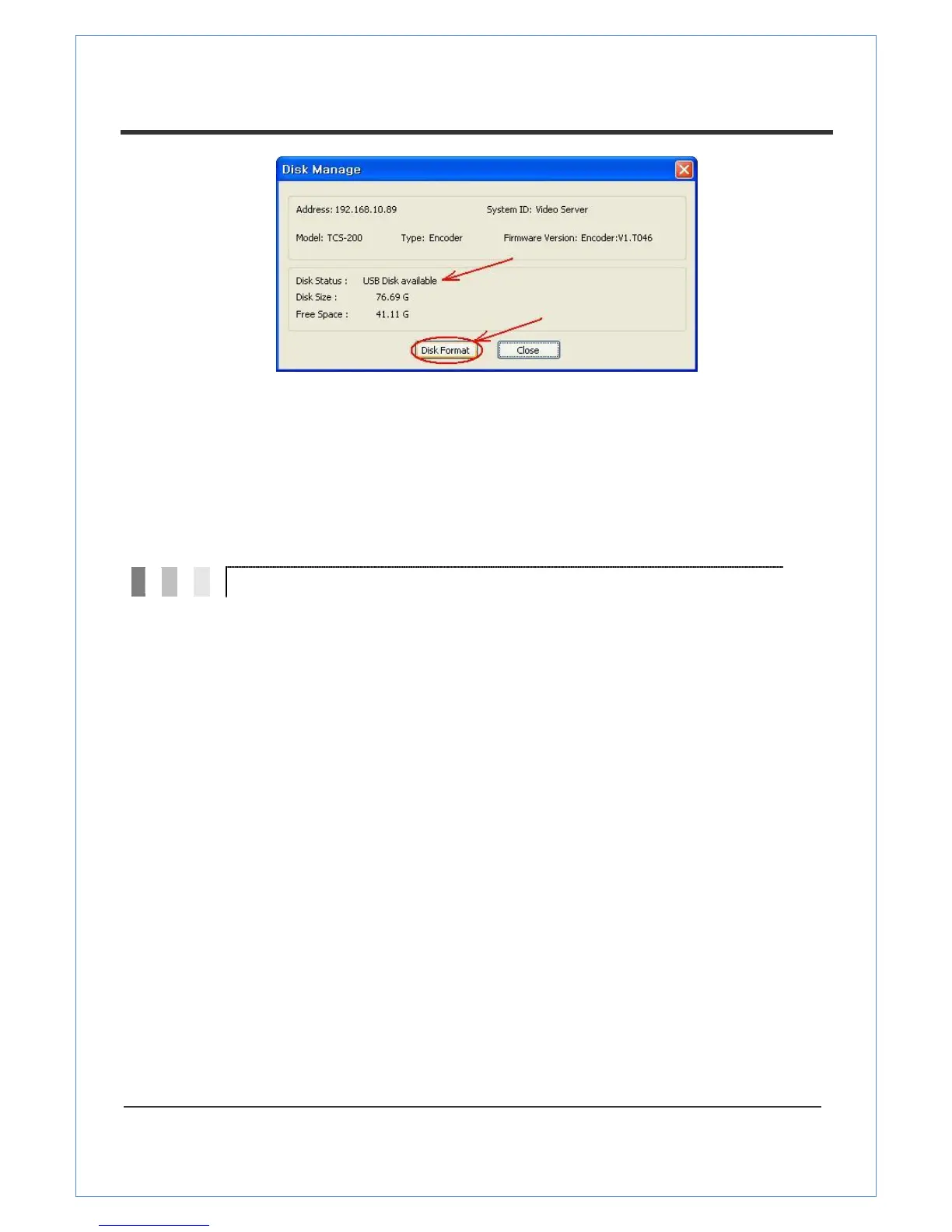
When formatting a disk, the progress will update on the Disk Status. The system may be
rebooted depending on the situation. Once "USB Disk available" is displayed, it means that
the formatting has completed successfully.
Once formatting has started, it cannot be canceled. Even if you close Disk Manage dialog,
formatting will continued.
There may be damage to the file system if you turn off the power of VS-102-HDSDI or disconnect
the USB memory stick or USB HDD while data is being written.
For FAT32, recording can‟t be done normally if the file system is damaged. If this happens, the
disk or memory stick should be reformatted on the PC.
For EXT3, if the trouble in the file is not serious, it can be recovered by itself. The recovery is
executed at initialization of the system. Recording is not performed while recovery is in progress.


 To Next Page