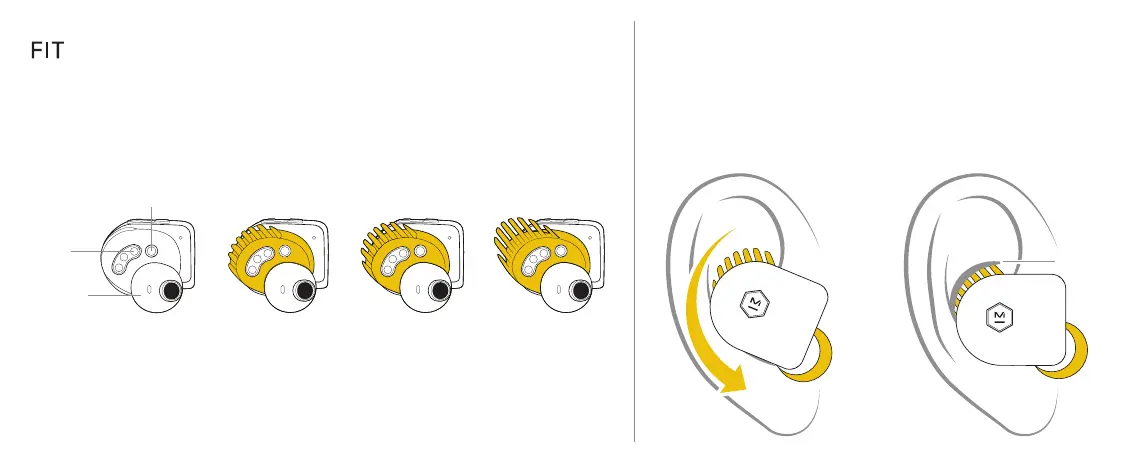
To insert your earphones follow these steps:
Tilt the earphone forward
with the ear tip resting
lightly in your ear canal.
Rotate the earphone down until
the ear tip forms a seal with
your ear canal and the Fit Wing
slips under your ear ridge.
FIT WING OPTIONS
MS L
You may prefer to attach the other Fit Wings for a more secure fit.
3
EAR
RIDGE
PROXIMITY SENSOR
CHARGING
PINS
DRIVER
ENCLOSURE
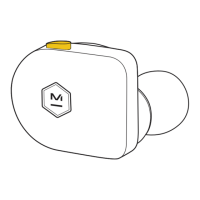
To attach, first remove the ear tip. Then loop the round opening of the Fit Wing over
the driver enclosure. The smaller openings on the Fit Wing should surround the
proximity sensor and the charging pins but still leave the sensors and pins exposed.








 To Next Page