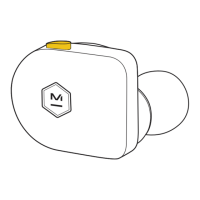
Over time the proximity sensor that helps regulate pause/play functions may
become dirty and affect performance. If this happens, take a damp Q-tip or
damp cloth and lightly rub the sensor.
Clean the earphone acetate using a microfiber cloth. Do not use alcohol or
other cleaning substances on the product.
Clean the ear tips and earphones with a soft, slightly damp cloth. Do not soak,
submerge or allow moisture to enter near the drivers.
Do not drop, sit on, or allow the product to be exposed to water, moisture, or
temperature extremes. Your earphones are IPX5 water resistance rated. Your
charging case is IPX4 water resistance rated.
It is recommended that you return your earphones to their charging case
when not in use. To avoid damage to the charging case, do not store other
items in the canvas pouch along with your case.
MAINTENANCE/CARE
7
Operate and store this product within the temperature range of -4°F to 113°F
(-20°C to 45°C) only. Charge the battery where the temperature is between
41°F and 104°F (5°C and 40°C) only.
TEMPERATURE RANGE






 To Next Page