Page 13
12. OPERATING INSTRUCTIONS
IMPORTANT: Do not start the vehicle with the charger connected to
the AC outlet, or it may damage the charger and your vehicle.
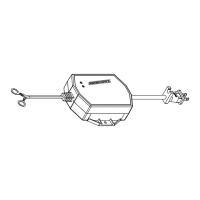
NOTE: This charger is equipped with an auto-start feature. Current
will not be supplied to the ring terminals until a battery is properly
connected. The ring terminals will not spark if touched together.
CHARGING A BATTERY IN THE VEHICLE
1.
Turn off all the vehicle’s accessories.
2.
Keep the hood open.
3.
Clean the battery terminals.
4.
Place the charger on a dry, non-flammable surface.
5.
Lay the AC/DC cables away from any fan blades, belts, pulleys and
other moving parts.
6.
For a negative-ground vehicle (as in most vehicles), connect the char-
ger’s POSITIVE (RED) ring terminal to the POSITIVE (POS, P, +)battery
post. Next, connect the charger’s NEGATIVE (BLACK) ring terminal to
the vehicle chassis or engine block, away from the battery.
7.
For a positive-ground vehicle, connect the charger’s NEGATIVE
(BLACK) ring terminal to the NEGATIVE (NEG, N, -) battery post. Next,
connect the charger’s POSITIVE (RED) ring terminal to the vehicle
chassis or engine block away from the battery. NEVER connect any
ring terminals to the carburetor, fuel lines or sheet-metal body parts.
8.
Connect the charger to a live grounded 120V AC outlet.
9.
When charging is complete, disconnect the charger from the AC
power, remove the ring terminal from the vehicle’s chassis, and then
remove the ring terminal from the battery terminal.


 To Next Page