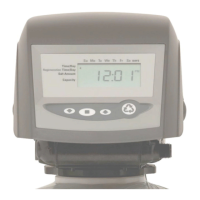
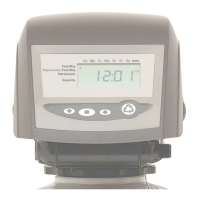
Day of Week Setting
1) Press the SET button. The screen will show the Day of Week in
blinking triangle.
2) To change the Day of Week, use the UP or DOWN arrows.
3) Press the SET button.
Time of Regeneration Setting (the factory default is 1 AM)
1) Press the SET button. The screen will show the Time of
Regeneration in blinking numbers.
2) To change the Time of Regeneration, use the UP or DOWN arrows.
3) Press the SET button.
Regeneration Frequency Setting (the factory default is3)
1) Press the SET button. The screen will show the Regeneration
frequency in blinking numbers.
2) To change the number, use the UP or DOWN arrows.
3) Press the SET button.
If you wish to regenerate on certain days ot the week, do the
following:
a. First, do steps above, but set at zero.
b. Press SET button until you reach the day you wish
to regenerate.
c. Press the UP or Down arrows to set the day.
d. Press the SET button to lock the day in.
e. Repeat process to select the next day of
regeneration.
NOTE: The days of Regeneration will be highlighted on the
screen.
Final Check:
1. Inspect the treated water to assure that the media fines (color) have
been flushed from the unit. Make sure the drain line connection meets
all plumbing codes and that the drain line size can handle the backwash
flow rate of the filter.
2. Make sure the Inlet and Outlet on bypass valve are open.
3. Make sure the control valve timer is plugged into an electrical outlet with
power 24 hours per day.
4. Check all piping for leaks.



 To Next Page