16
Connectors and control units
1
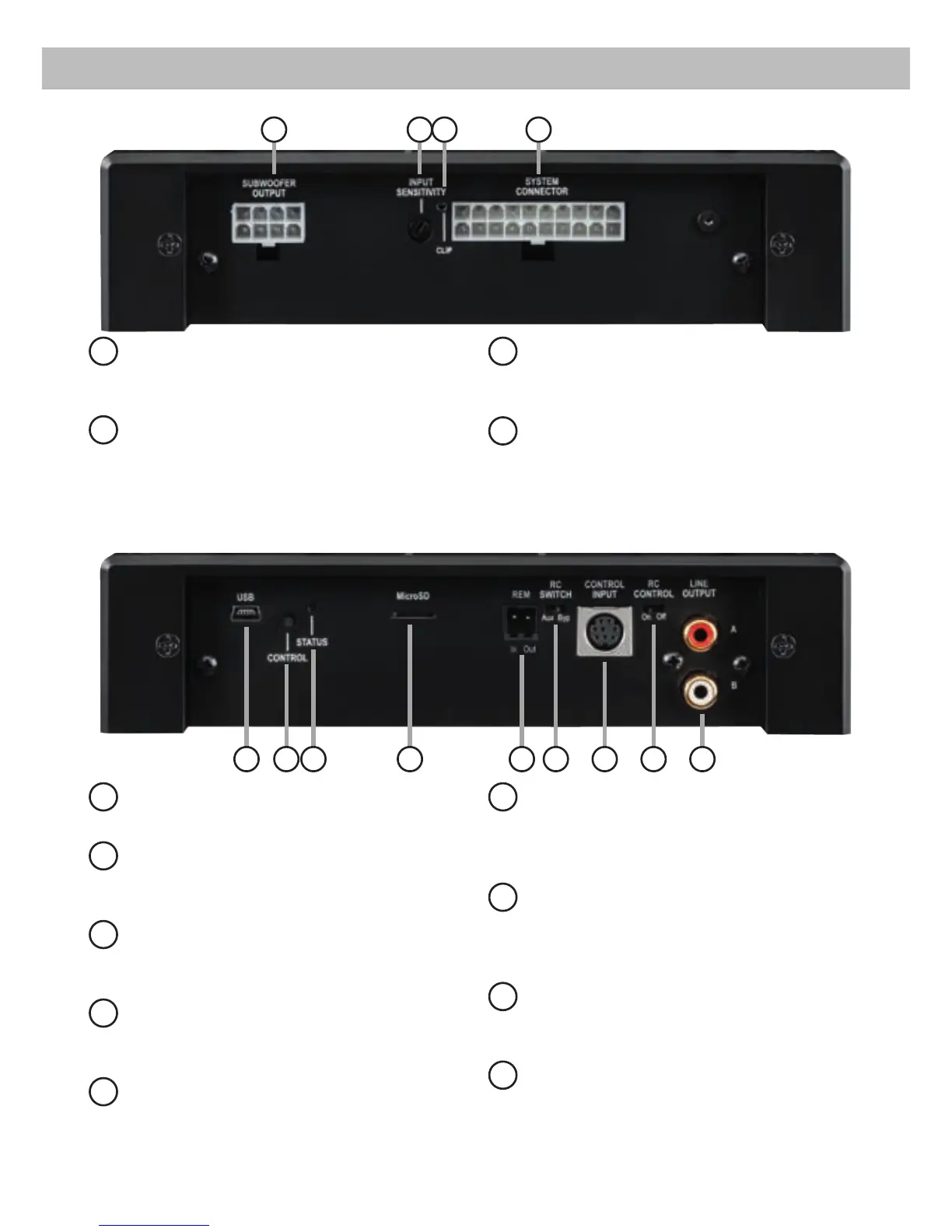
Subwoofer Output
Connector for a passive MATCH PP
subwoofer.
2
Input Sensitivity
Control for adjusting the input sensitivity of
the highlevel inputs.
3
Clipping LED
This LED lights up red if one of the analog
inputs is overdriven.
4
System Connector
Connector for the MATCH cable harness.
Make sure that you only use the original ca-
ble that comes with the amplier to connect
the PP 62DSP with your car radio.
5
USB Input (slave only)
Connects the PP 62DSP to your PC.
6
Control pushbutton
Use this button to either switch between the
setups or initiate a reset of the device.
7
Status LED
This LED indicates the operating mode of the
amplier and which setup has been chosen.
8
MicroSD card reader
Will be used for uploading vehicle specic
setups to the PP 62DSP.
9
Rem In / Out
The remote input can be used to switch on
the PP 62DSP. The remote output has to be
used to switch on external ampliers that are
connected to the RCA Line Output.
10
RC Switch Aux / Byp
This switch determines the functionality of
the “MODE switch” of an optional available
URC remote control.
11
Control Input
Multifunction interface for e.g. an optional
remote control or other MATCH PP 62DSP
accessory.
12
RC Control On / Off
Use this control to activate resp. deactivate
the functionality of a remote control.
13
Line Output
Line outputs for connecting external am-
pliers. Make sure that the remote output
(Rem Out) is used to turn on these devices.
1 2 3 4
9 10876
5
1211 13



 To Next Page