4
User Manual
MDMAXPROHD
www.matcotools.com 877-853-3738
No. Name & Descriptions
1
Memory Card Slot -- To store the memory card for storage
expansion.
2 Type C Charging Port -- Reserved for charging the tablet.
3
Power/Screen Lock Button -- To turn the tablet on/off with
long press, or lock the screen with short press.
4 Volume Buttons -- To adjust the volume.
5
Data Transmission Port -- Reserved for add-on modules (such
as Videoscope etc), and other devices with similar port.
6 Microphone
7
Charging indicator -- It illuminates red while the tablet is
charging. Once it is fully charged, it will illuminate solid
green.
8 10.1" Capacitive Touch Screen
9 Ambient Light Sensor
10 Front Camera
11 Rear Camera
12 Camera Flash
13 Audio Speaker
14
Adjustable Kickstand - Flip out it to any angle and work
comfortable at your desk, or hang it on the steering wheel.
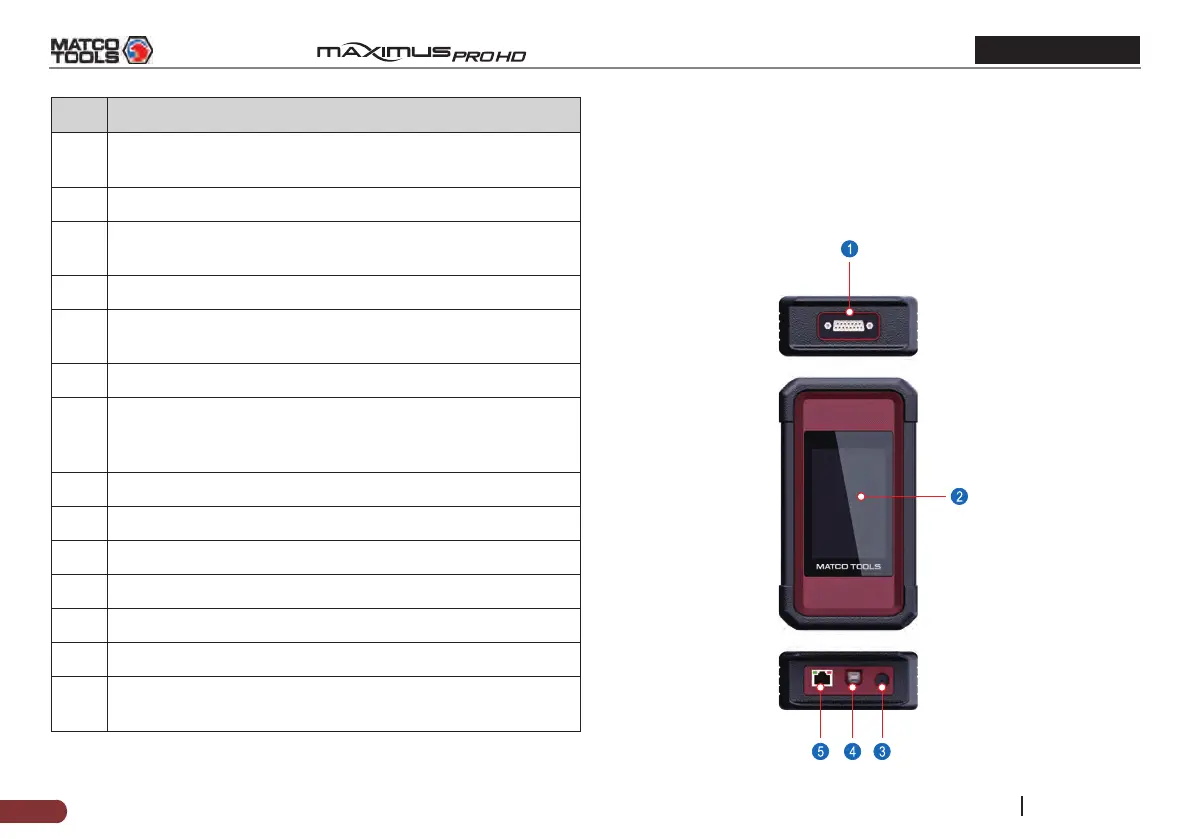
2.2 VCI Dongle
The MAXDIAG VCI dongle works as a heavy duty / medium duty /
light duty vehicle communication interface device, which is used
to connect to the vehicle’s DLC (Data Link Connector) port via the
diagnostic cable to read the test data and then send it to the tablet.



 To Next Page