Connection
07
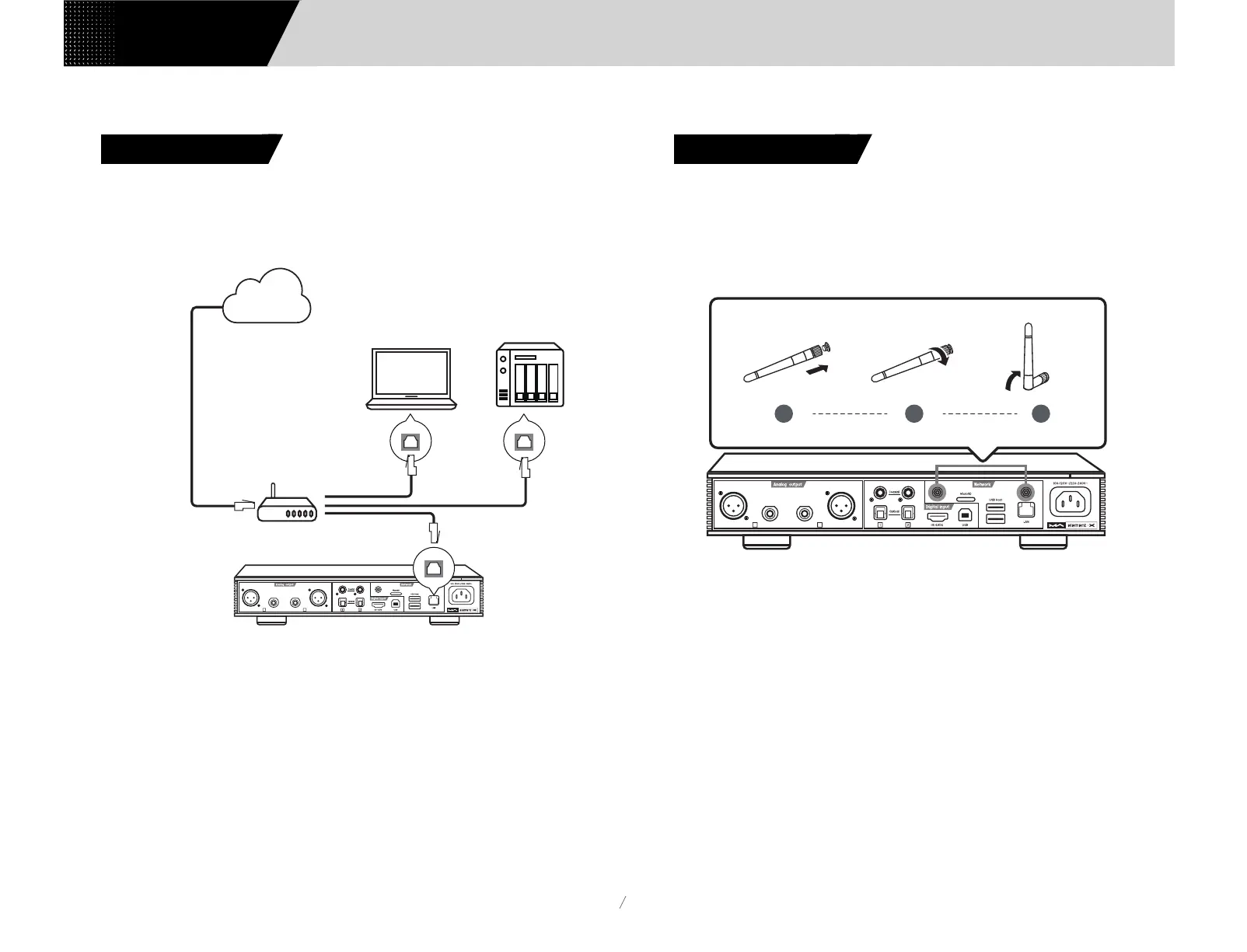
Connect to LAN, please use ethernet cable to connect element X with router (
recommend using CAT-5 or higher version shield ethernet cable), and let element X in
the status as shown below:
It is advisable to set up the router as DHCP server, and this function will allocate the
device IP address in LAN automatically.
3.6 Connect to LAN
3.7.1 Please make sure to properly install the two Wi-Fi antennas on the rear panel
(insert the Wi-Fi antenna into the jack and tighten it clockwise). You can adjust the
antenna angle to change the signal effect.
3.7 Connect to WLAN
L
R
XLRXLR
RCA RCA
L
R
XLRXLR
RCA RCA
1 2 3
Connect to LAN port
Connect to WAN port
Connect to LAN port
Connect to LAN port
Router
Computer NAS
Internet
Users Manual


 To Next Page