13
Calder Brothers Corp
V1.0
Serial Number Range:
848-S-56TCG9Y2*03848 to ________________
Page 13
Model: 1560 Paver
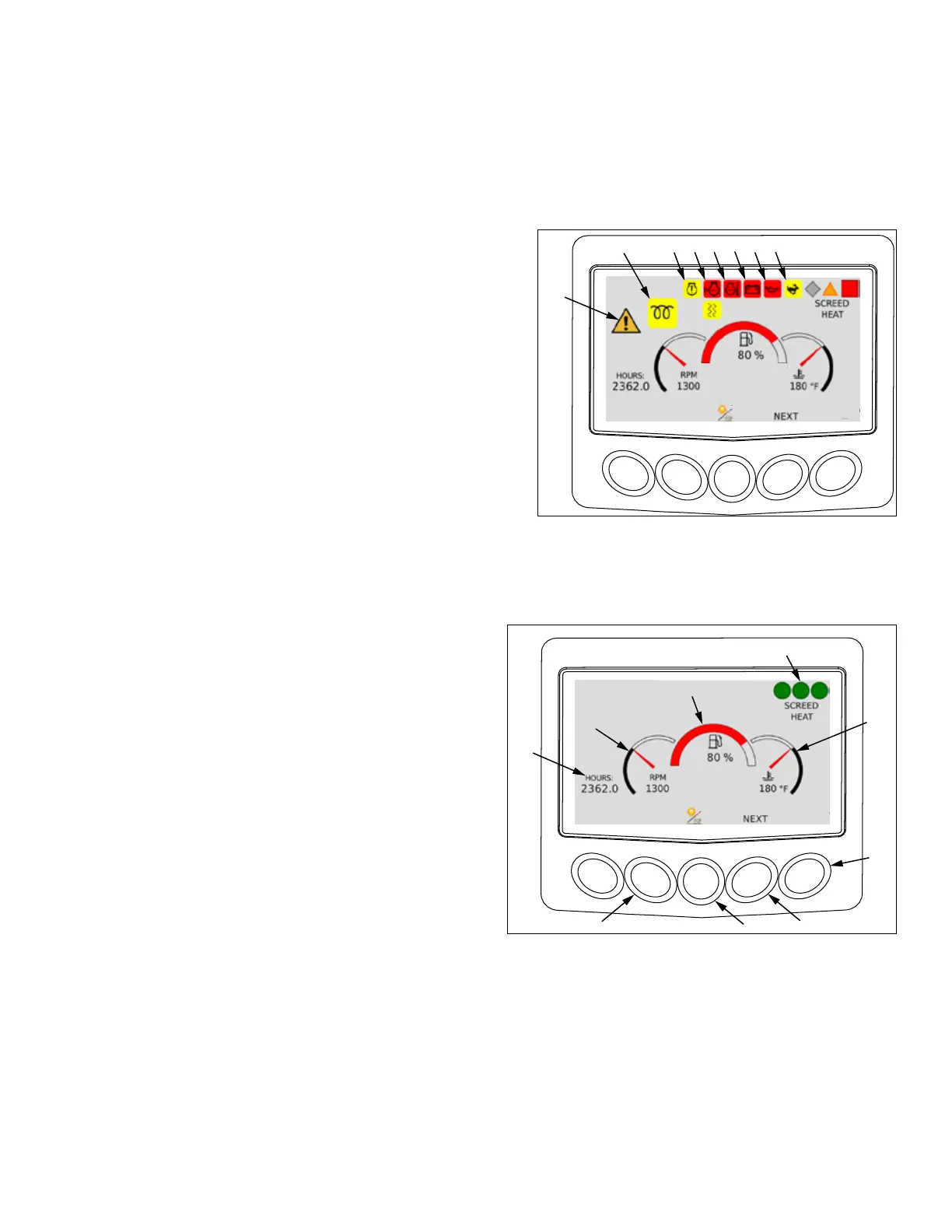
Digital Display
Digital Display
This digital display indicates engine oil pressure, engine coolant temperature, battery voltage, engine speed,
engine torque being used, diesel exhaust uid tank level, diesel fuel tank level and engine hours.
Engine Warning Lamps
1. Wait to start indicator. Icon is illuminated when engine
preheat is activated.
2. Engine warning code present. Warning symbol (12) will also
be illuminated. Check engine codes as soon as possible.
3. Coolant level low. Indicates coolant level is too low. Stop
engine immediately.
4. Coolant temperature high. Indicates coolant temperature is
too high. Stop engine immediately.
5. Battery voltage low.
6. Oil temperature high. Indicates oil temperature is too high.
Stop engine immediately.
7. High speed. Indicates travel switch is in high.
8. Warning indicator. Indicates an minor engine warning code is present. Check engine codes as soon as
possible. A red stop sign indicates a serious engine code is present and engine must be stopped immediately.
Engine Screen
1. Machine hour meter.
2. Press to display engine code(s) if present.
3. RPM gauge.
4. Fuel tank level.
5. Screed heat status. Indicates status of screed heat
zones.
6. Coolant temperature gauge.
7. Force regen. Press to start exhaust regen.
8. Press to move to next screen.
9. Day/night mode.
1 542 3 6 7
8
9
1
6
3
7
4
5



 To Next Page