Getting Started
• Instalment the Rubber Feet (if using option-B)
- You can extend the height of the unit.
Note: Ensure the surface is clean prior to sticking the rubber foot to the bottom of the
unit.
1. Turn the unit upside down.
2. Remove the backing paper from the rubber foot.
3. Stick the rubber foot to the bottom of the unit as shown in the illustration below.
Connections
TV
Media player
(included)
B
A
C
Use the AUX Socket
A. Use a 3.5mm to 3.5mm audio cable to connect the media player headphone socket
to the AUX socket on the unit.
B. Use a RCA to 3.5mm audio cable (included) to connect the TV’s audio output sockets
to the AUX socket on the unit.
Connections
Use the OPTICAL Socket
C. Remove the protective cap of the OPTICAL socket, then connect an OPTICAL cable
to the TV’s OPTICAL OUT socket and the OPTICAL socket on the unit.
Connect to Power
Caution:
Risk of product damage!
- Ensure that the AC outlet voltage corresponds to the voltage printed on the back
or the underside of the unit.
- Risk of electric shock! To unplug the AC power, always pull the plug from the
socket. Never pull the cord.
- Ensure the correct power cord is used.
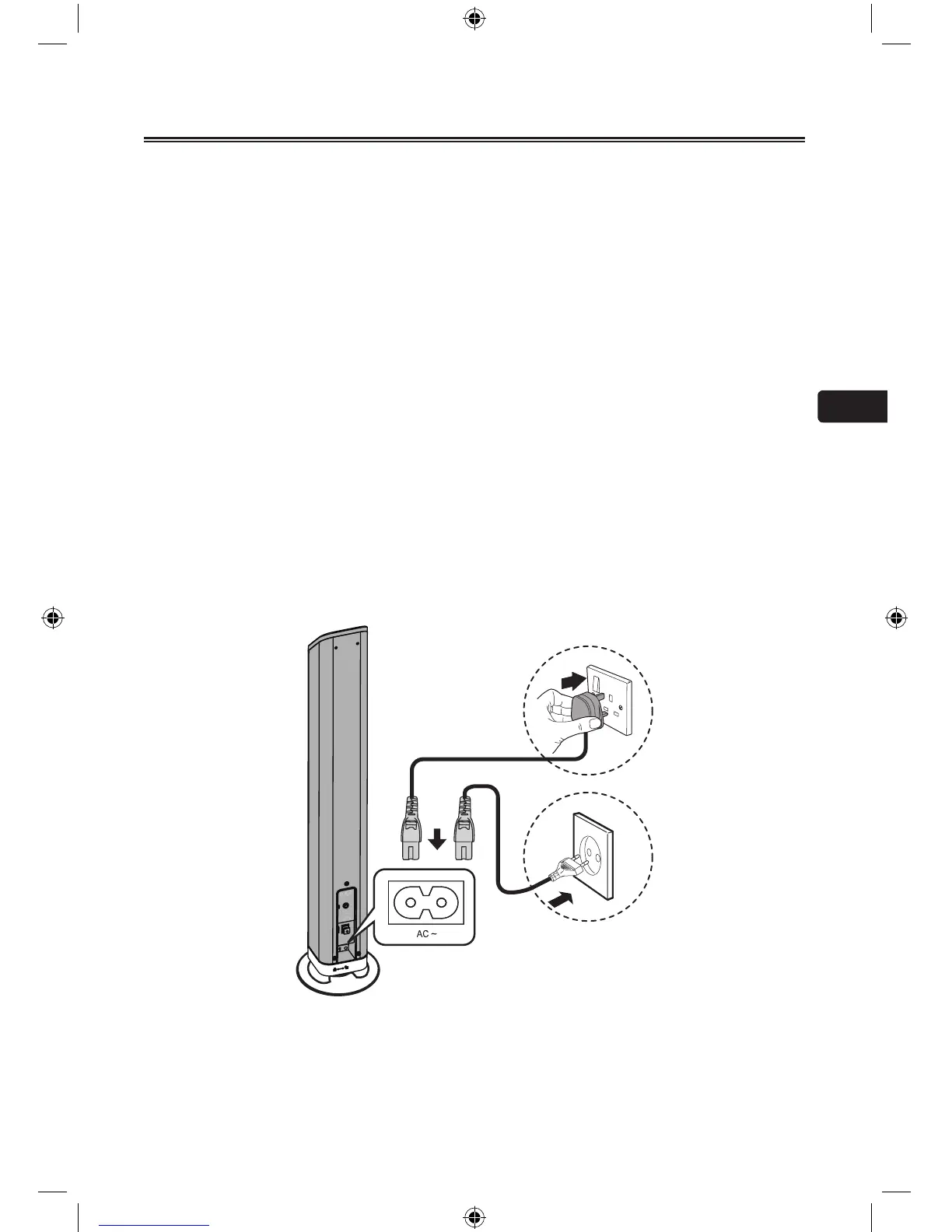
Connect the AC power cord to:
- the AC~ socket on this unit.
- the wall socket. (British 3 pin plug to 3-hole socket or European 2 pin plug to 2-hole
socket)
For EU


 To Next Page
 Loading...