General Operation
Adjust the Volume
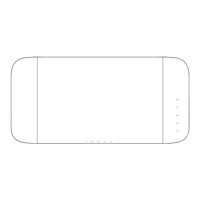
- Press the VOL+ / VOL- buttons on the unit or on the remote control to adjust the
volume.
- Whileadjustingthevolume,thestatusindicatorashesquickly.
- While the volume level reaches its maximum level, if you press the VOL+ button again,
thestatusindicatorashesonce.Whilethevolumelevelreachesitsminimumlevel,if
you press the VOL-buttonagain,thestatusindicatorashesonce.
Select a Preset Sound Effect
- While playing, press the FLAT, MOVIE and MUSIC button on the remote control to
select desired preset equalizers: MOVIE (recommended for viewing movies), MUSIC
(recommended for listening to music), FLAT (EQ mode off).
Tip: Ifthereisnosoundcomeoutofthesoundbarandtheindicatorlightashfast.Make
surethedigitalaudiosettingofyoursourceplayer(e.g.DVDplayer,gameplayer,TV)is
setted to PCM output.
To keep the warranty valid, never try to repair the system yourself. If you encounter
problems when using this unit, check the following points before requesting for service.
Warranty void if case is opened.
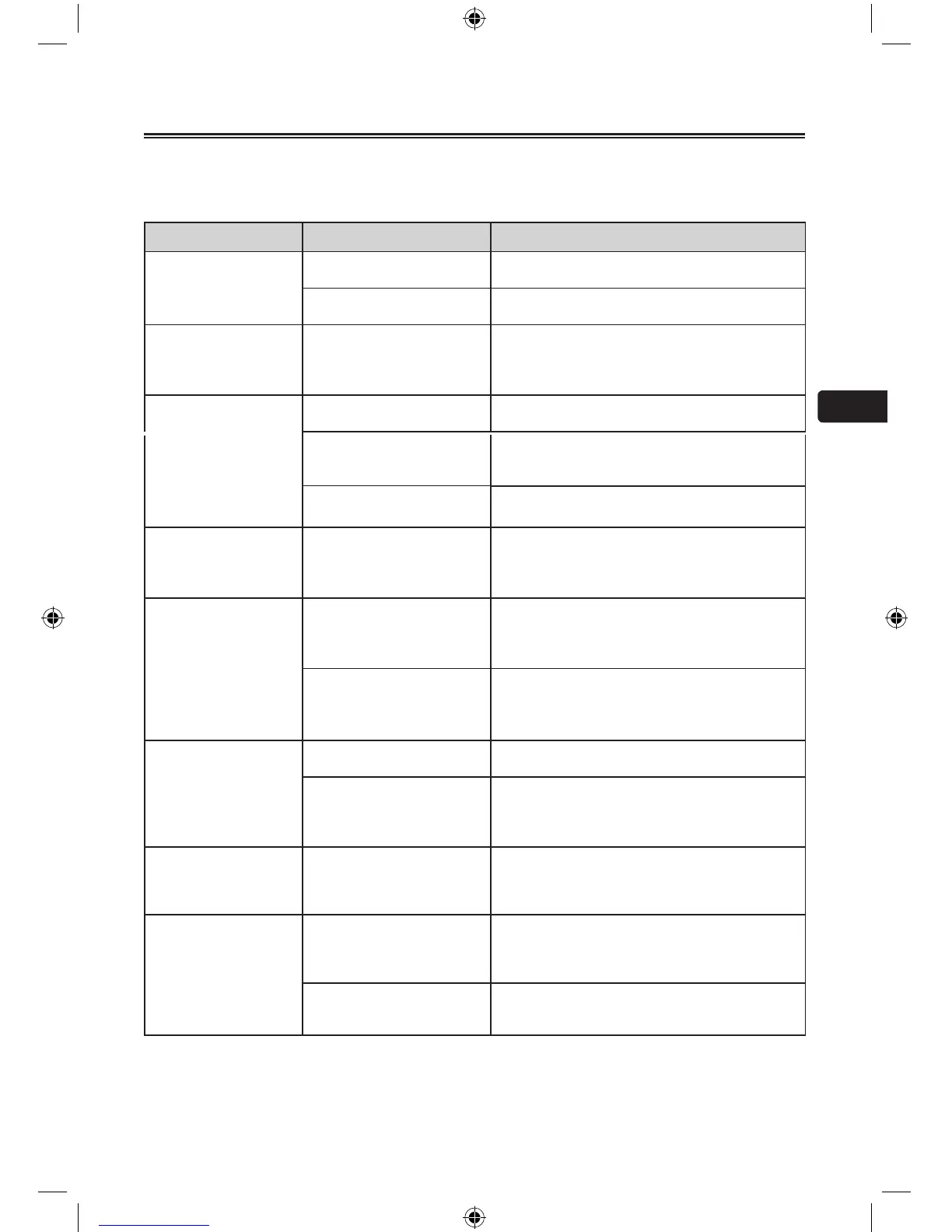
Symptom Likely Cause What to do
No sound Speaker not connected to
active AC power
•Verify that speaker is connected and that the
circuit is on.
Power not switched on •SwitchonpowerandverifythatpowerLEDis
on.
Suddenly No sound Triggered auto-off function •Turn the volume up of the source, e.g TV,
mp3 player, etc, and readjust the sound of
the unit to trigger auto-on function.
•SeeNoSoundsymptomabove.
No sound, speaker is
connected to working
AC power but sound
won’t come on
Cannot trigger auto-on
function
•Increasethevolumeofthesourceinput
signal.
Speaker power cable
is faulty or improperly
connected
•Re-seat the power cable at both ends.
•Substituteaknown-good power cable.
No sound. Speaker
comes on
Faulty cables and
connections
•Disconnectandre-seatsignalcables.
•Makesurecablesarepluggedcompletely.
•Replacesuspectedcablewithaknown-good
cable.
Noise or hiss heard at
output
Faulty Cables and
connections
•Disconnectandre-seatsignalcables.
•Makesurecablesarepluggedcompletely.
•Replacesuspectedcablewithaknown-good
cable.
Noisy source device •Disconnectthedevicesthatareconnected
to your speaker one at a time. If the noise
goes away, the problem is with the source or
the connecting cable.
HumorBuzzthat
increases or decreases
when more than one
source are inputting
single to the Soundbar
at the same time
Interference internally •Disconnectormutetheotherchannelsto
solve the problem.
Faulty cable between
source equipment and unit
•Substitute a known-good cable for the
suspected faulty cable.
Remote control does
not work
No/Low battery power •Removethetransparentlmatthebottomof
Remote control.
•Insert/Replaceremotecontrolbatterywitha
CR2025 battery. (see P.8)
The Soundbar does not
responds to the remote
control
No/Low signal from remote
control to the unit
•ReducethedistancebetweentheRemote
control and the unit.
•AimtheRemotecontroldirectlyatthesensor
on the front of the unit.
The unit responds but no
sound
•Beforeyoupressanyfunctionbutton,rst
select the correct source.
•SeeTroubleshooting[NoSound]Symptom.
Improperconnections
•
DoublechecktheInput/Outputcable
connection.
Troubleshooting


 To Next Page
 Loading...