EasyManua.ls Logo

Maxell MXSP-TS1000 - User Manual

Maxell MXSP-TS1000
195 pages
Print Icon
To Next Page IconTo Next Page
Loading...
EN
FR
DE
IT
HU
ES
PT
FI
SV
CZ
PL
NL
V1.0
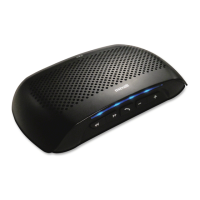
DIGITAL SPLIT SOUNDBAR
MXSP-TS1000

Table of Contents

Questions and Answers

  • D
    doylekevinAug 1, 2025
    Why does my Maxell Soundbar not respond to the remote control?
    • T
      Tyler JohnsonAug 1, 2025
      If your Maxell Soundbar isn't responding to the remote, try reducing the distance between the remote and the unit, and make sure you're aiming the remote directly at the sensor on the front of the unit. Also, if the unit responds but there's no sound, ensure you've selected the correct source before pressing any function button.
  • C
    Christina HarrisonAug 6, 2025
    Why do my Maxell Speakers have no sound?
    • A
      abentonAug 6, 2025
      If your Maxell speakers have no sound, it could be due to a couple of reasons. First, check that the speaker is properly connected to an active AC power source and that the circuit is on. Also, ensure that the power switch is turned on and the power LED is illuminated.
  • K
    kimsuzanneAug 11, 2025
    How to fix Maxell Speakers when there is no sound but the speaker is connected to working AC power?
    • J
      Jason MyersAug 11, 2025
      If your Maxell speakers are connected to a working power source but produce no sound, there are several potential solutions: 1. Increase the volume of the source input signal to trigger the auto-on function. 2. Check the speaker power cable: ensure it's properly seated at both ends, and try substituting it with a known-good power cable. 3. Verify the Input/Output cable connections to ensure they are correctly connected.
  • A
    Amy ParkerAug 16, 2025
    What to do if my Maxell MXSP-TS1000 Speakers have no sound but the speaker comes on?
    • C
      christophermullenAug 17, 2025
      If your Maxell speakers power on but produce no sound, the issue likely lies with the cables and connections. Try these steps: * Disconnect and then reconnect the signal cables. * Ensure that all cables are fully plugged in. * If possible, test with a known-good cable to rule out any faulty cables.
  • R
    raymond97Aug 21, 2025
    How to eliminate noise or hiss from Maxell MXSP-TS1000 output?
    • J
      Jack CochranAug 21, 2025
      To address noise or hiss from your Maxell speakers, consider these steps: * First, disconnect and re-seat the signal cables, ensuring they are completely plugged in. You might also want to try replacing the cables with known-good ones. * If the issue persists, the noise may be coming from the source device. Disconnect the devices connected to your speaker one at a time. If the noise disappears after disconnecting a device, the problem lies with that source or its connecting cable.
  • J
    John HumphreyAug 27, 2025
    How to stop hum or buzz in Maxell Soundbar when multiple sources are inputting?
    • A
      Annette EricksonAug 27, 2025
      If you're experiencing a hum or buzz in your Maxell Soundbar when multiple sources are connected, it could be due to interference. Try disconnecting or muting the other channels to see if that resolves the issue. It could also be a faulty cable between the source equipment and the unit, so try substituting a known-good cable for the suspected faulty one.

Summary

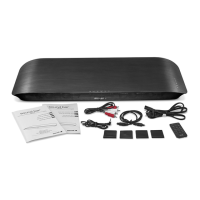
Whats in the Box

Product Components

Lists all items included in the product packaging.

Important Safety Instructions

General Safety Warnings

Crucial safety precautions and warnings for product usage.

Warning Symbols

Explains the meaning of various warning and caution symbols used in the manual.

Prohibited Actions

Lists actions to avoid to prevent damage, fire, or electric shock.

Handling and Usage Cautions

Details on safe handling, placement, and usage of the product.

Identifying the Parts

Main Unit Components

Identifies and describes the parts of the main soundbar unit.

Remote Control Overview

Details the buttons and functions of the remote control.

Getting Started

Remote Control Preparation

Instructions for initial setup of the remote control, including battery.

Battery Replacement

Step-by-step guide for replacing the battery in the remote control.

Placement and Installation Options

Guidance on how to position and install the soundbar unit.

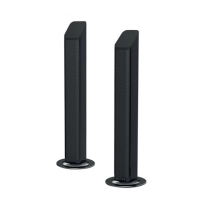
Stand Installation

Instructions for setting up the soundbar using the provided stands.

Horizontal Installation

Steps for connecting the two parts of the soundbar for horizontal placement.

Rubber Feet Installation

How to attach rubber feet for height adjustment or stability.

Connections

AUX Socket Connection

Guide for connecting audio sources via the AUX input.

OPTICAL Socket Connection

Instructions for using the OPTICAL audio input.

Power Connection

Details on connecting the soundbar to a power source.

Bluetooth Device Pairing

Steps to connect and pair Bluetooth-enabled devices.

Bluetooth Music Playback

How to play music from a connected Bluetooth device.

General Operation

Powering On;Off and Standby

How to turn the unit on, off, and put it into standby mode.

Muting and Resuming Sound

Instructions for muting and unmuting the audio output.

Selecting Sound Modes

How to switch between different audio input modes (AUX, Optical, Bluetooth).

Adjusting Volume

Guide on how to control the sound volume level.

Preset Sound Effects

How to select different equalizer settings for audio.

Troubleshooting

Common Sound Issues

Solutions for problems like no sound or distorted audio output.

Remote Control Issues

Troubleshooting steps for when the remote control is not working.

Specifications

Soundbar Technical Details

Key specifications for the soundbar unit.

Remote Control Specifications

Technical details for the remote control.

Maxell MXSP-TS1000 Specifications

General IconGeneral
Audio decoders-
RMS rated power40 W
Audio output channels- channels
Impedance8 Ω
FM radioNo
Product colorBlack
Quantity2
Apple docking compatibilityNot supported
BluetoothYes
HDMI ports quantity0
Connectivity technologyWired & Wireless
Digital audio optical in1
Weight and Dimensions IconWeight and Dimensions
Width60 mm
Height467 mm

Related product manuals