EasyManua.ls Logo

maximo PV2024 HM - Disply Setting

Default Icon
29 pages
Print Icon
To Next Page IconTo Next Page
To Previous Page IconTo Previous Page
Loading...
23
Display Setting
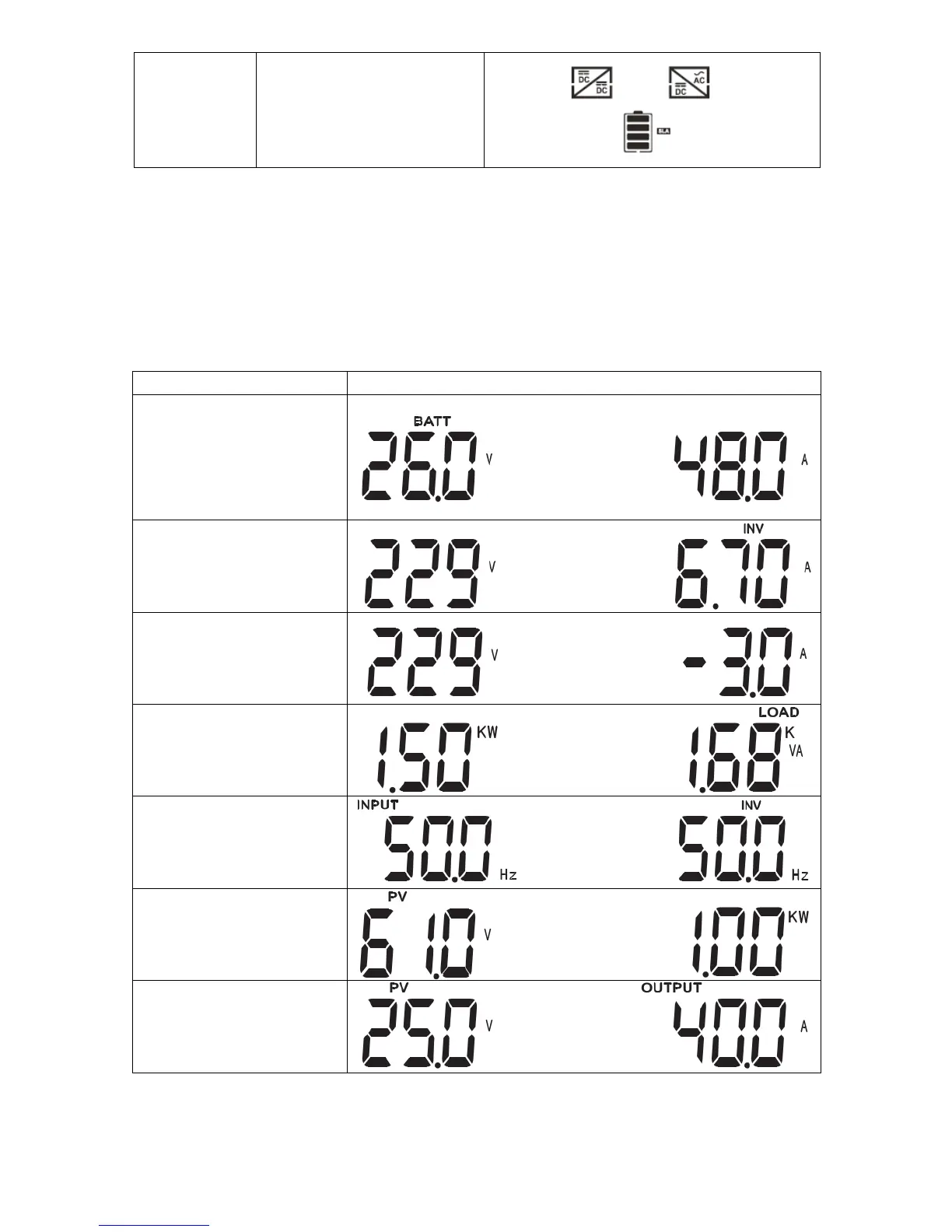
The LCD display information will be switched in turns by pressing "UP" or "DOWN" key. The selectable
information is switched as below order: battery voltage, battery current, inverter voltage, inverter current, AC
voltage, AC current, load in Watt, load in VA, AC frequency, inverter frequency, PV voltage, PV charging power,
PV charging output voltage, PV charging current.

Stop state
The inverter stopped working.
Turn off the inverter by the soft
key and restart it.
Selectable information
LCD display
Battery voltage/DC discharging
current
Inverter output
voltage/Inverter output
current
AC in voltage/ AC in current
Load in Watt/VA
AC in frequency/Inverter
frequency
PV voltage and power
PV charger output voltage and
MPPT charging current