16
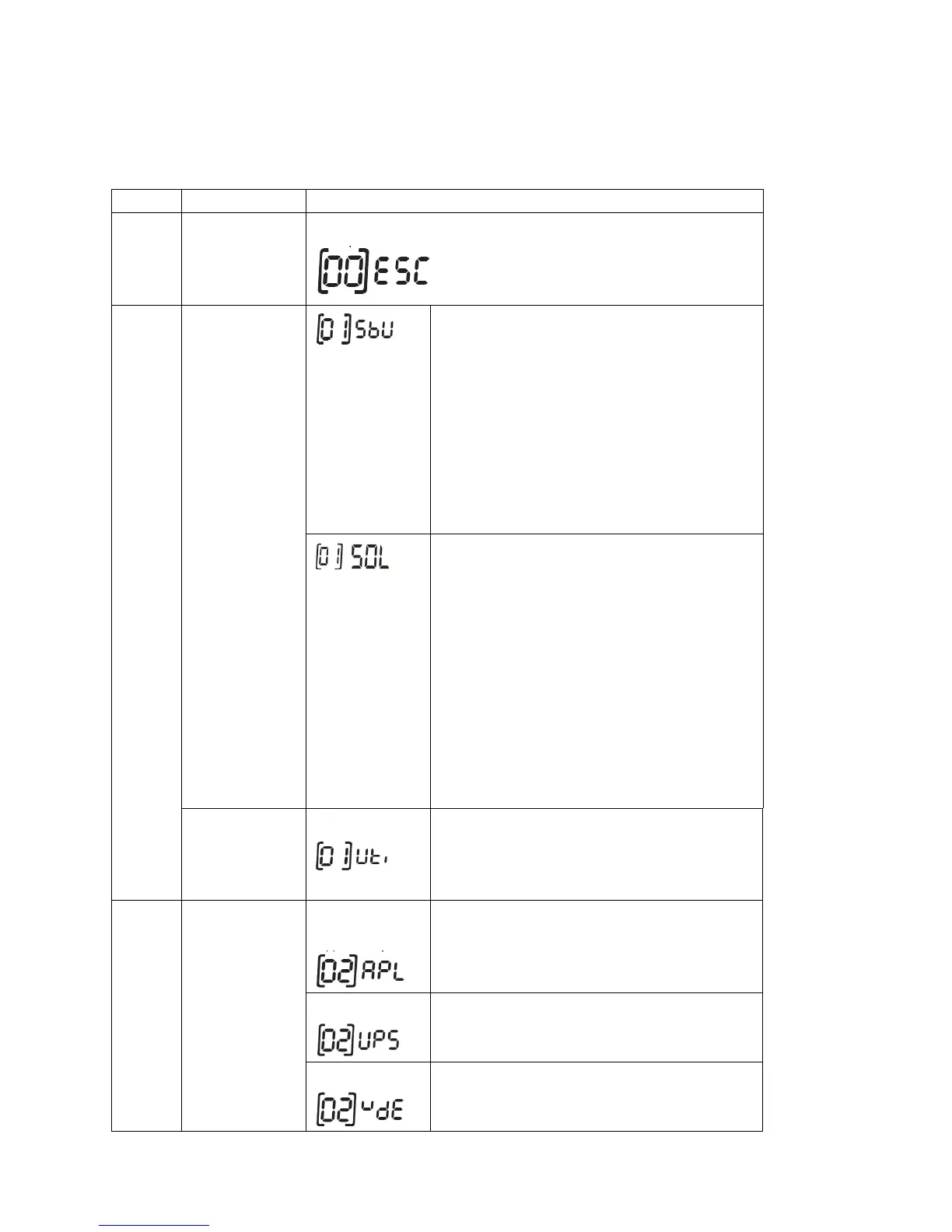
LCD Setting
After pressing and holding "ENTER" button for 2 seconds, the unit will enter setting mode. Press
"UP" or "DOWN" button to select setting programs. And then, press "ENTER" or "MENU" button
to confirm the selection and exit.
Setting Programs:
Output source
priority selection
Solar energy provides power to the loads as first
priority.
If battery voltage has been higher than the setting
in point 21 for 5 minutes, the inverter will turn to
battery mode, solar and battery will provide power
to the load at the same time.
When the battery voltage drops to the setting in
point 20, the inverter will turn to bypass mode,
“AC in” provides power to the load only, and solar
power will charge the battery at the same time.
Solar energy provides power to the loads as first
priority.
If battery voltage has been higher than the setting
in point 21 for 5 minutes, and the solar energy has
been available for 5 minutes, the inverter will turn
to battery mode, solar and battery will provide
power to the load at the same time.
When the battery voltage drops to the setting point
in program 20, the inverter will turn to bypass
mode, and “AC in” provides power to the load
only, and the solar will charge the battery at the
same time.
“AC in” will provide power to the loads as first
priority. Solar and battery energy will provide
power to the loads only when AC power is not
available.
If selected, acceptable AC input voltage range will
be within 90-280VAC.
If selected, acceptable AC input voltage range will
be within 170-280VAC.
If selected, acceptable AC input voltage range will
conform to VDE4105(184VAC-253VAC)



 To Next Page