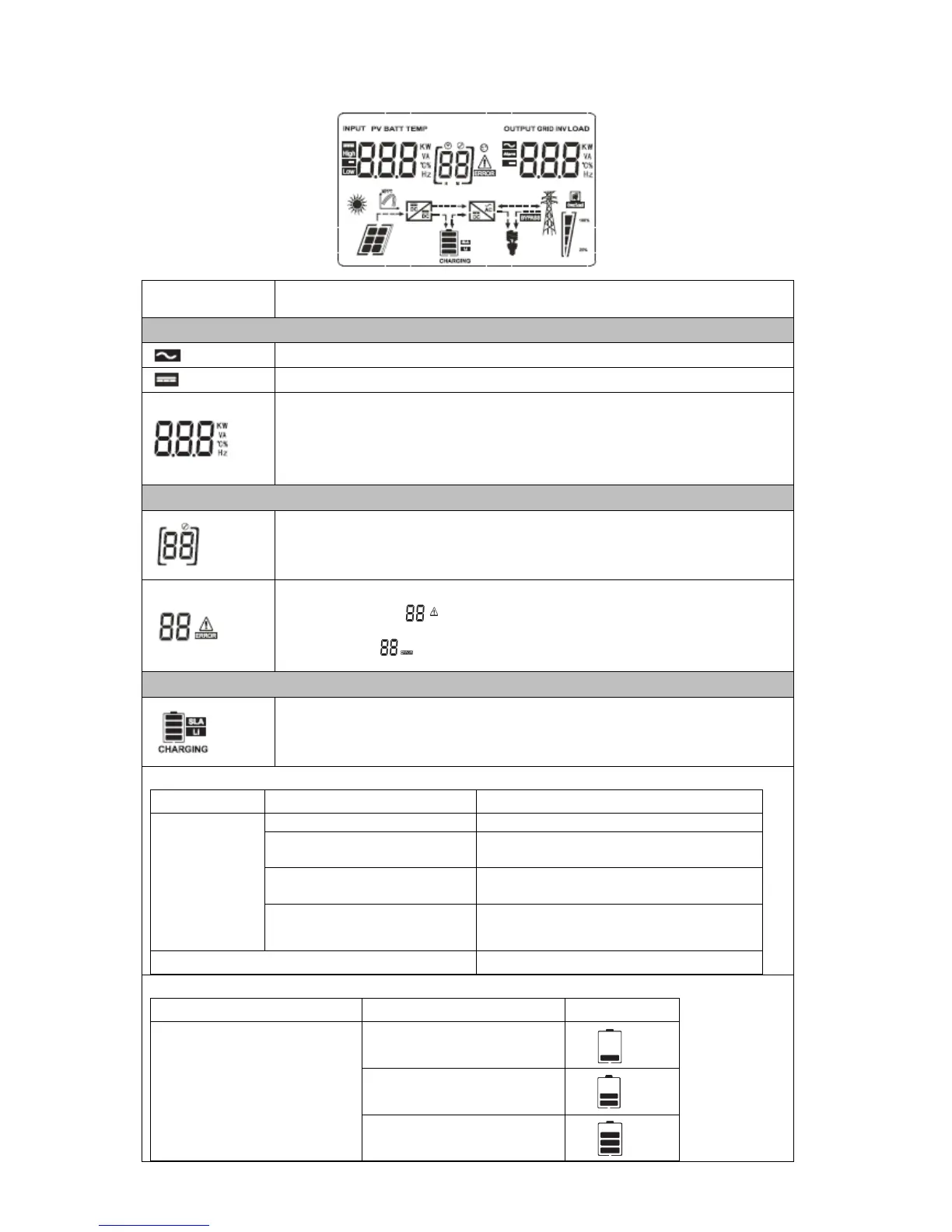
Input Source Information and Output Information
Indicates the AC information.
Indicates the DC information.
Indicate input voltage, input frequency, PV voltage, battery voltage and
charger current.
Indicate output voltage, output frequency, load in VA, load in Watt and
discharging current.
Configuration Program and Fault Information
Indicates the setting programs.
Indicates the warning and fault codes.
Warning: flashing with warning code.
Fault: lighting with fault code.
Indicates battery level by 0-24%, 25-49%, 50-74% and 75-100% in battery
mode and charging status in line mode.
In AC mode, it will present battery charging status.
Constant
Current mode /
Constant
Voltage mode
4 bars will flash in turns.
Bottom bar will be on and the other three
bars will flash in turns.
Bottom two bars will be on and the other
two bars will flash in turns.
Bottom three bars will be on and the top
bar will flash.
Batteries are fully charged.
In battery mode, it will present battery capacity.



 To Next Page