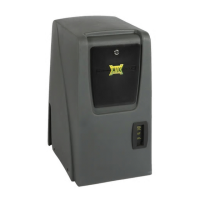
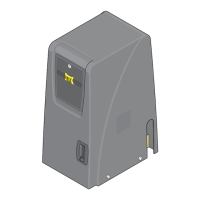
gate shut-off switch
Electronic Gate OPEN / CLosE
Turn this feature ON while servicing the gate operator. This switch disables all OPEN/CLOSE devices BUT the JOG LEFT/RIGHT buttons
so gate can not accidentally get activated while operator is being serviced.
Only the Jog Left or Jog Right buttons will operate
gate when Gate Shut-Off switch is turned ON.
IMPORTANT: When the Gate Shut-Off switch is turned ON,
any OPEN/CLOSE command given to gate operator will just
“BEEP” for a few seconds and ignore command.
TECHNICIAN MAINTENANCE TIP: One wire can be unplugged from the back of the Gate Shut-Off switch after servicing the
operator to prevent the switch from accidentally being turned ON during normal operation. Plug the wire back in and turn ON the
switch only while servicing the operator. This can prevent an unnecessary service call by a technician when the only thing wrong
with a malfunctioning operator is the Gate Shut-Off switch has accidentally been turned ON but the owner is unaware of this.
Gate Shut-Off Switch
ON
OFF
The electronic gate open / close is connected to the Jog Switch and can electronically open or close gate.
Turn and HOLD key either way
for reversible gate directions.
2
Slide door open
and insert key.
1
Jog Switch
JOG
LEFT RIGHT
The owner of the gate
operator is responsible for
the KEY availability.
14
UL 325 2018 Standard - MAX 1500 PRO/2200 PRO/F18 PRO Matrix III Install Version 7d


 To Next Page
 Loading...