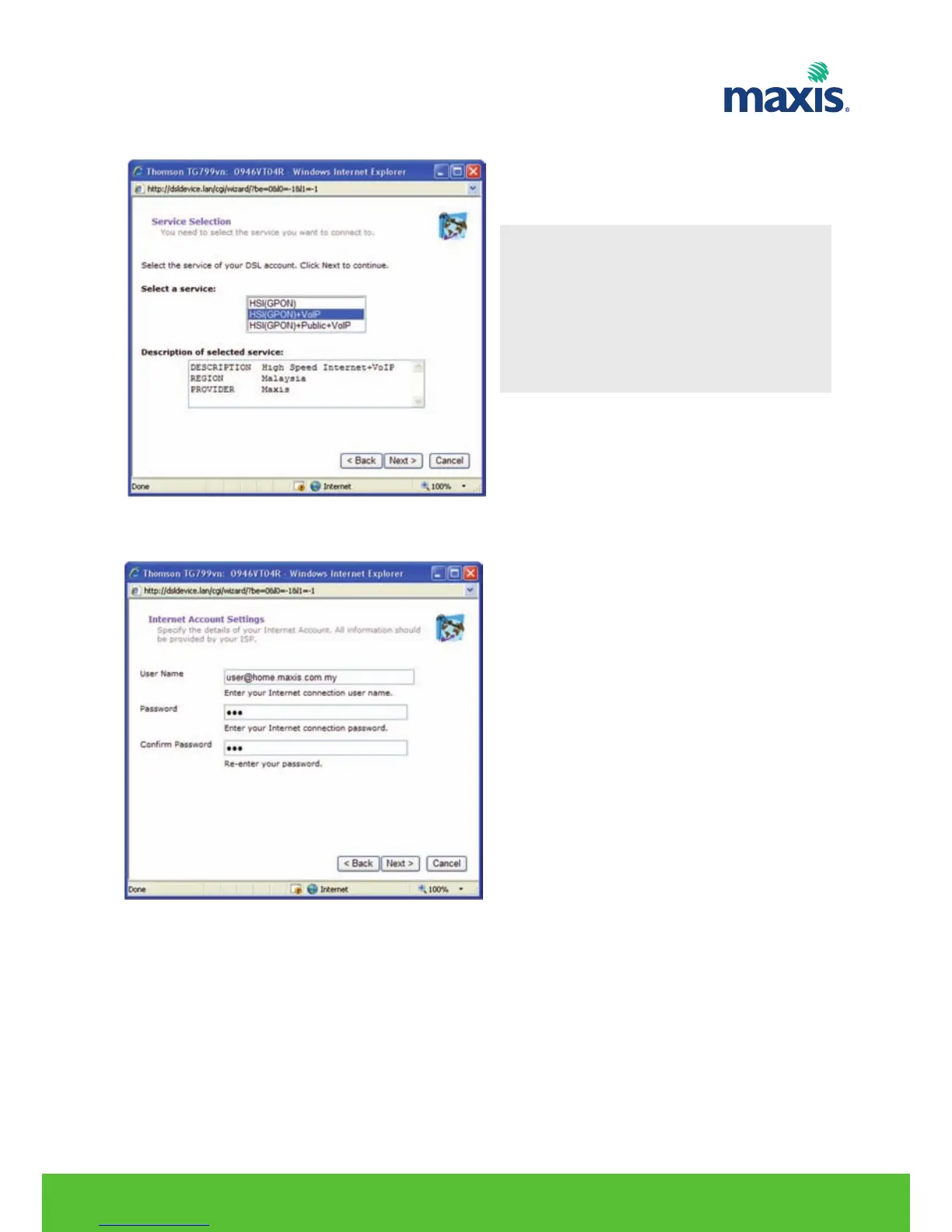
8. Service Selection will appear , select your desired service and click Next.
9. Input your Internet Account User Name and Password , click Next to proceed.
RESIDENTIAL GATEWAY MODEL TG799VN | 13
Note
HSI(GPON)
• Internet with No VoIP HSI(GPON) & VoIP
• Internet with VoIP HIS(GPON),
+Public+ VoIP
• Internet with VoIP and Static IP for
Camera service.


 To Next Page