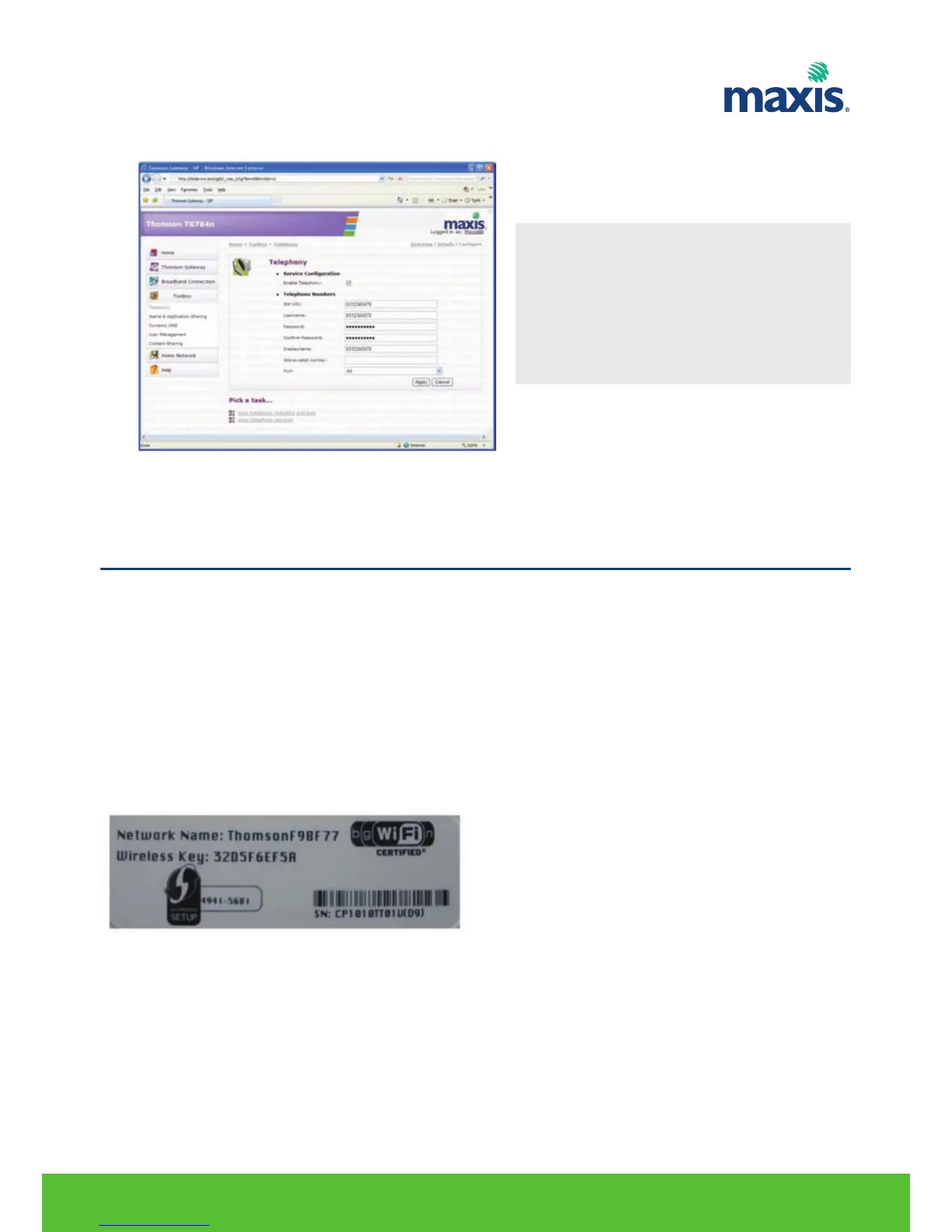
4. Input your VoIP account details and click Apply.
Wireless Connection
If you want to connect your computer using a wireless connection, you will need a WiFi-certified wireless
client adapter for each computer you want to connect wirelessly.
Before you can connect a computer to your wireless network you need to know the wireless settings that
are currently used by the TG799vn :
• The Network Name (SSID)
• The wireless key
TG TG799vn default SSID and Wireless key is printed at the bottom panel of the Gateway.
RESIDENTIAL GATEWAY MODEL TG799VN | 20
*Note
SIP URI: same details as username.
Display name: same details as username.
Abbreviated number: leave it blank.
Port: Select All to configure for both port
FXS1 and FXS2. Otherwise select
which port you would like to assign.
8. WIRELESS CONFIGURATION


 To Next Page