Requirements
Your USB storage device must be formatted as FAT32.
Connecting your USB storage device to the Residential Gateway
Proceed as follows:
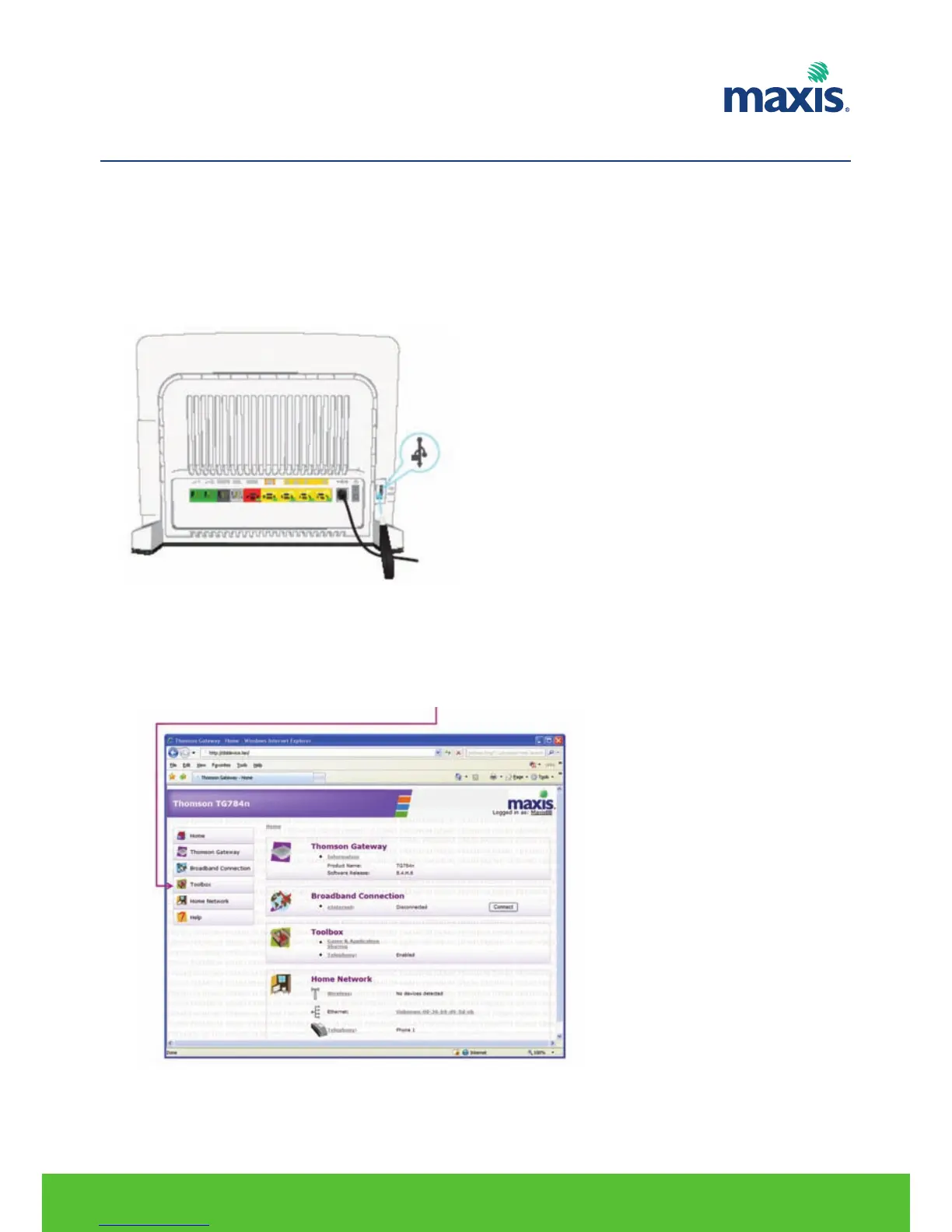
1. Plug your USB memory stick or external hard disk in (one of) the USB master port(s) of your TG799vn.
Using the Network File Server
Procedure:
1. Open your web browser.
2. Browse to http://dsldevice.lan or to the IP address of your TG799vn (by default: 192.168.1.254).
3. The TG799vn GUI appears. And click on Toolbox.
RESIDENTIAL GATEWAY MODEL TG799VN | 27
11. USB FILE SHARING


 To Next Page