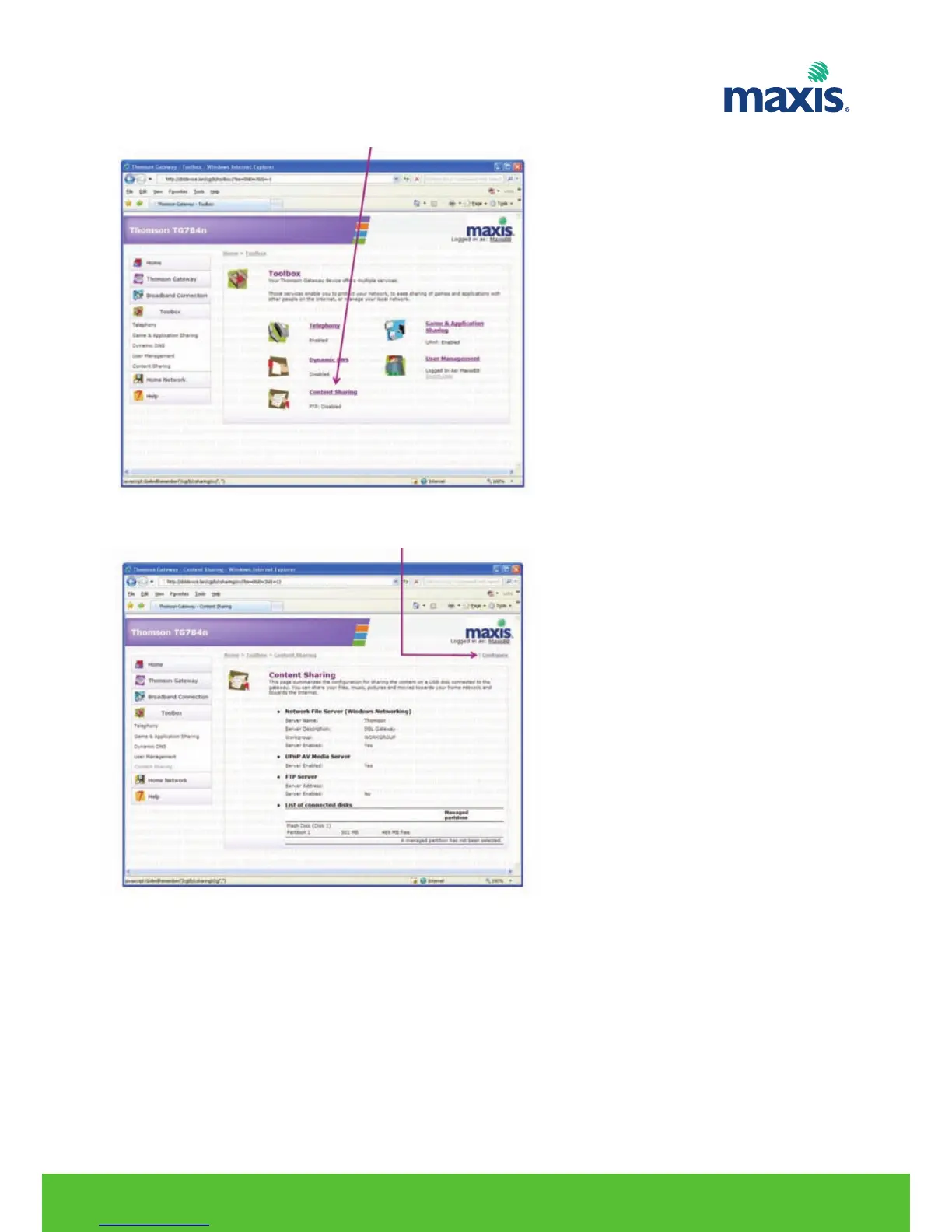
4. On the Toolbox menu, click Content Sharing.
5. On the Content Sharing, click on Configure.
6. Under Network File Server (Windows Networking), click Server Enabled.
7. Click Apply.
8. All users connected to the TG799vn can now connect to your USB storage device
RESIDENTIAL GATEWAY MODEL TG799VN | 28


 To Next Page