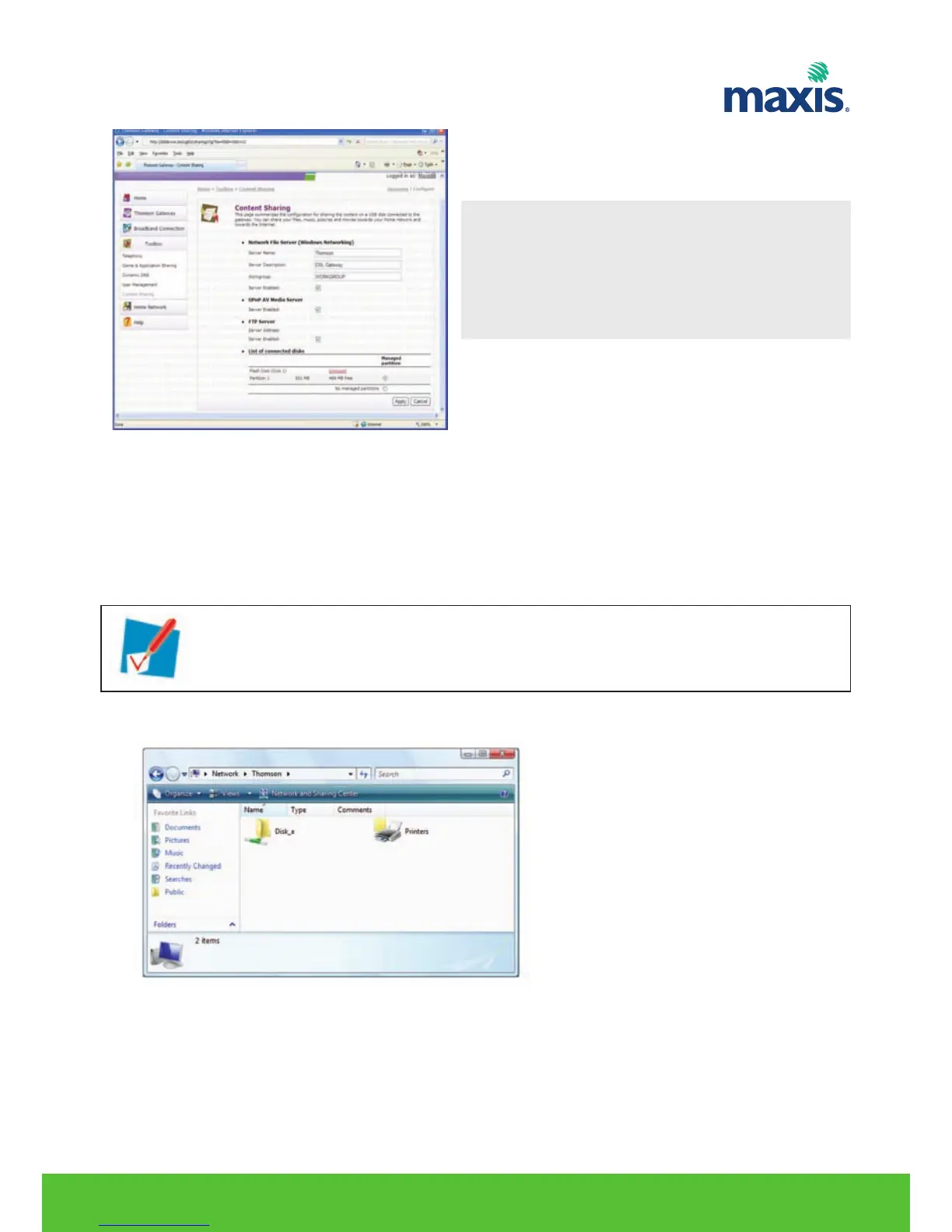
Accessing the shared content on Windows
Proceed as follows:
1. Open Window Explorer.
2. In the address bar, type two backslashes followed by the name that you entered in the Server Name box
(in our example: \\Residential).
3. All storage devices that are attached to your Residential Gateway are listed as folders.
If the storage device has multiple partitions an index number will be added at the end (for example:
Disk_a1 and Disk_a2).
If the partition is a managed partition, the Media and Shared folders will be displayed instead.
RESIDENTIAL GATEWAY MODEL TG799VN | 29
*Note
Server Name: You will use this name to access the
USB storage. If you leave this field
empty you can only access your
USB storage device by entering the
IP address (by default: 192.168.1.253).
If you did not provide a server name, type \\192.168.1.253.


 To Next Page