KK-641.002 Rev.No:1 01.08.12 ML-121X User Manual Page | 14
The communication between panel and computer is established while the panel is in normal
operating mode or while ‘Write Enable Switch’ is ‘ON’.
The serial communication cable is connected to the PC socket which found on the panel front
cover. (For the cable connection, see Annex-D)
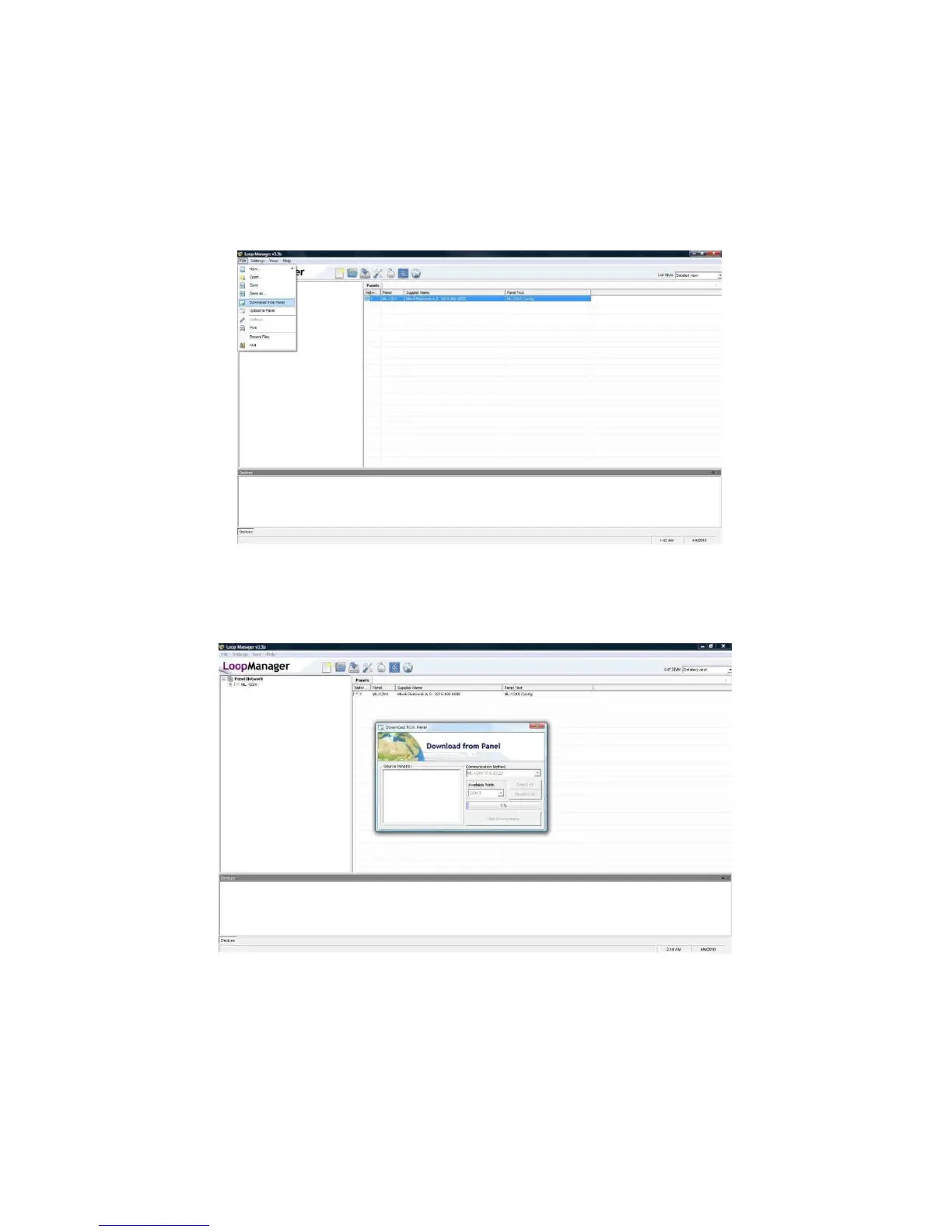
The selection of ‘Download from Panel’ or ‘Upload to Panel’ operations is made through the
‘Loop Manager’ Software as shown on the below screen.
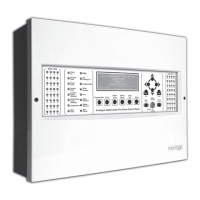
Data transfer can be initiated through the Loop Manager; there is no need to follow any
procedure on the panel. It is sufficient to click on ‘Start Downloading’ Button.
When data transfer completed, the following comment is displayed on the program;


 To Next Page