Bluetooth Operation
1. Pairing
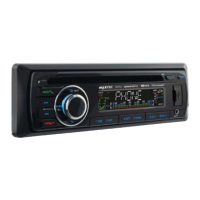
Press and hold the BND/ID3/TEL button
until the word “PAIRING” appears on the
display waiting for the bluetooth device
to connect.
At this blinking time, please run the
bluetooth search and connect function
in your cellphone. The car radio model
no “BT car stereo” will be shown on
the cellphone. Select this car radio
and connect. When you are asked for
a connection password, please input
“0000” in your cellphone to finish the
pairing. The bluetooth icon on the
display will be on indicating that the
connection is established. Bluetooth
function is ready to use.
2. Calling
In any play mode, dial the desired
number on your cellphone. The unit will
switch to bluetooth handsfree mode
automatically. “DIALING” will be shown
on the display indicating the dialling is
in progress.
3. Accepting Calls
When there is incoming call, “INCOMING”
will be shown on the display indicating
there is phone call to answer. “TALKING”
will be shown after the “ANSWER” button
is pressed. Rotate the volume knob
during ringing or conversation to adjust
the respective volume level.
4. Rejecting Calls
During ringing or conversation, press
the “EJECT” button to end the call or
reject the call. “CALL END” will be shown
on the display and the unit will resume
to the original play mode.
5. BT Audio (A2DP)
Press MOD/(with green phone logo)
button until the unit entered BT MUSIC.
BT audio will play automatically when
you play the song in the cellphone. You
could pause by “1 ” button, to choose
previous or next song by pressing |<<
and >>| button.
6. Disconnecting
Disconnect the paired phone by
operating on the cellphone. You can also
disconnect/reconnect the cellphone
connection by holding the “ANSWER”
button.


 To Next Page