After Sales Support
UK/N.IRELAND HELPLINE N
O
:
REP.IRELAND HELPLINE N
O
:
WEBSITE:
EMAIL:
01270 508538
1800 995 036
www.quesh.co.uk
enquiries@quesh.co.uk
10
Settings
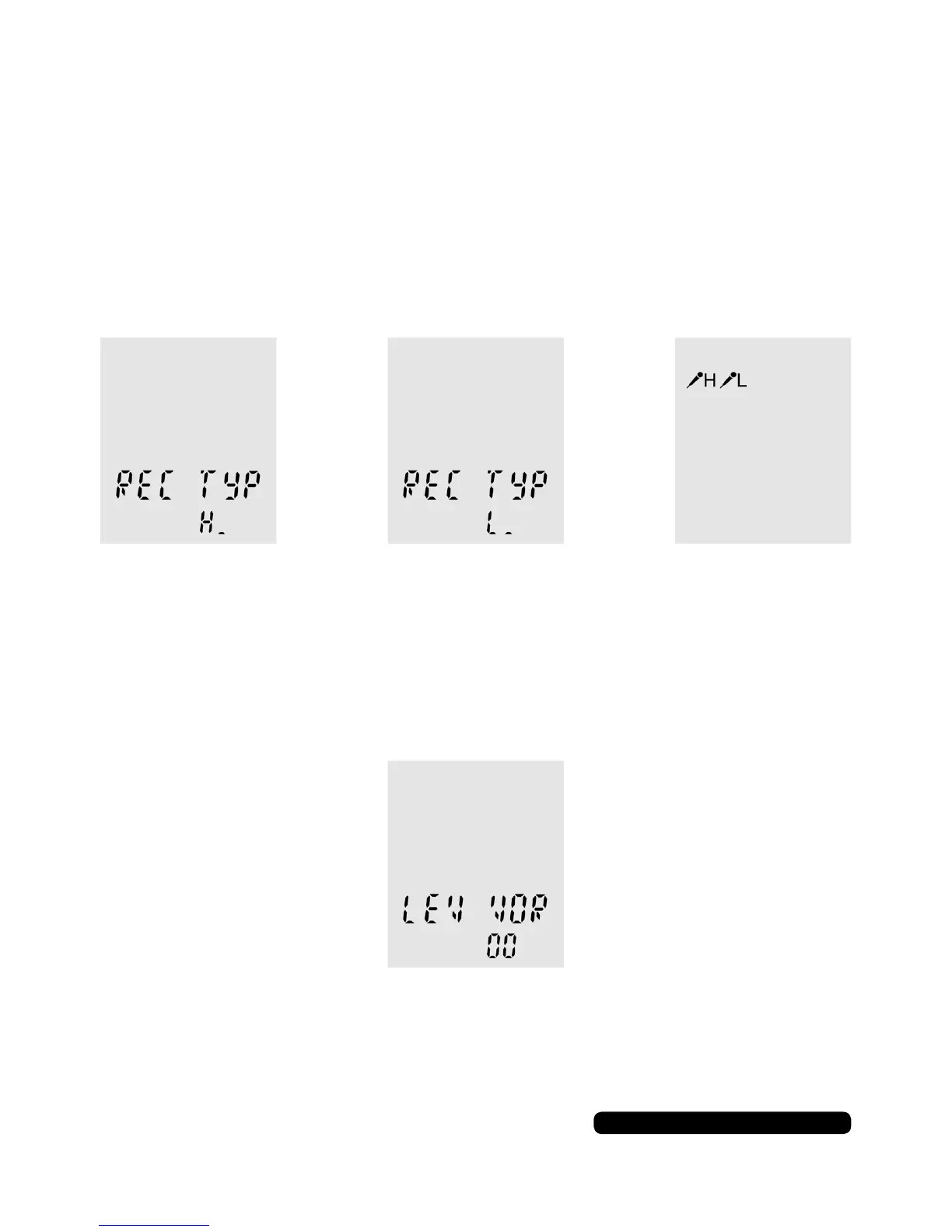
Recording Type
To change the sensitivity of the recording, repeatedly press the
menu button so ‘REC TYP’ appears on the screen. Use the skip
forward or back buttons to change the setting to ‘H’ for high for
recording at a distance or ‘L’ for low for recording at a personal
distance. Press the stop button to conrm the selection.
The microphone icon will change on the screen to indicate the
current setting in use.
Microphone Sensitivity
You can change the microphone’s sensitivity with the ‘LEV VOR’
option. repeatedly press the menu button so ‘LEV VOR’ appears on
the screen.
The sensitivity ranges from 00 to 30 in multiples of 3. Use the skip
forward or back buttons to change the value and press play to
conrm your selection. Press stop to go back.


 To Next Page