Need help?
Do you have a question about the maxtop T8 and is the answer not in the manual?
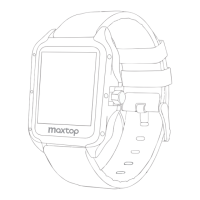
Details the physical dimensions of the watch screen, band, and identifies key components like charging pins and power button.
Step-by-step instructions on how to properly charge the smart watch using the provided cable.
Guidance on how to wear the watch for accurate data tracking, ensuring a snug fit.
Instructions on how to detach and attach different watch bands using the quick-release lever.
Guide to finding and downloading the MAXTOP APP from app stores for iOS and Android.
Steps for binding the watch with your mobile phone via Bluetooth through the MAXTOP APP.
Identifies the different parts of the watch and explains basic screen operations like wrist-flip to light up.
Details the supported sport modes and GPS running data tracking capabilities.
Explains how to navigate through the watch interface using swipes and accessing the drop-down menu.
Covers tracking of sleep, heart rate, blood pressure, and step counting.
Describes lock screen duration, brightness, music control, countdown, stopwatch, and search phone functions.
Details how the watch detects and alarms for high or low heart rate values.
Instructions on selecting, pausing, continuing, and exiting sport modes.
Explains manual and automatic heart rate monitoring, data synchronization, and viewing on the APP.
Describes automatic heart rate, calorie, and step detection while wearing the watch.
Instructions for using the countdown timer and controlling smartphone music playback.
Guides on using the watch to remotely control the phone's camera and setting alarms.
Information on manual blood pressure detection, monitoring, and data viewing on the APP.
How to use the stopwatch, including start, pause, continue, and exit functions.
Steps to resolve issues if the device upgrade fails.
Answers common questions about why heart rate or sleep tests might not be allowed.
Guidance on setting necessary permissions for the MAXTOP APP on smartphones.
How the watch time display synchronizes with the smartphone's 12 or 24-hour format.
Lists key technical details including model, battery, voltage, weight, and operating temperature.
Explains the IP68 waterproof rating and recommended/not recommended activities.
Ensures Bluetooth is on, the watch is not bound to other accounts, and maintains proximity.
Instructions to enable message push and background operation for the MAXTOP APP.
Charging requirements and advice for accurate blood pressure readings (relaxation, quiet posture).
States the product is not for medical diagnosis, treatment, or prevention; consult professionals for health changes.
Guidelines for using electronic devices in various environments, including medical facilities and near sensitive equipment.
Warnings against using the device in explosive areas and advice for safe driving practices.
Advice on avoiding humid places, thunderstorms, and extreme temperatures for device longevity.
Warnings about small parts, keeping the device away from children, and adult supervision requirements.
Precautions regarding the built-in battery, avoiding damage, overheating, and proper disposal methods.
Instructions for keeping the device dry, cleaning it, and avoiding magnetic fields or extreme temperatures.
Details on unauthorized modifications voiding warranty and contacting customer service for failures.
Guidance on disposing of the device and accessories according to local laws and supporting recycling.
 General
| Battery Life | 7 days |
|---|---|
| Waterproof | IP67 |
| Water Resistance | IP67 |
| Connectivity | Bluetooth 4.0 |
| Compatibility | Android, iOS |
| Sensors | Heart rate, Pedometer |

 To Next Page