15
Original MAXX MOTORS (without Bluetooth)
Operation & Programming Instructions
Solo-A1 - Original Maxx Motor
Rechargeable Wand Control System with Internal Battery Motor
12V DC with Battery Charger
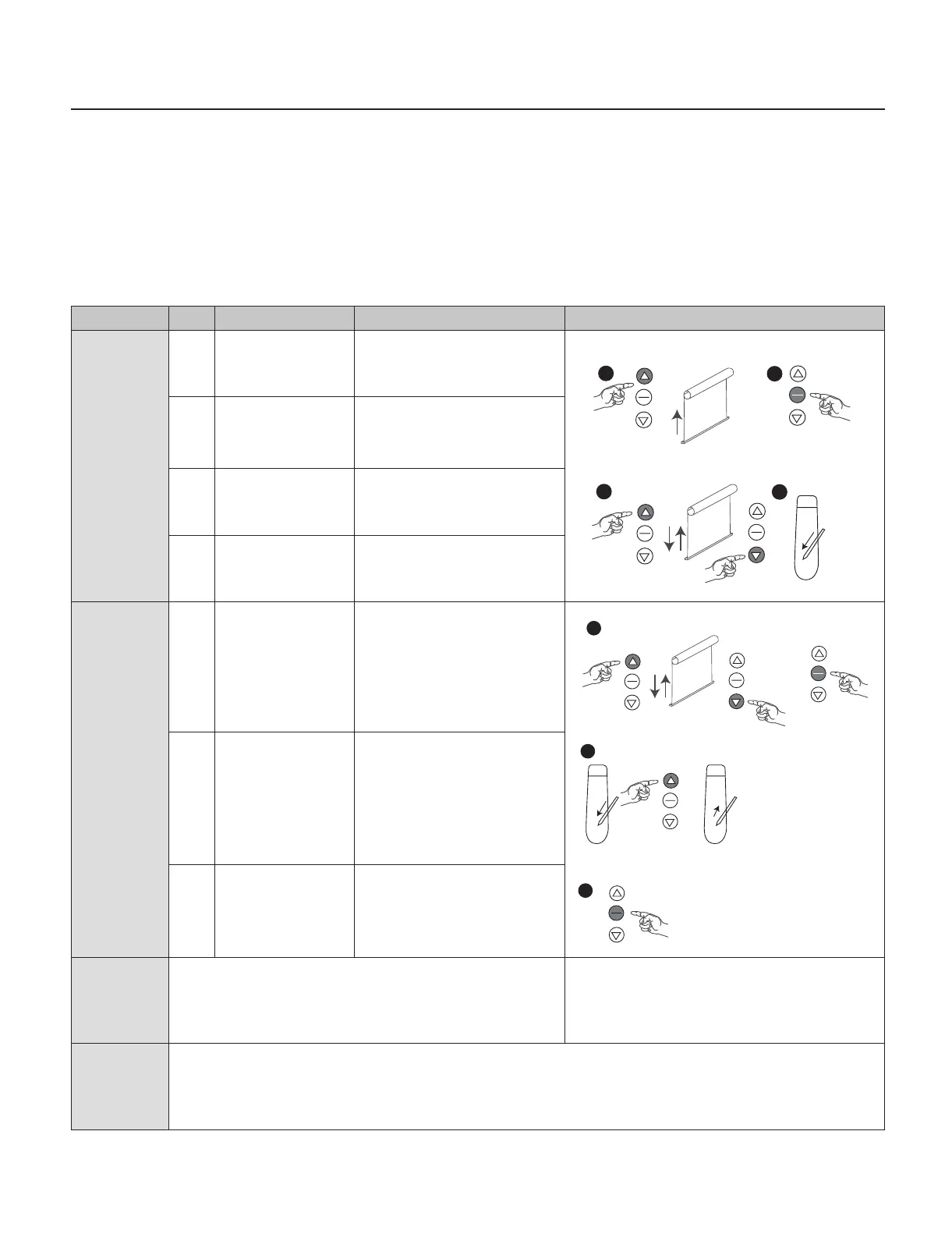
Command Item Operation Result Illustration
Upper limit
setting
6 Press UP button Motor goes up
7 Press STOP button
when close
to the upper limit
position
Motor stops
8 Press UP or DOWN
button to adjust the
nal position
9 Press SETTING
button
Motor sounds DI-DI-DI:
upper limit setting has
been set
Favourite
position
setting
1 Press UP or DOWN
button
Press STOP button when
blinds reach your favourite
position
2 Press and hold
SETTING button
and then press and
hold UP button
Release both buttons when
motor sounds DI-DI-DI: the
setting has been completed
3 Press STOP button
when motor
stops
Motor goes to the
favourite position and
stops
Switch
Roller/
Horizontal
mode
Press SETTINGS button on switch 8 times, the working mode
has been changed from Roller to Horizontal or from Horizontal
to Roller
Note: The original factory setting is in Roller blinds work mode
FAQ If nothing works, please check:
Whether the battery wand and motor is connected properly or if the battery is dead.
If the motor continues running please check:
If the motor continues running in a direction, the limit setting is unsuccessful and need to reset again
6
7
8
9
1
2
3



 To Next Page