17
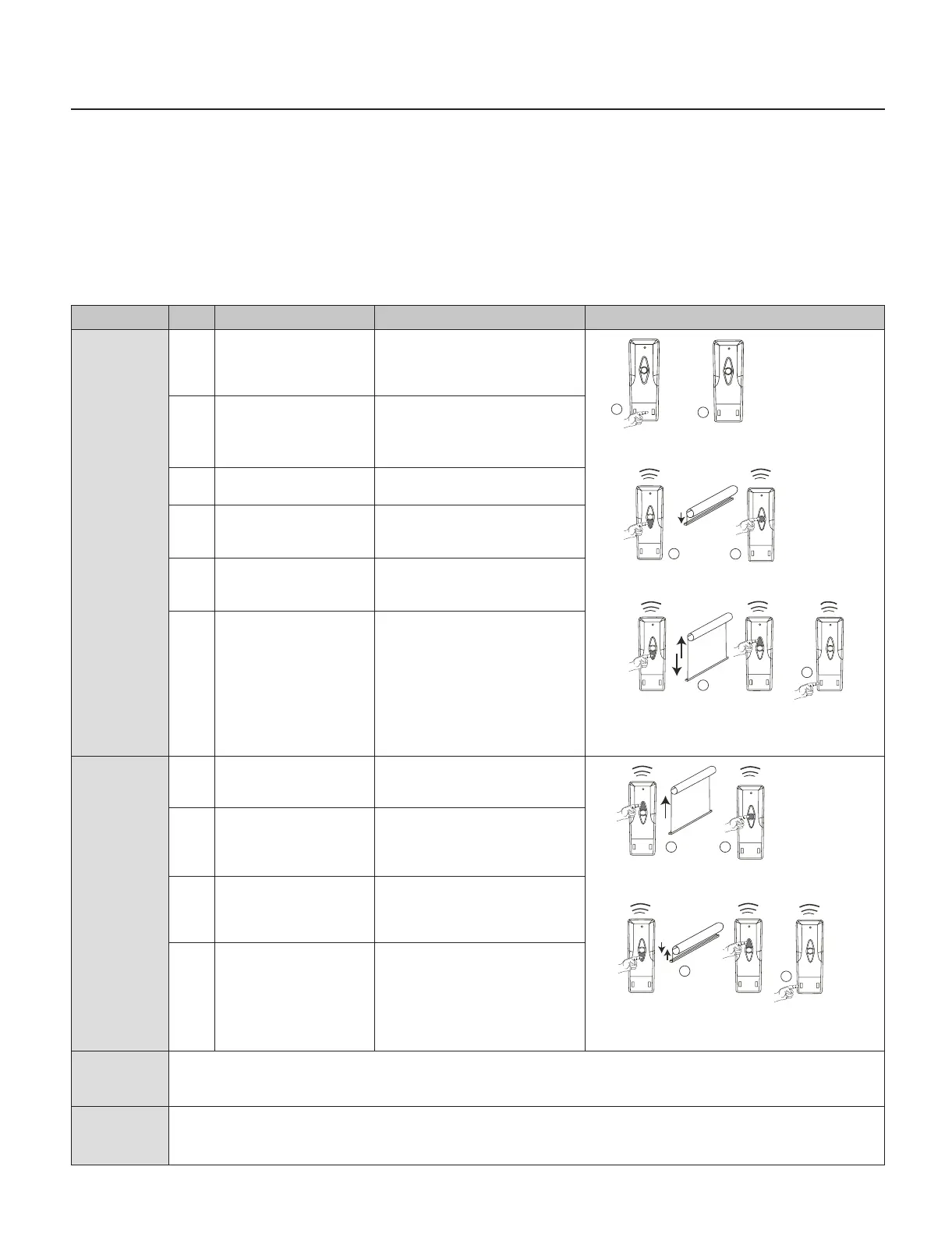
Command Item Operation Result Illustration
Setup bottom
limit
1 Keep pressing the LIMIT
button on the primary
transmitter for 6 seconds
Motor jogs “KA KA” rstly,
then jogs “KAKA, KAKA”
2 Release the button Motor is under the status
of limit setting
3 Press DOWN button on
transmitter
Motor runs down
4 When motor running close
to the end-point of lower
limit, press STOP button
Motor stops
5 Press either UP or DOWN
button
Motor runs step by step to
adjust lower limit
accurately
6 Press CONFIRM button
on transmitter
The motor jogs “KA KA”,
the setting has complete.
Setup upper
limit
7 Press UP button primary
transmitter
Motor runs up
8 When the motor running
close to the end-point of
upper limit, press STOP
button
Motor stops
9 Press either UP or DOWN
button
Motor runs step by step to
adjust lower accurately
10 Press CONFIRM button
on transmitter
Motor jogs “KA KA”, the
setting has complete.
Charging The motor works with Li-ion battery, please charging it when the motor stops working or works faltering. Please
charge the motor by charger.
Charging time: Charger 5 to 6 hours.
FAQ If nothing works, please check:
• Please charging the motor battery rstly
• If the motor runs to a direction continually, the user didn’t setup limit successfully, please re-set limit.
7
8
9
10
3
2
4
5
1
6
Original MAXX MOTORS (without Bluetooth)
The following operation and programming instructions apply to the
following Maxx Motors:
Domlux
Motor with Transformer and Remote
Control plugs into House Outlet
24V DC Low Voltage with Transformer
Cool Motion
Rechargeable Internal Battery
Motor with Remote Control
12V DC with Battery Charger
Release
Primary
Keep down 6S
Primary
PrimaryPrimary
PrimaryPrimary
PrimaryPrimary
PrimaryPrimary
Limit
Conrm
Primary
Limit
Conrm
Primary



 To Next Page