4
Types of Button Presses
Click Press and release
Hold Press and hold for specied time
Double-Click Two clicks in less than 3/4 of a second
New Generation Maxx Motors with Bluetooth
Operation & Programming Instructions
Solo-A1 - New Generation Smart Motor
• New and Quieter Generation Smart Motor with Bluetooth
• Rechargeable Wand Control System with Internal Battery Motor
• 12V DC with Battery charger
1. Reference
1- The motor will stop on button release tf the ltmtt ts not yet set.
2- The motor will take no action if the favourite position is not yet set.
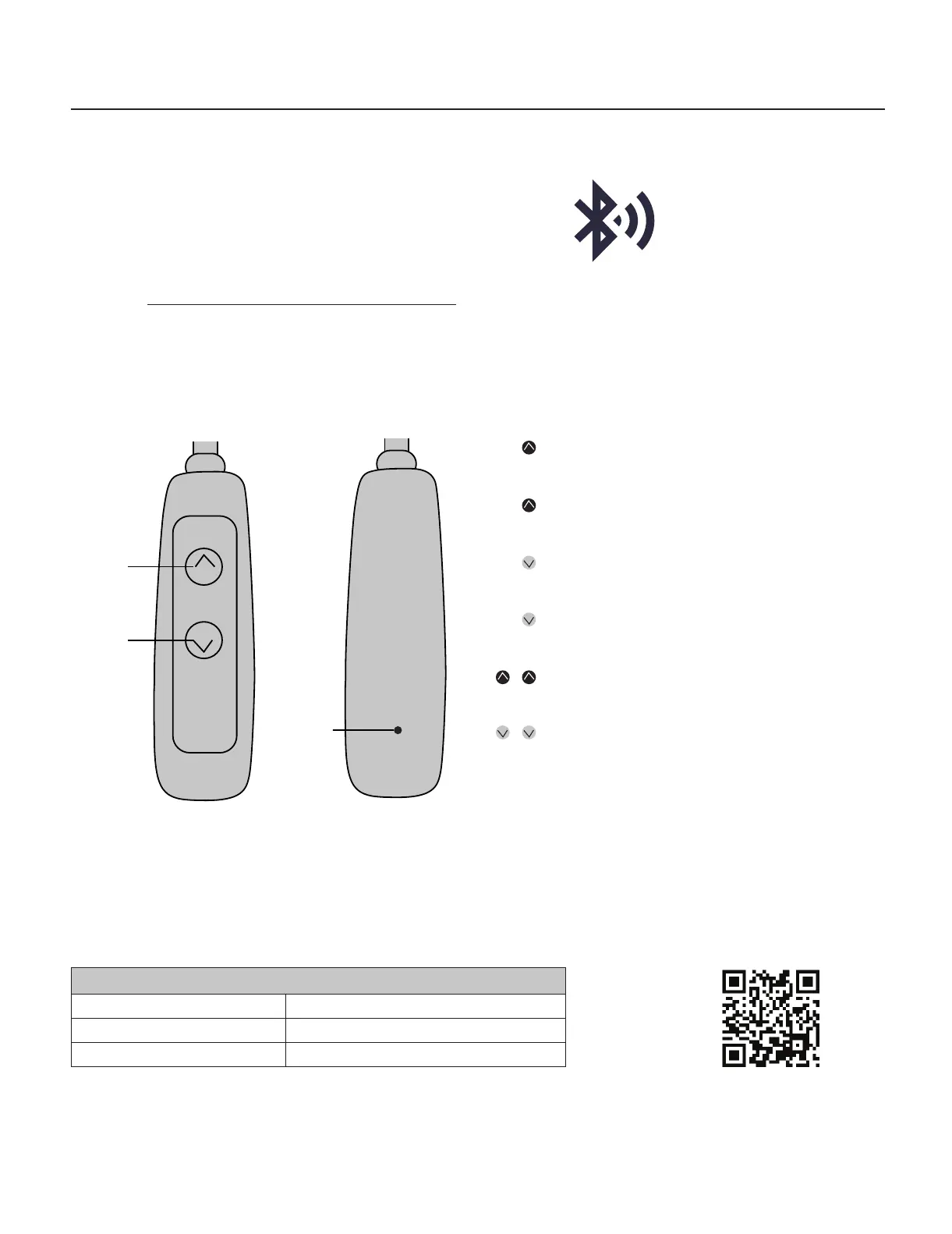
Up
Set
Down
Pressing and holding up for 2 seconds will bring
your blind in the up position.
Pressing the up button will jog your blind 1/8 of
an inch in the upward position.
Pressing and holding the down button will bring
your blind down to the lower position.
Pressing the down button will jog your blind 1/8
of and inch in the downward.
Double click the up button will bring your blind to
the favourite position 1.
Double click the down button will bring your
blind to the favourite position 2.
2. Basic Operations
Wand Buttons and Controls
Visit link: neosmartblinds.com/motors-accessories/



 To Next Page