19
MaxxLink Controller for Original Maxx Motors
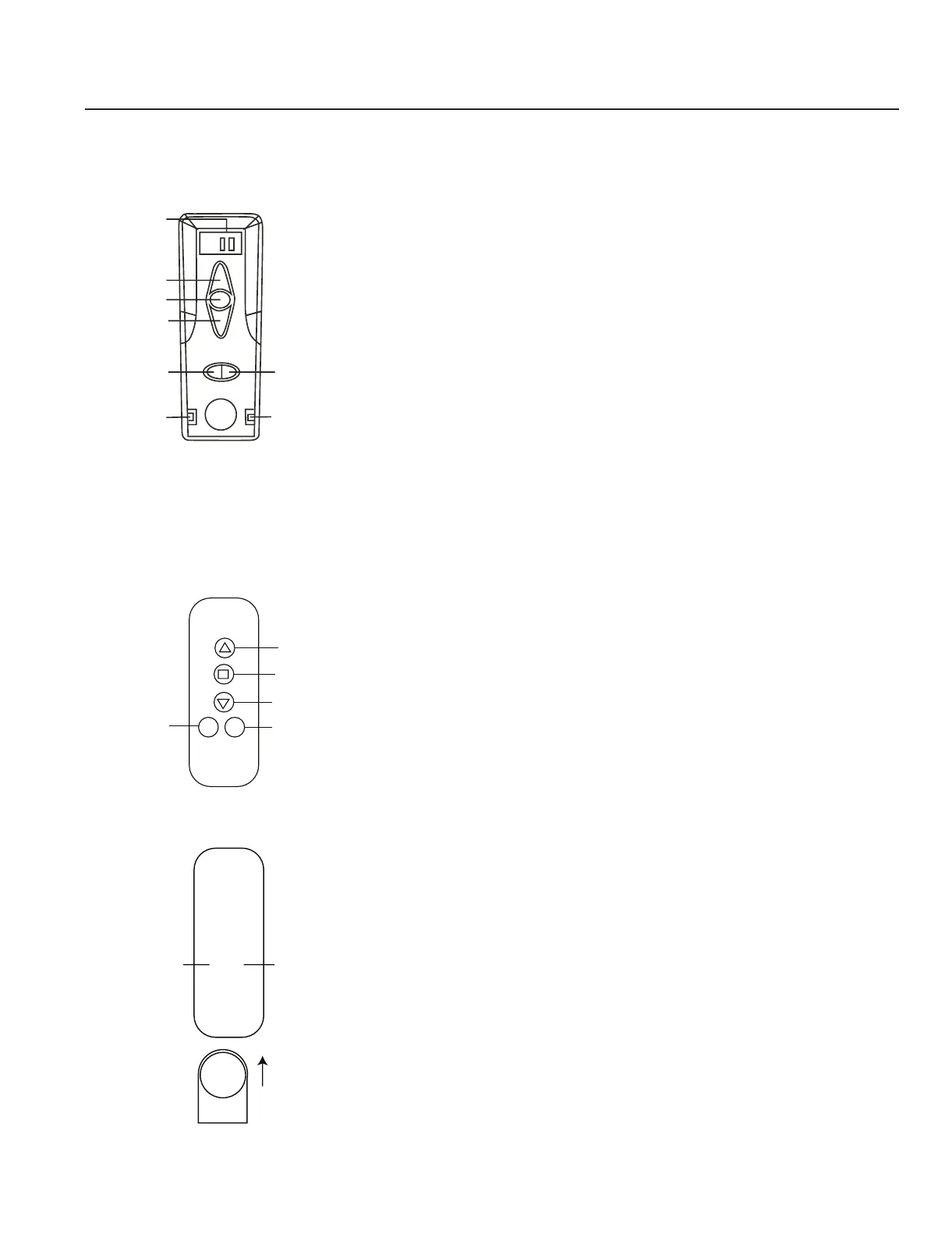
Two remote transmitters to choose from:
-+
Instruction for transmitter
1. Up 4. Channel
2. Stop 5. Limit (Setting)
3. Down 6. Power supply / Group controlling
• Press “Power supply” key on transmitter, then the LCD screen will light.
At that time, the transmitter is entering into the operation state. Keep the
“Channel” key pressed, the LCD screen shows corresponding channel no.
Then, regarding the corresponding channel, you could do below operation:
1. Programming this channel with receiver
2. Setting motor limit
3. “Up” “Stop” “Down” operations
• Press ”Group controlling” key, the LCD screen shows “AL”.
At that time, you could do below operation:
1. Controlling all motors “Up” “Stop” “Down” operations.
Channel No.
Up
Stop
Down
Power
supply/Group
controlling.
Conrm
Channel -
Conrm
Channel
Up
Stop
Down
Channel +
Limit
Limit
Instruction for remote
1. Select the Channel for Programming:
Press “CHANNEL +” or “CHANNEL -“ to choose the channel until the LED
bright on the channel you want.
2. Programming this channel on the Motor or Receiver:
To have the motor or receiver under the programming state (operating
according to the instructions of the motor or receiver, i.e. keep pressing
SETTING key on the motor head or receiver until thy respond
KA KA OR D--Di--).
3. Then press the CONFIRM key on the remote (do it in 3 seconds after
the motor under the programming state) the motor jogs KA KA or the
receiver sounds Di Di Di Di to conrm the programming succeed.
FIY:
The group channel will be recorded on the motor automatically when the
single channel has been programmed on the motor.



 To Next Page