9
Blue Link – Overview
BLUETOOTH SECTION - SEE LINK: neosmartblinds.com/bluelink/
No monthly or hidden fees
No need to connect to your Wi- or router
Key features
• Direct smart phone control
• Blinds position indicator
• Battery level and signal strength indicator
• Blind control using swipe or control buttons
Tech Specs
Neo Smart Blinds Blue Link technical specication
With our mobile app you will be able to:
• Set up your blinds using the built-in guide
• Control your blinds individually
(or as a group, coming soon)
• Set schedules to automate your home
• Put blinds into energy savings mode
(coming soon)
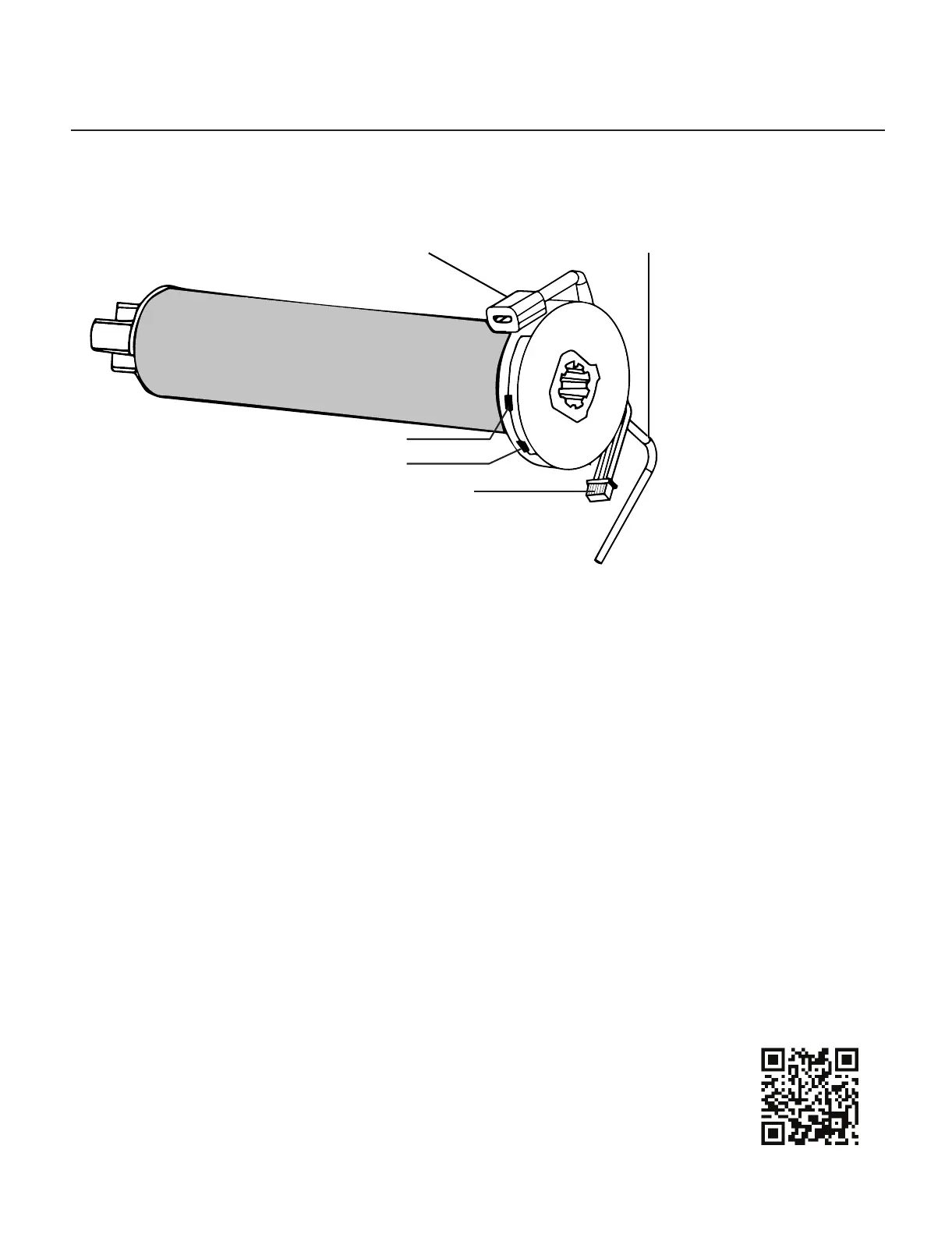
Antenna
Micro USB/wand port/charging port
Bluetooth port
Red led light
Set/program
Set/program - use to program motor to a remote erase memory and save functions
Red led light - indicating motor is in program mode
Bluetooth port - used to install Bluetooth adapter
Micro USB/wand port/charging port - used to charge motor or used as port for wand control
Antenna - used to receive signal from remote control
MaxxLink Controller for New Generation Maxx Motors



 To Next Page