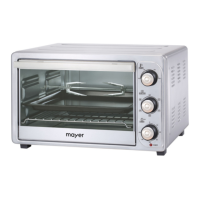
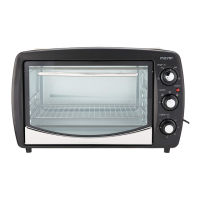
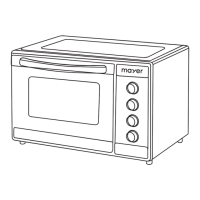
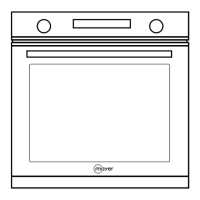
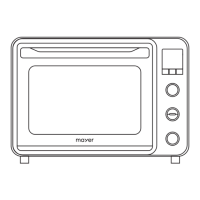
The Mayer Digital Electric Oven MM038D is a versatile kitchen appliance designed for indoor and domestic use, offering a range of cooking functions and user-friendly controls.
Function Description:
This digital electric oven is primarily used for heating food and offers 10 preset cooking functions, including Grill, Broil, Toast, Bake, Pizza, Cookies, Steak, Chicken, Ferment, and Dry Fruit. It also features a DIY function for customized cooking. The oven incorporates both upper and lower heating elements, with independent control options for precise temperature management. A convection fan is included for even heat distribution, particularly useful for functions like Dry Fruit, and a rotisserie function is available for cooking items such as whole chicken. The oven also has a preheat function to ensure it reaches the desired temperature before the cooking timer begins.
Important Technical Specifications:
- Model: MMO38D
- Rated Voltage: 220-240V~50Hz
- Rated Power: 1800W
- Gross Capacity: 38L
- Temperature Range: 25-230°C (varies by function)
- Timer Range: 0:01 - 15:00 (H:MM, varies by function)
- Accessories: Handle, Double glass door, LED display, Sensor touch control buttons, Function knob, Temperature control knob & heating control button, Timer knob & Start/Stop button, Tray Handle, Rotisserie, Rotisserie Handle, Bake Tray, Wire Rack, Crumb Tray.
- Maximum Weight on Bake Tray/Wire Rack: 3.5kg (including food and tray/rack)
Usage Features:
- Control Panel: The oven features an LED display and sensor touch control buttons for various functions, including light, convection fan, and rotisserie. Control knobs are used for selecting functions, adjusting temperature, and setting the timer.
- Preset Functions: Users can select from 10 preset functions by turning the function knob. The selected function will blink on the LED display.
- DIY Function: For custom cooking, users can turn the function knob until no preset function is blinking, indicating the DIY mode. In DIY mode, temperature and time can be adjusted manually.
- Temperature Control: The temperature knob allows for adjusting both upper and lower heating temperatures together. Alternatively, users can press the upper or lower heating control buttons to adjust each heating element's temperature independently.
- Timer Control: The timer knob is used to set the desired cooking duration.
- Start/Stop Operation: The Start/Stop button initiates cooking. A beep sound signals the completion of the cooking cycle. Pressing the Start/Stop button once during cooking will pause the operation, and pressing it again will resume. Holding the Start/Stop button will stop or cancel the oven's operation.
- Preheat Function: When cooking starts, the cooking time on the LED display blinks, indicating the preheat phase. Once the oven reaches the set temperature, the timer stops blinking, and the ":" between the timer digits starts blinking, signaling that cooking has begun. This feature can be deactivated by pressing and holding either heating control button for at least 2 seconds.
- Light Button: The oven light is on by default for all functions. It can be turned on or off at any time by pressing the light button.
- Convection Fan Button: The convection fan is off by default for most functions (except Dry Fruit). It can be activated for any function by pressing the convection fan button.
- Rotisserie Button: The rotisserie is off by default for most functions (except Chicken). It can be activated for Chicken or DIY functions by pressing the rotisserie button.
- Accessory Usage:
- Bake Tray: Food should be placed on the bake tray, not the crumb tray. It must be placed in a shelf position. Oven mitts should be used when handling the hot bake tray. Aluminum foil or baking paper is recommended for easier cleaning.
- Wire Rack: The wire rack must be used in a shelf position, always in conjunction with the bake tray placed below it to catch drips. Oven mitts are necessary for handling. For foods without kitchenware, wrapping the wire rack in aluminum foil is recommended.
- Rotisserie: The rotisserie shaft is inserted through the food (e.g., whole chicken) and secured with thumbscrews and forks. The shaft's end-points are inserted into the oven's drive socket and shaft support. A bake tray should be placed on a lower shelf to catch drips.
Maintenance Features:
- Cool-Down Before Cleaning: The appliance should only be cleaned after it has completely cooled down to room temperature.
- Power Disconnection: Always turn off the main switch and disconnect the power plug from the main power supply before cleaning.
- Cleaning Method: Do not use steam cleaners or immerse the appliance in water. Clean the appliance using a damp cloth.
- Accessory Cleaning: Oven accessories can be soaked, immersed, and rinsed with detergent water. For oily accessories, soak them in warm detergent water first.
- Avoid Corrosive Cleaners: Do not use corrosive cleaners as they can cause damage or corrosion.
- Gentle Cleaning Materials: Use a soft and gentle cloth or sponge for cleaning the appliance body, control panel, oven walls, and accessories to prevent scratches. Avoid metal-containing cleaning cloths, scrubbing cleaners, steel brushes, or rough-surfaced cloths.
- Thorough Drying: Dry the appliance completely with a dry cloth after cleaning to prevent mold growth. Ensure the cavity (including the bottom base and crumb tray) is thoroughly dried.
- Preventing Rust and Damage: Keep the oven clean at all times. Salt, acidic sauces (ketchup, mustard, preserves), and grease/food debris can cause rust stains or damage to the stainless steel surface and door seal.
- Storage: When not in use for a long period, store the appliance in a dry place away from corrosive gases.
- Power Cord Care: Clean dust from the power supply plug regularly. When removing the power supply cord, always grasp the plug, not the cord. Do not wrap the cord around the appliance.
- Professional Repair: If the appliance PCB is faulty (DISPLAY E1) or the power cord/door seal is damaged, contact the Service Centre for repairs.
- Overheating Protection: If the appliance overheats (DISPLAY E3), turn it off, unplug it, and allow it to cool down completely before using it again.


 To Next Page
 General