14
Remove Shipping Brackets (cont.)
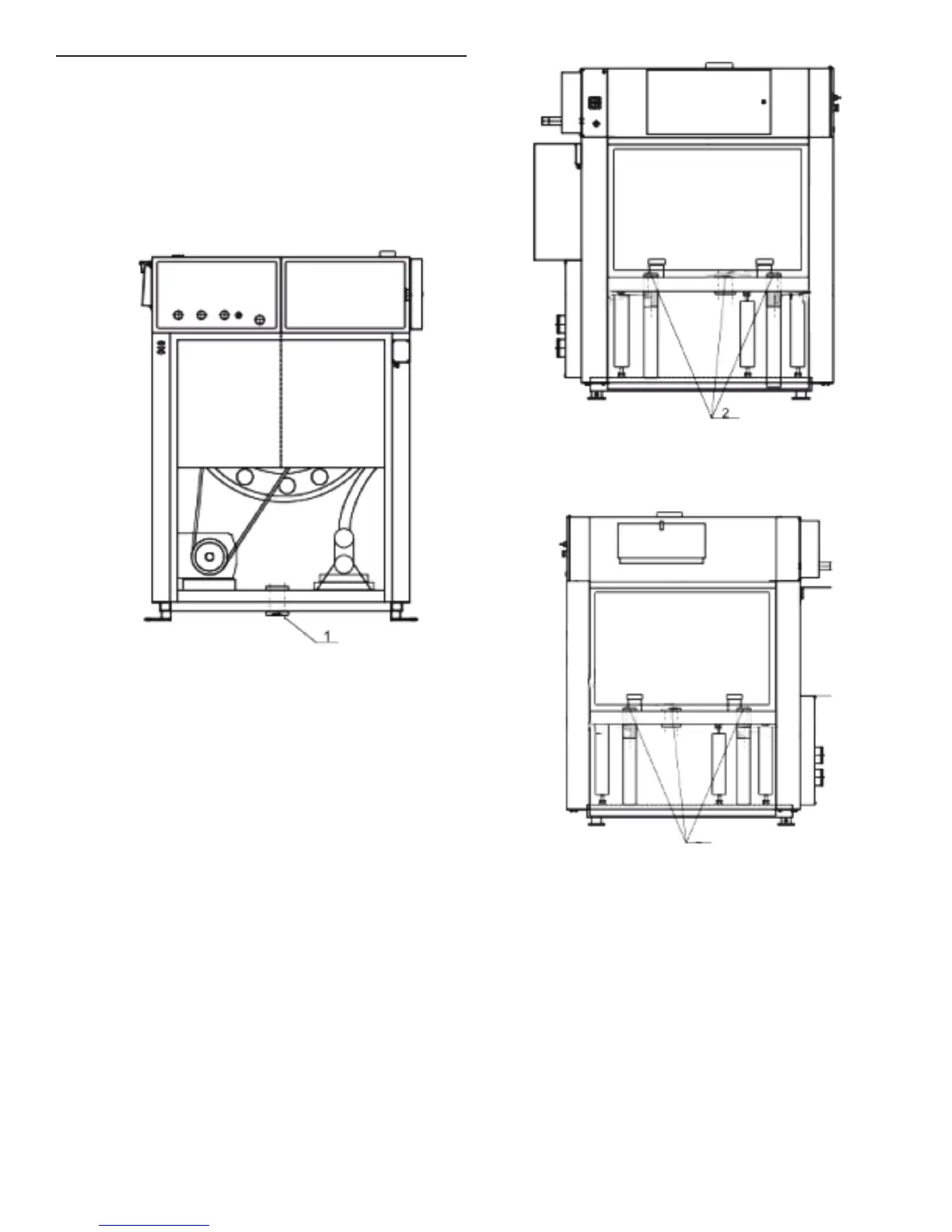
Models MFS180, MFS230, MFS275
1. Remove the rear lower panel and side panels.
2. Remove the rear shipping bracket (1), the three left-side
shipping brackets (2), and the three right-side shipping
brackets (3). Retain brackets and bolts if needed to secure
the washer for transport in the future.
3. Replace panels.
Shipping Bracket (Models MFS180, MFS230, and MFS275)
Rear View of Bracket (1)
Shipping Brackets (Models MFS180, MFS230, and MFS275)
Left-Side View of Brackets (3)
Shipping Brackets (Models MFS180, MFS230, and MFS275)
Right-Side View of Brackets (3)
3


 To Next Page