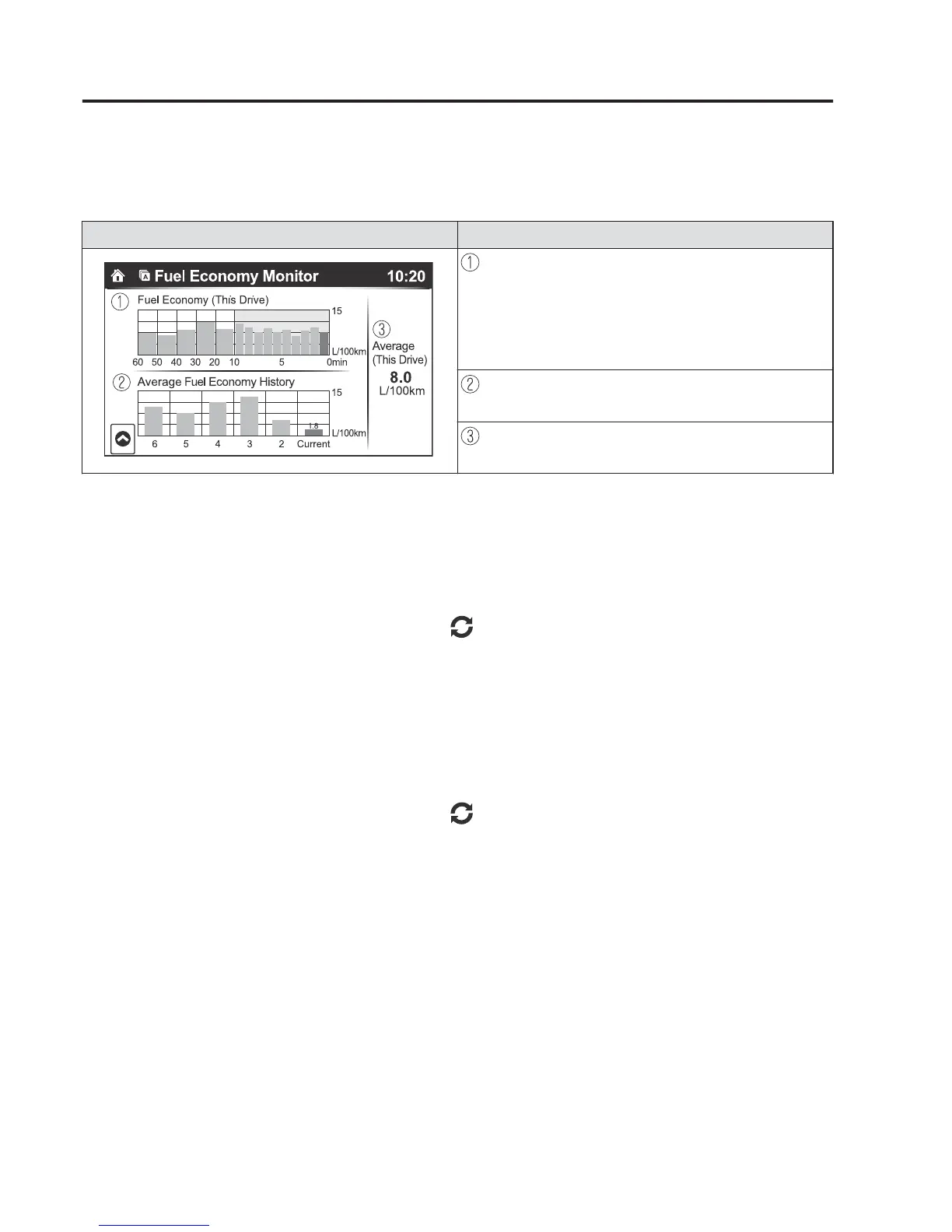
)XHO&RQVXPSWLRQ'LVSOD\
,QIRUPDWLRQUHJDUGLQJWKHIXHOHFRQRP\LVGLVSOD\HG
,QGLFDWLRQRQGLVSOD\ &RQWUROVWDWXV
'LVSOD\VWKHIXHOHFRQRP\IRUWKHSDVWPLQXWHV
•
'LVSOD\VWKHIXHOHFRQRP\HYHU\PLQXWHIRUWKHSDVW
WRPLQXWHV
•
'LVSOD\VWKHIXHOHFRQRP\HYHU\PLQXWHVIRUWKH
SDVWWRPLQXWHV
'LVSOD\VWKHDYHUDJHIXHOHFRQRP\RYHUWKHSDVW
UHVHWVDQGDIWHUWKHFXUUHQWUHVHW
&DOFXODWHVWKHDYHUDJHIXHOHFRQRP\HYHU\PLQXWH
DIWHUYHKLFOHWUDYHOEHJLQVDQGGLVSOD\VLW
NOTE
•
(With Multi-information Display)
•
The fuel economy data is synchronized (linked) with the average fuel economy
displayed in the tripmeter (TRIP A).
•
To reset the fuel economy data, press the icon in the menu. (The average fuel
economy and TRIP A displayed in the tripmeter (TRIP A) reset at the same time.)
•
After resetting the fuel economy data, “-- -” is displayed while the average fuel
economy is being calculated.
•
(Without Multi-information Display)
•
The fuel economy data is synchronized (linked) with the average fuel economy
displayed in the trip computer.
•
To reset the fuel economy data, press the icon in the menu. (The average fuel
economy displayed in the trip computer resets at the same time.)
•
After resetting the fuel economy data, “-- -” is displayed while the average fuel
economy is being calculated.
:KHQ'ULYLQJ
)XHO(FRQRP\0RQLWRU



 To Next Page