+RZWRXVH86%PRGH
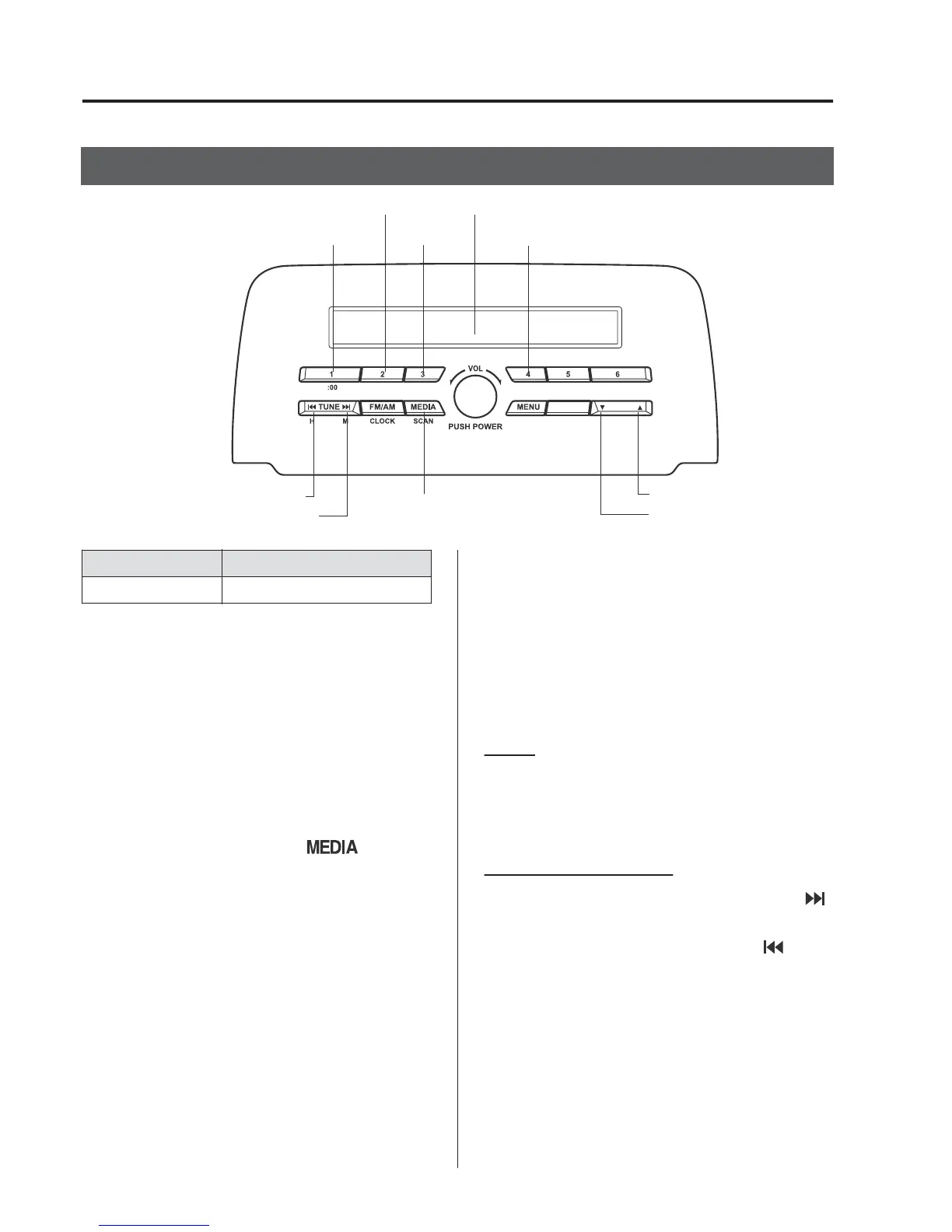
Media/Scan button
Folder down button
Folder up button
Play/Pause button
Random button
Repeat button
Audio display
Text button
Track down/Reverse button
Track up/Fast-forward button
7\SH 3OD\DEOHGDWD
86%PRGH 03:0$$$&ILOH
7KLVXQLWGRHVQRWVXSSRUWD86%
GHYLFH,QDGGLWLRQRWKHUGHYLFHVPD\QRW
EHVXSSRUWHGGHSHQGLQJRQWKHPRGHORU
26YHUVLRQ
▼
3OD\EDFN
6ZLWFKWKHLJQLWLRQWR$&&RU21
3UHVVWKHSRZHUYROXPHGLDOWRWXUQWKH
DXGLRV\VWHPRQ
3UHVVWKHPHGLDEXWWRQ
WR
VZLWFKWRWKH86%PRGHDQGVWDUW
SOD\EDFN
NOTE
•
Some devices such as smart phones may
require a setting change to allow
operation using a USB connection.
•
When the USB device is not connected,
the mode does not switch to USB mode.
•
When there is no playable data in the
USB device, “NO CONTENTS” is
flashed.
•
Playback of the USB device is in the
order of the folder numbers. Folders
which have no MP3/WMA/AAC files are
skipped.
•
Do not remove the USB device while in
the USB mode. The data may be
damaged.
3DXVH
7RVWRSSOD\EDFNSUHVVWKHSOD\SDXVH
EXWWRQ
3UHVVWKHEXWWRQDJDLQWRUHVXPHSOD\EDFN
)DVWIRUZDUG5HYHUVH
3UHVVDQGKROGWKHIDVWIRUZDUGEXWWRQ
WRDGYDQFHWKURXJKDWUDFNDWKLJKVSHHG
3UHVVDQGKROGWKHUHYHUVHEXWWRQ
WR
UHYHUVHWKURXJKDWUDFNDWKLJKVSHHG
,QWHULRU)HDWXUHV
$XGLR6HW>7\SH$QRQWRXFKVFUHHQ@



 To Next Page