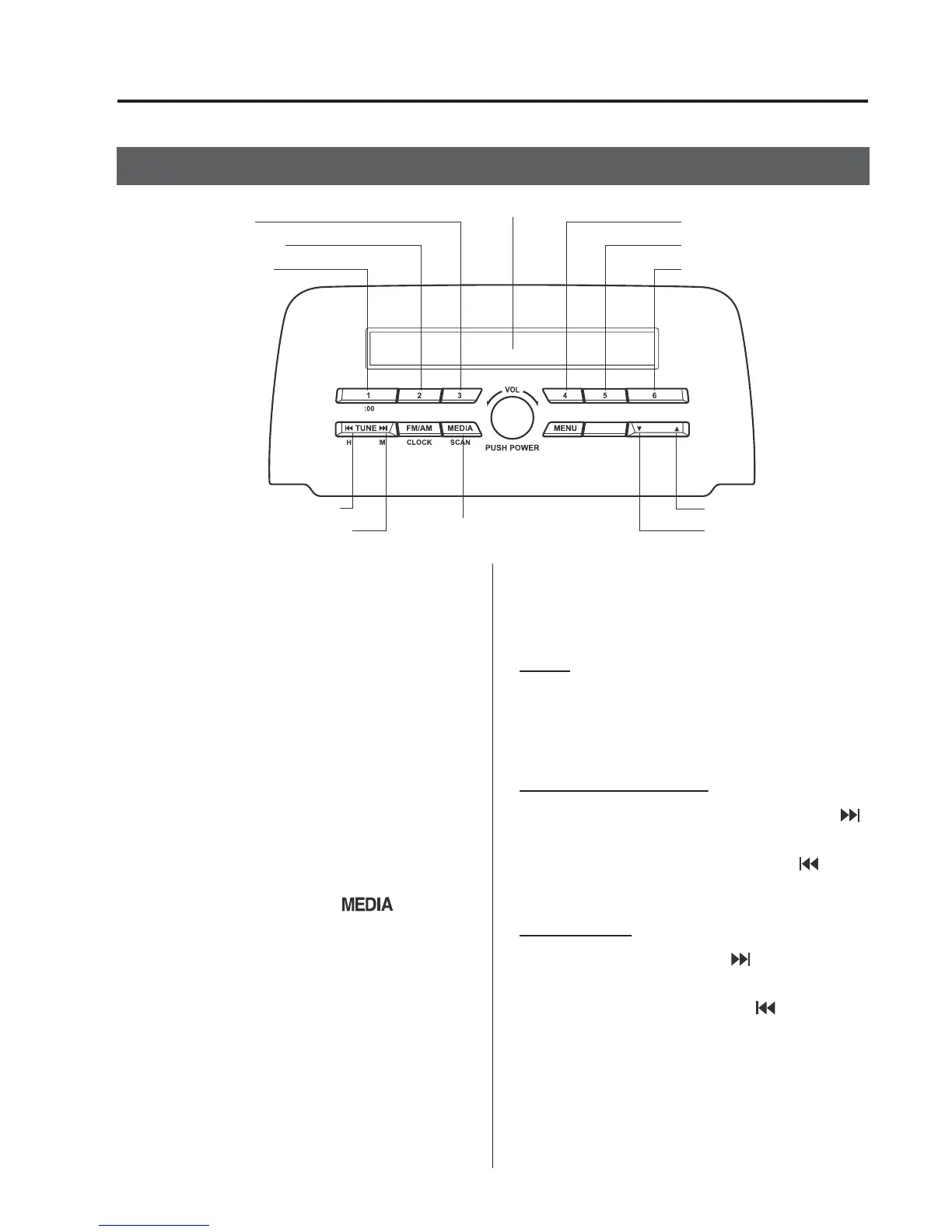
+RZWRXVHL3RGPRGH
Media/Scan button
List down button
List up button
Play/Pause button
Random button
Repeat button
Audio display
Text button
Track down/Reverse button
Track up/Fast-forward button
Category down button
Category up button
$QL3RGPD\QRWEHFRPSDWLEOHGHSHQGLQJ
RQWKHPRGHORU26YHUVLRQ,QWKLVFDVH
DQHUURUPHVVDJHLVGLVSOD\HG
NOTE
The iPod functions on the iPod cannot be
operated while it is connected to the unit
because the unit controls the iPod
functions.
▼
3OD\EDFN
6ZLWFKWKHLJQLWLRQWR$&&RU21
3UHVVWKHSRZHUYROXPHGLDOWRWXUQWKH
DXGLRV\VWHPRQ
3UHVVWKHPHGLDEXWWRQ
WR
VZLWFKWRWKHL3RGPRGHDQGVWDUW
SOD\EDFN
NOTE
•
When an iPod is not connected, the
mode does not switch to the iPod mode.
•
When there is no playable data in the
iPod, “NO CONTENTS” is flashed.
•
Do not remove the iPod while in the
iPod mode. Otherwise, the data could be
damaged.
3DXVH
7RVWRSSOD\EDFNSUHVVWKHSOD\SDXVH
EXWWRQ
3UHVVWKHEXWWRQDJDLQWRUHVXPHSOD\EDFN
)DVWIRUZDUG5HYHUVH
3UHVVDQGKROGWKHIDVWIRUZDUGEXWWRQ
WRDGYDQFHWKURXJKDWUDFNDWKLJKVSHHG
3UHVVDQGKROGWKHUHYHUVHEXWWRQ
WR
UHYHUVHWKURXJKDWUDFNDWKLJKVSHHG
7UDFNVHDUFK
3UHVVWKHWUDFNXSEXWWRQ RQFHWRVNLS
IRUZDUGWRWKHEHJLQQLQJRIWKHQH[WWUDFN
3UHVVWKHWUDFNGRZQEXWWRQ
ZLWKLQD
IHZVHFRQGVGHSHQGVRQL3RGVRIWZDUH
YHUVLRQDIWHUSOD\EDFNEHJLQVWRWUDFN
GRZQWRWKHEHJLQQLQJRIWKHSUHYLRXV
WUDFN
,QWHULRU)HDWXUHV
$XGLR6HW>7\SH$QRQWRXFKVFUHHQ@



 To Next Page