Black plate (282,1)
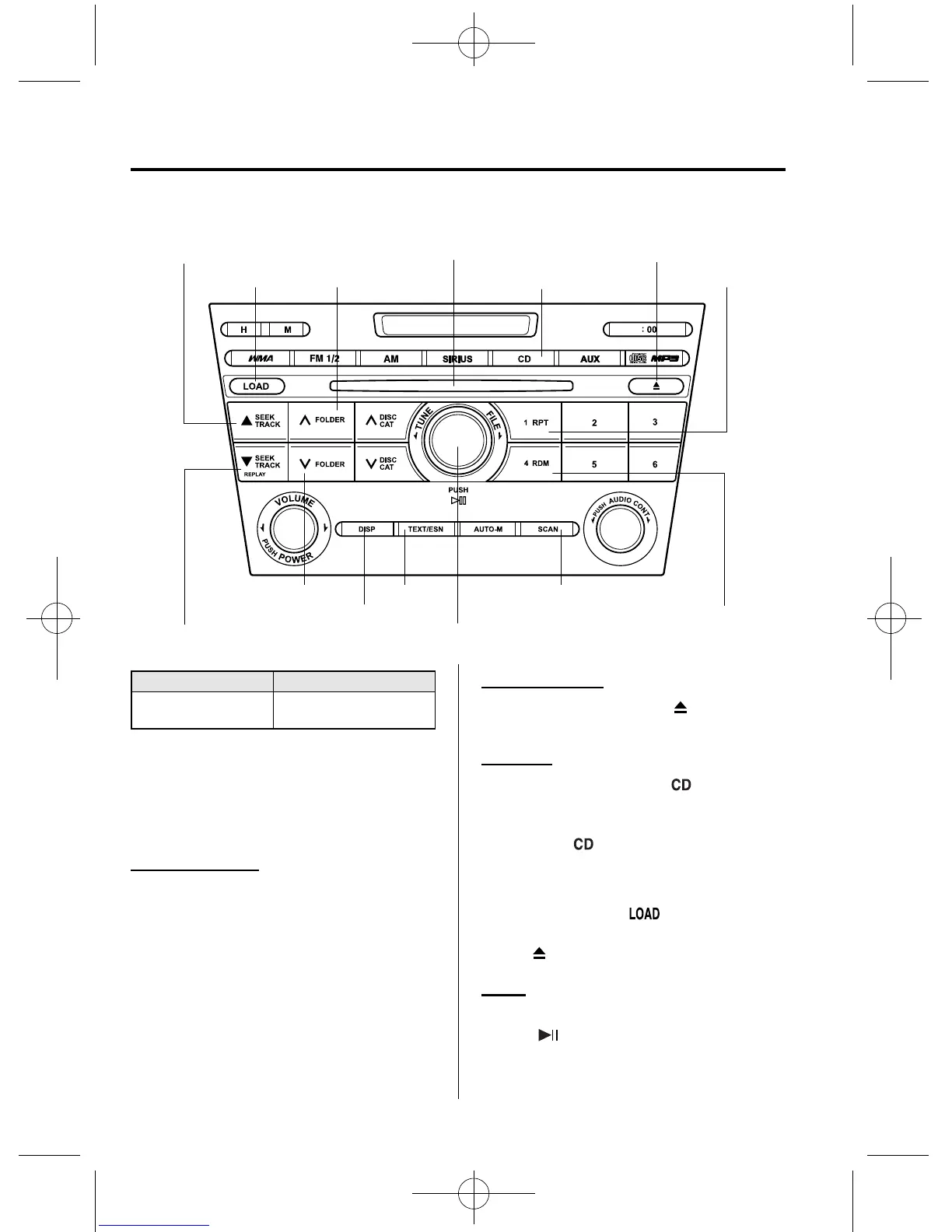
qOperating the Compact Disc (CD) Player
Scan button
Random button
Track down/Reverse button
Track up/Fast-forward button
Load button Repeat button
CD play button
CD eject button
Folder up button
Folder down button
Display button
Play/Pause button/File dial
Text button
CD slot
Type Playable data
Music/MP3/WMA CD
player
l
Music data (CD-DA)
l
MP3/WMA file
NOTE
If a disc has both music data (CD-DA) and
MP3/WMA files, playback of the two or three
file types differs depending on how the disc
was recorded.
Inserting the CD
Insert the CD into the slot, label-side up.
The auto-loading mechanism will set the
CD and begin play.
NOTE
There will be a short lapse before play begins
while the player reads the digital signals on
the CD.
Ejecting the CD
Press the CD eject button (
) to eject the
CD.
Playback
Press the CD play button (
) to start
play when a CD is in the unit.
If a CD is not in the unit when the CD
play button (
) is pressed, “NO DISC”
will flash on and off.
NOTE
When the load button ( ) is pressed, the
CD will load and play even if the CD eject
button (
) had been previously pressed.
Pause
To stop playback, press the Play/Pause
button (
).
Press the button again to resume
playback.
6-44
Interior Comfort
Audio System
CX-7_8CG3-EA-11J_Edition1 Page282
Saturday, September 24 2011 10:33 AM
Form No.8CG3-EA-11J



 To Next Page