7
Installing the brake linkage
Durng operaton the brake pads wear over tme causng weakenng of the brakes. In order to compensate
you should extend the brake lnkage by turnng t.
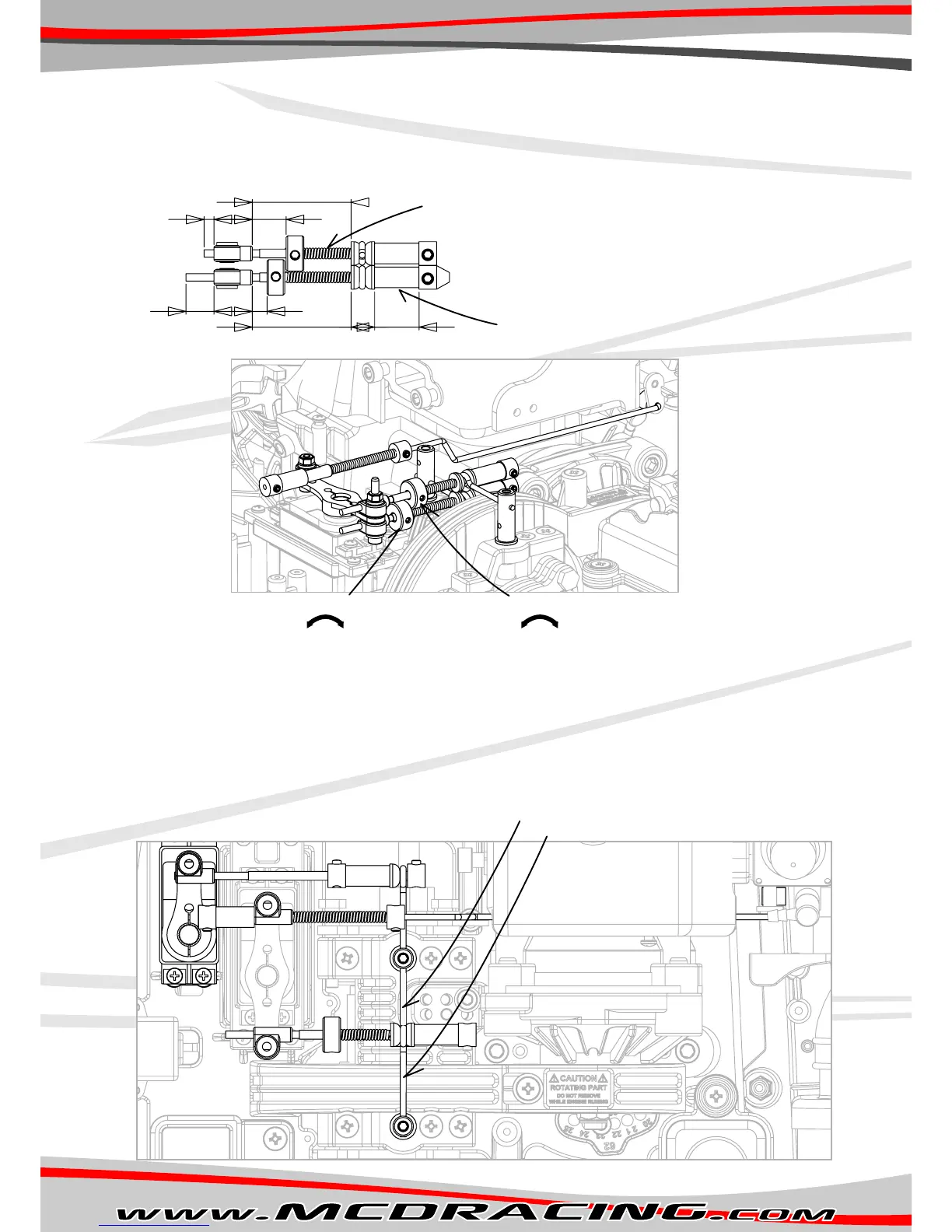
1. Make sure you assemble the brake lnkages wth the dmensons as ndcated below.
2. Connect the upper lnkage to the front brake and the bottom lnkage to the rear brake as ndcated n Figure F.
3. After the lnkages are nstalled, swtch on your rado and reduce the brake end pont from the transmtter
EPA menu to %30.
4. Apply full brake from the trgger and hold.
5. By movng the car back and forth wth your hand, start slghtly ncreasng EPA to approx. %50 untll the brakes lock.
6. If t doesn’t lock at %50 turn back to the step 1 and re-adjust.
7. After the brakes are functonng properly adjust the brake bas by usng the collars as ndcated n Figure F.
8. After the step 7 s complete your brake set-up s fnshed.
Figure F
Figure G
Cut one of the suppled sprngs to 20mm.
15
40
2,5
4 6
40
Cut one of the suppled hoses to 2 peces of 10mm.
10
Rear brake adjustment collar. Front brake adjustment collar.
Adjust the brake bas 55% front and 45% rear.
Requres advanced programmable mxng 3 channel rado.
Check your transmtters manual to adjust.
Optional rear brake servo installation
Install the lnkage n ths sde f sngle servo s used.
Install the lnkage n ths sde f double servo s used.



 To Next Page