58
121219
Note: A network commissioning process tool
called the “wink” function can be initiated over
the existing user interface to identify a piece of
equipment. When the “wink” command is
received through the network for the grill, an
alarm will sound at maximum volume for two
seconds.
Date
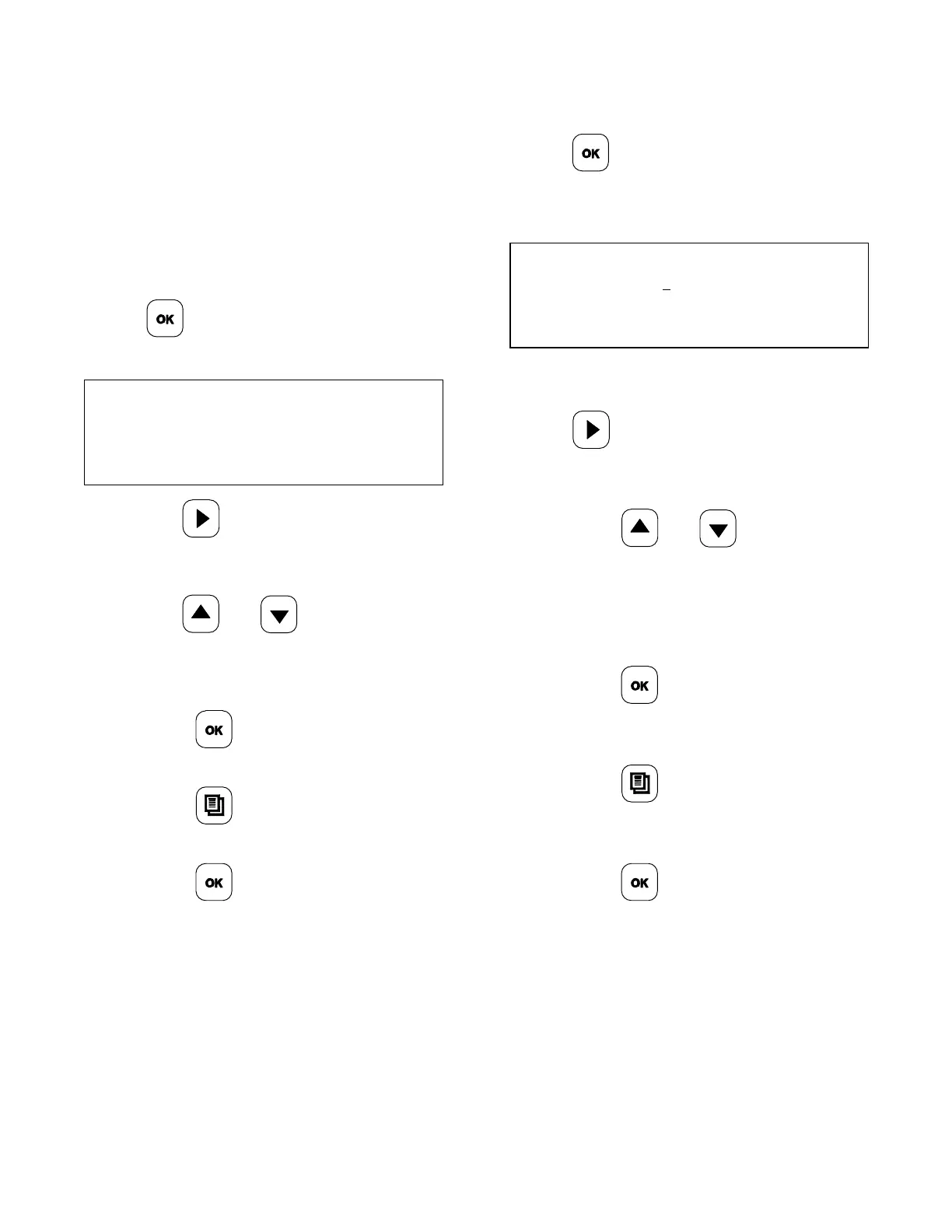
1. From the SYSTEM SET UP menu, press
the
key until the screen displays
“DATE”.
DATE
FRI 03/20/09
2. Use the key to place the cursor
under the digit to be changed (i.e.,
weekday, month, day, or year).
3. Use the
and keys to change
the digit. Scroll to the next digit to be
adjusted and repeat these steps, until the
desired date has been entered.
4. Press the
key to accept the
selection.
5. Press the
key to return to the
AM/PM Mode.
6. Press the
key to exit the
programming mode, or wait for the display
to time out after 3-5 seconds.
Time
1. From the SYSTEM SET UP menu, press
the
key until the screen displays
“TIME”.
TIME
5:00 PM
2. To make an adjustment to the time, press
the
key to scroll to the digit to be
changed (i.e., hour, minute, or AM/PM).
3. Press the and keys to
increase or decrease the digit. Scroll to
the next digit to be adjusted and repeat
these steps, until the desired time has
been entered.
4. Press the
key to accept the
selection.
5. Press the key to return to the
AM/PM Mode.
6. Press the key to exit the
programming mode, or wait for the display
to time out after 3-5 seconds.


 To Next Page