10.7
Doser alarms
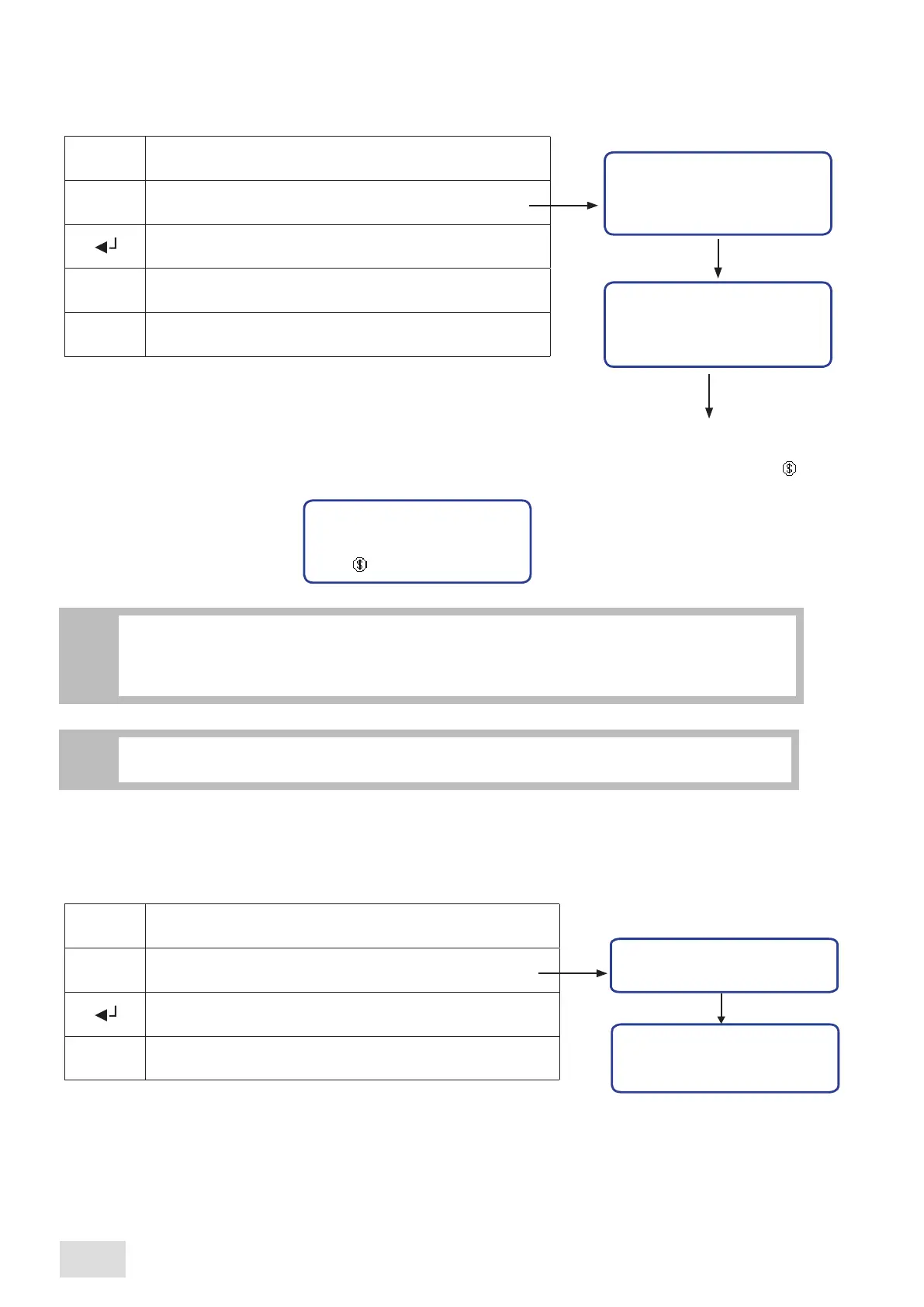
This submenu allows viewing the number of flowmeter alarms. The 4 values shown on display are relevant to the brewing
groups, the number one group beeing the right side one. Proceed as follows:
Doser alarms
Doser alarms
Enter into the programming menu
Scroll the menu until you have reached the desired submenu
to be viewed
Confirm in order to enter the designated submenu
Exit from the submenu
GR1:XXX GR2: YYY
GR3: ZZZ GR4: KKK
^
M
10.6
Count-down coffee counter
The submenu allows viewing the number of coffees set the machine to function. When the machine is prefigured with this option,
proceed as follows:
Credit
Credit
Enter into the programming menu
Scroll the menu until reaching the desired submenu to
be viewed
Confirm in order to enter the designated submenu
On display will be shown the left numbers of coffee to be
prepared
To exit from the submenu, press the Menu key “M”
If the number of prepared coffees reached the value set as credit’s pre-alarm, on display will blink the symbol :
CCCCCC
^
M
•If the “Credit” has reached the zero value, the coffee preparation is disabled and the symbol from
the display remains fix.
•In order to erase the message from the display and activate the coffee brewing, call the authorized
personnel.
i
CCCCCC:
credit value
1.1 bar
120°C
09:16 10-05-09 1
If the machine is not prefigured with the “Credit” function, the afferent submenu will not be
accesible
nor in the user’s programming menu neither in administrator’s programming menu.
i
SAE Display
24
english



 To Next Page