McHale
991B
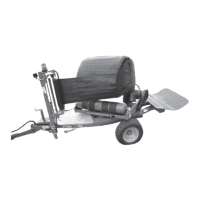
Round Bale Wrapper
60
The electronic control box (if fitted) should be set to program “R94” except on 991 BE
where program “RT” should be used. If side loading is desired use program “SR94”.
The table must be in the correct starting position. Refer to the section control box/
functions/programs for more details.
1. Park machine on level ground with access for the loader, as required. Ensure
the machine cannot move.
2. Load the bale onto the wrapper table using a McHale round bale handler.
3. The wrapper should now go through a sequence either worked manually or
automatically, on electronic machines.
(a) Press “Auto start” on the remote control unit.
(b) The table starts rotating and plastic film is applied to the bale.
(c) After a few revolutions the cut & hold releases the plastic film.
(d) The table slows down two revolutions before the required number of
revolutions is reached.
(e) The table stops rotating when the required number of rotations is
reached. It is now lined up for tipping off.
(f) To tip the bale off, “auto start” must be pressed again.
(g) The bale damper raises up and the table tips.
(h) The cut and hold closes, holding and cutting the plastic film.
(i) The table and bale damper lower down and the bale is lowered to the
ground. The table resets itself to loading position as it is being lowered.
4. The wrapped bale should be moved immediately before the next bale is placed
on the wrapper table for wrapping.
WARNING: Keep out of the “Danger Zone”
Keep all persons outside of the “Danger Zone” during all machine
operations! See “Danger Zone” on page 14.
WARNING: Ensure the area is clear before operating the wrapper
Always ensure there is no person or wrapped bales in the way of the
wrapper before operating it again.
WARNING: Turn off power before changing plastic film rolls
Always turn off the power source and the electronic control box, before
changing the plastic film roll.



 To Next Page