PRODUCT IDENTIFICATION / General Specifications
12
1
2 3 4 5 6 7
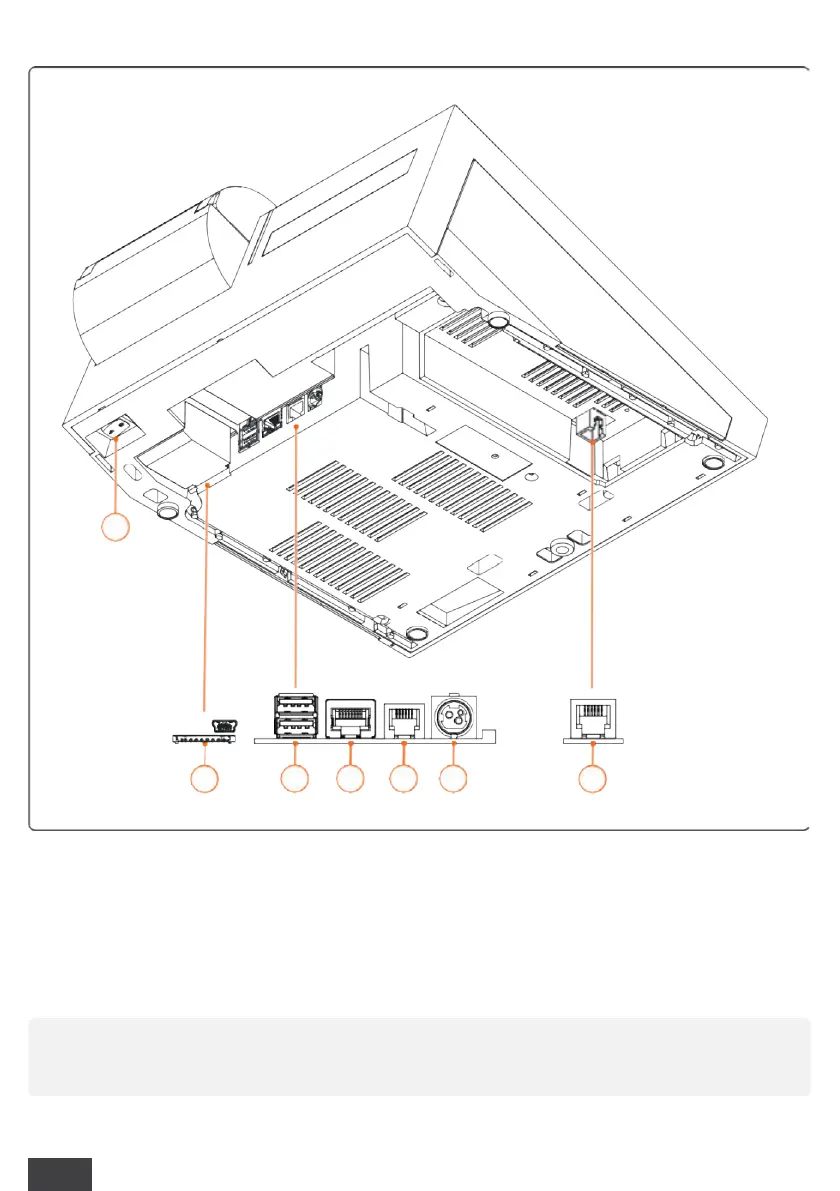
1
Power ON/OFF button
2
USB OTG connection (USB 3) - SD slot (not available)
3
USB Host connection (USB 1 - USB 2)
4
Ethernet LAN connection
5
RJ11 connection (cash drawer)
6
Power supply and cable (24V)
7
Serial connection RS 232 (COM1)
Through the connections provided, it is possible to connect personal computers,
optical barcode readers, USB sticks



 To Next Page