18
ABOX 3 RT - Manuale Utente
INSTALLATION / Connection to the Power Supply
►
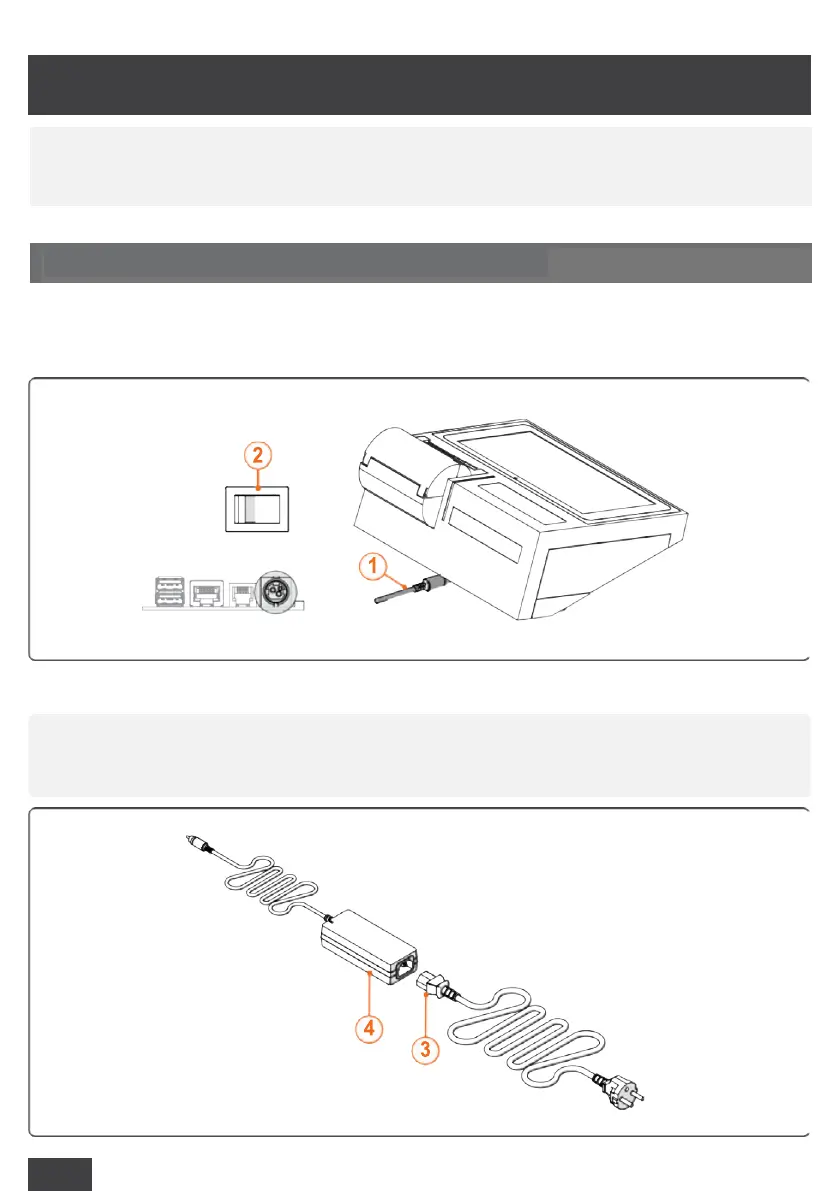
Connect the power supply connector (1);
►
Press the power button and set it on "OFF" (2);
►
Connect the plug (3) to the IEC connector (4) on the power supply unit;
5
INSTALLATION
OFF
a
Only use the original cable and power supply unit. 100-240V, 50/60Hz power
supply
5.1 CONNECTION TO THE POWER SUPPLY
a
The product is installed by MCT Service Centre or by authorised installation
technicians.



 To Next Page