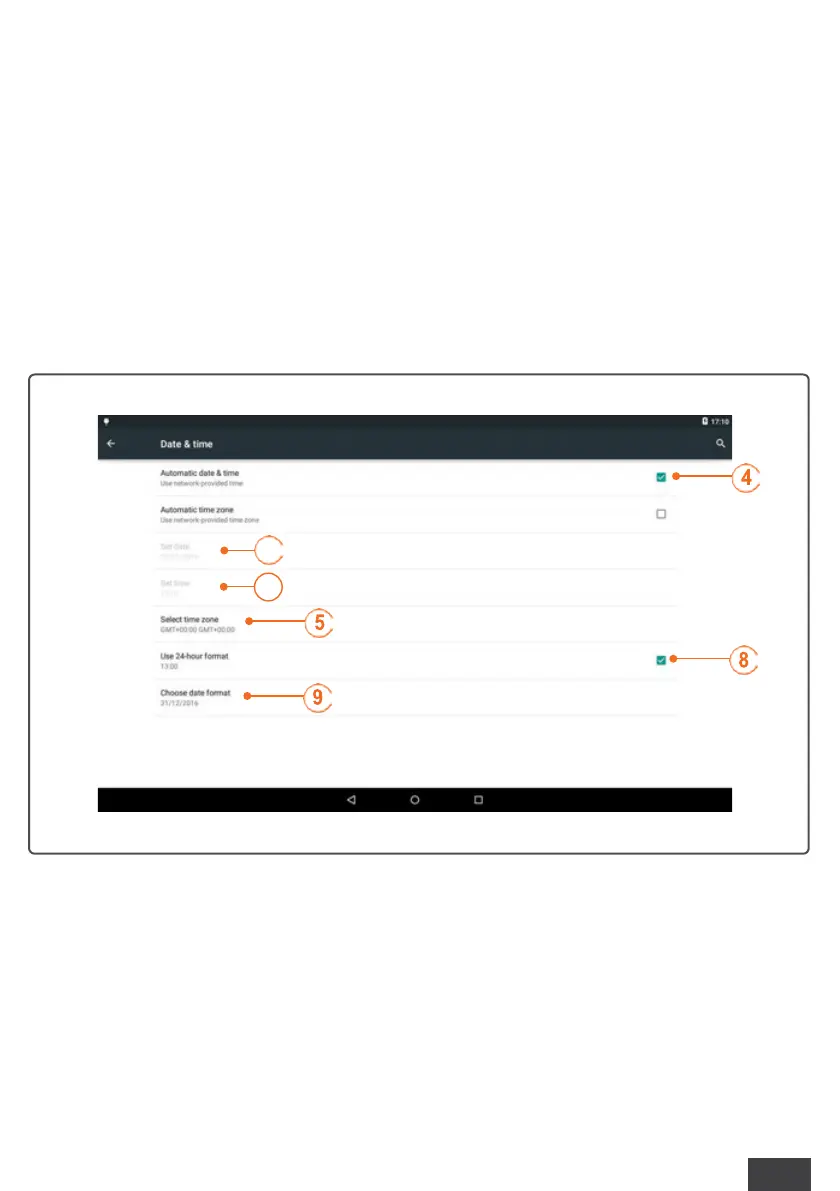
INSTALLATION / Date/Time Setting
29
►
Deselect “Automatic Date and Time” (4);
►
If you wish to change the time zone, you can check “Select time zone” (5) and set the desired
time zone from the list.
►
Touch “Set date” (6) and select the correct month, date, and year. Touch “OK” when the date is
correct.
►
Touch “Set time” (7) and select the correct hour (AM or PM) and minute. Touch “OK” when the
time is correct.
►
To display the time in 24-hour format, place a check mark next to “Use 24-hour format” (8).
►
Touch “Choose date format” (9). Four date formats are available: Regional, Month/Date/Year,
Date/Month/Year, or Year/Month/Date. Touch one option to select it.
1



 To Next Page