EasyManua.ls Logo

Meaco 20L MeacoDry Arete One - User Manual

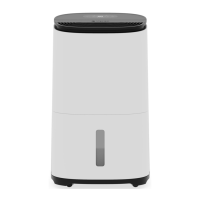
Meaco 20L MeacoDry Arete One
21 pages
Print Icon
To Next Page IconTo Next Page
Loading...
MeacoDry Arete One
20L and 25L Dehumidifier and Air Purifier
Thank you for choosing Meaco, we really appreciate it.
Question and Answer IconNeed help?

Do you have a question about the Meaco 20L MeacoDry Arete One and is the answer not in the manual?

Summary

Safety Information

General Safety Precautions

Covers child safety, grounding, cord care, stable surface, water proximity, clear intakes, and dry components.

R290 Refrigerant Safety

Handling Flammable Refrigerant

Details precautions for R290 refrigerant, including flammability, room size, ignition sources, and ventilation requirements.

Wiring Instructions

Mains Lead Colour Code and Connection

Explains wire colours (Blue, Brown, Green/Yellow) and their connection to plug terminals for safe wiring.

Cord Grip and Fuse Safety

Ensures correct cord grip positioning and using the same fuse as original product for electrical safety.

First Steps

Initial Setup and Unpacking

Guides on reading the manual, checking for damage, unpacking, and the initial standing period before use.

Powering On and Initial Gauge

Instructs on plugging in, turning on, and allowing the unit 10 minutes to gauge ambient humidity levels.

Seeking Setup Assistance

Provides contact details for users needing further questions or assistance regarding the dehumidifier setup.

Dehumidifier Usage Scenarios

Whole House Dehumidifying

Recommends optimal placement and settings for dehumidifying an entire house or flat effectively.

Drying Laundry Effectively

Advises on situating the unit near laundry and using specific modes for quick and efficient drying.

Understanding Display Readings

Explains how the unit's display shows current humidity levels and target humidity settings.

Product Identification

Front View Components

Identifies key components visible from the front of the dehumidifier, including the handle and water tank.

Side View Components

Details components visible from the side, such as the filter case, cable tidy, and castors.

Control Panel Functionality

Control Panel Layout and Buttons

Overview of the control panel, identifying buttons like Power, Modes, and indicators like Dehumidifying.

Power Button Operation

Explains the simple process of turning the dehumidifier on and off using the dedicated power button.

Smart Humidity Mode Explained

Details how to activate Smart Humidity mode, its default settings, and the auto-stop/restart logic.

Control Panel Modes

Night Mode Operation

Explains setting night mode for reduced fan speed, silent operation, and turning off display lights.

Variable Humidistat Settings

Explains how to select target humidity levels from 40%rh to 70%rh, including Continuous (CO) mode.

Air Purification Mode

Details entering air purification mode ('AP') for purifying air without dehumidifying, useful in summer.

Smart Laundry Mode Operation

Explains entering smart laundry mode (35%rh, high fan) for 6 hours and checking remaining time.

Control Panel Indicators and Locks

Smart Laundry Night Mode

Describes setting night mode in smart laundry mode for reduced fan speed and silent operation.

Night Mode Usage

Explains how to enter and exit night mode for quiet operation with dimmed lights and reduced fan speed.

Child Lock Feature

Details how to lock/unlock the control panel to prevent accidental changes, indicated by an icon.

Indicator Light Meanings

Explains the specific indicators for Dehumidifying, Water Tank Full, Air Purification, and Child Lock.

Water Tank Management

Water Tank Operation and Capacity

Explains how the water tank collects moisture and its capacity, with options for tank or continuous drainage.

Emptying the Water Tank

Provides instructions on how to safely remove and empty the full water tank from the dehumidifier.

Water Tank Cleaning and Float

Guides on cleaning the water tank and explains the crucial role of the internal water level float.

Drainage and Water Management

Water Tank Emptying Frequency

Discusses factors influencing how often the water tank needs emptying and troubleshooting low collection.

Continuous Drainage Setup

Explains how to set up continuous drainage for unattended operation using the provided adaptor.

Continuous Drainage Installation

Step-by-Step Drainage Setup

Provides a four-step guide for connecting the hose and adaptor for continuous water drainage.

Cleaning and Maintenance

General Cleaning Precautions

Advises turning off power, disconnecting cable, and inspecting cord for damage before any cleaning.

Cleaning Exterior Surfaces

Instructions for cleaning the exterior with a soft cloth, mild agent, or slightly damp cloth.

Dust Filter Cleaning

Details the recommended frequency and method for cleaning the dust filter to maintain airflow.

Filter Replacement and Storage

HEPA Filter Replacement

Explains the HEPA filter's lifespan, replacement indicators, and the process for inserting a new filter.

HEPA Filter Maintenance

Provides instructions on how to periodically hoover the HEPA filter to remove accumulated dust and dirt.

Unit Storage Guidelines

Guides on preparing the dehumidifier for long-term storage, including cleaning and location.

Product Specifications

Troubleshooting Common Issues

Indicator and Display Codes

Explains flashing indicators, display codes like 'AP'/'SL', and night mode effects on buttons.

Error Code Troubleshooting

Covers troubleshooting for specific error codes (E1, E2, L3, L4) and when to contact Meaco support.

Operational Issues

Provides solutions for the unit not operating, collecting little water, or temperature-related performance.

Warranty and Support

Manufacturers Warranty Details

Outlines the five-year warranty, registration benefits, and what manufacturing defects are covered.

Warranty Terms and Conditions

Lists specific terms that apply to the warranty, including exclusions and conditions for validity.

Contacting Meaco for Service

Recommends contacting Meaco or the retailer for assistance and provides essential contact information.

Overview

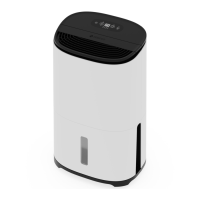
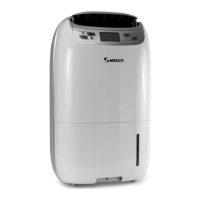
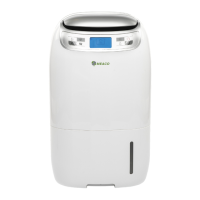
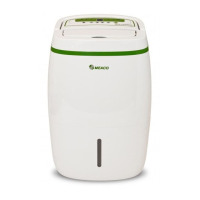
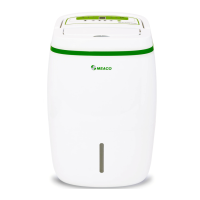
The MeacoDry Arete One is a versatile dehumidifier and air purifier designed for use in homes and flats. It comes in 20L and 25L models, both capable of dehumidifying and purifying the air. The device utilizes R290 refrigerant gas, which is environmentally friendly and has a low greenhouse effect, aligning with European Environmental Directives.

Function Description

The primary function of the MeacoDry Arete One is to reduce humidity levels in indoor environments, thereby preventing condensation, mould build-up, and making spaces easier to heat. It can be used for whole-house dehumidification or to target specific rooms. Additionally, it features an air purification mode, which, when combined with the included H13 HEPA filter, cleans the air by removing dust and other particles. The dehumidifier can also be used to efficiently dry laundry.

Usage Features

The MeacoDry Arete One offers several smart modes and controls for user convenience:

  • Power Button: A simple press turns the dehumidifier on or off. Upon activation, the display shows the current humidity level, and the device begins to run.
  • Smart Humidity Mode: This mode sets a default target humidity of 55%rh with a low fan speed. Once this target is reached (within -3%rh), the dehumidifier stops. Every 30 minutes, the fan runs to check the humidity level. If the humidity rises more than 3% above the target, the compressor restarts. If it remains within 3% of the target, the device goes back to sleep. The fan speed automatically adjusts based on humidity levels relative to the target: high speed if 15%rh above target, low speed if 15%rh within target.
  • Variable Humidistat: Users can manually set a target humidity level other than 55%rh by repeatedly pressing the smart humidity mode button. Options include 40, 45, 50, 55, 60, 65, 70, and "CO" for continuous operation. When a target is set, it displays for 5 seconds before reverting to the current humidity. In "CO" mode, the dehumidifier runs continuously regardless of humidity.
  • Air Purification Mode: Holding the smart humidity button for 2 seconds activates "AP" mode. In this mode, the dehumidifier purifies the air without dehumidifying, useful during warmer months when humidity control isn't needed. The H13 HEPA filter, if installed, ensures air purification even outside this specific mode.
  • Smart Laundry Mode: Pressing the smart laundry mode button activates this mode, defaulting to a target humidity of 35%rh and high fan speed. The device runs for 6 hours, after which it turns off. The display shows "SL" and can indicate remaining time (e.g., '06' for 6 hours). If the humidity drops to 32%rh before the 6 hours are up, the compressor turns off to prevent over-drying, but the fan continues. The compressor restarts if humidity rises to 38%rh.
  • Night Mode: This mode can be activated from either Smart Humidity or Smart Laundry mode by pressing the Night Mode / Child Lock button. It reduces fan speed to low, silences button beeps, and turns off all display lights after 3 seconds, ensuring minimal disturbance. Pressing the button once more shows the current humidity, and twice exits night mode.
  • Child Lock: Holding the Night Mode / Child Lock button for 2 seconds locks the control panel, preventing any setting changes or accidental power-offs. The child lock indicator lights up, and the device bleeps once. To deactivate, hold the button for another 2 seconds.
  • Water Tank Full Indicator: When the water tank is full, the dehumidifier enters a fan-only mode for 3 minutes to clear excess water from the coils, then the indicator lights up and the device bleeps five times before stopping operation until the tank is emptied and reinserted.
  • Continuous Drainage: For unattended operation, the dehumidifier supports continuous drainage. An included right-angle adaptor fits a standard garden hose (ID: 12.5mm), allowing water to drain via gravity without needing to empty the tank. The adaptor is found in the water tank lid.

Maintenance Features

Regular maintenance ensures the longevity and efficiency of the MeacoDry Arete One:

  • General Cleaning: Always turn off and unplug the dehumidifier before any maintenance. The exterior can be cleaned with a soft, dry cloth, or a mild cleaning agent and damp cloth for dirtier surfaces. Avoid spraying water directly onto the device. The electrical cord should be inspected regularly for damage.
  • Dust Filter Cleaning: The life-long dust filter should be cleaned at least every two weeks to prevent clogging, which can affect performance and potentially void the warranty. To clean, slide the filter case to the left to remove it. The dust filter is integrated into the case. It can be cleaned with a hoover or soapy water (no hotter than 40°C), then rinsed and thoroughly dried before reinsertion.
  • HEPA Filter Replacement: The H13 HEPA filter, used for air purification, is not life-long and needs replacement when its colour changes from white to grey, typically every 3 months, depending on usage environment. It can be hoovered periodically to remove dust. To insert or replace, place it inside the combined filter case and dust filter, then slide the assembly back into the dehumidifier. Replacement HEPA filters are available from the manufacturer's website.
  • Water Tank Cleaning: The water tank lid can be removed to facilitate cleaning the inside of the tank. The float inside the water tank is crucial for measuring water levels and triggering the full sensor; it must not be removed.
  • Storage: For long-term storage, unplug the device, empty and thoroughly dry the water tank and the dehumidifier itself (which may take a couple of days). Use the cable tidy on the back to wrap the power cord. Clean the filters and store the unit in a dust-free location away from direct sunlight, ideally covered with a plastic sheet.

The MeacoDry Arete One is designed for ease of use and effective environmental control, with clear indicators and simple button operations for various modes. Troubleshooting guidance is provided for common issues, such as flashing indicators, display messages, and performance concerns related to temperature or humidity levels.

Meaco 20L MeacoDry Arete One Specifications

General IconGeneral
Weight12.5 kg
Dimensions380 x 260 x 600 mm
Noise Level35 dB
Power Consumption200W
Tank Capacity2L
Capacity20L
Operating Temperature5°C to 35°C
Suitable for5 bedroom house

Related product manuals